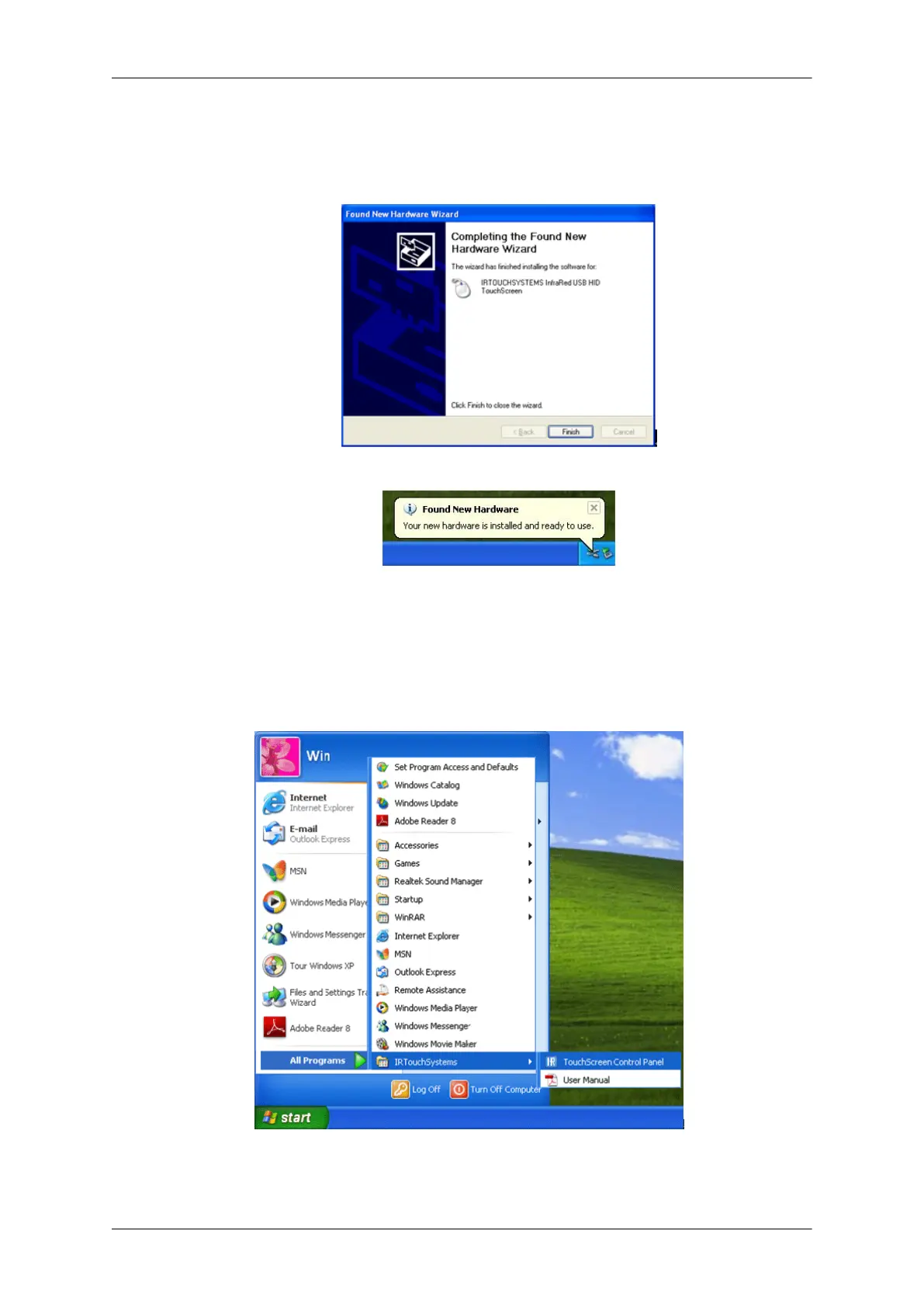
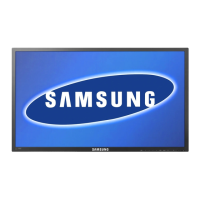
7. Click "Finish” (FIG.3) to complete the driver update. A taskbar balloon at the bottom, right corner
of the screen will read "Found New Hardware" (FIG. 4).
FIG. (3)
FIG. (4)
Touchscreen Control PanelInstalling the Driver
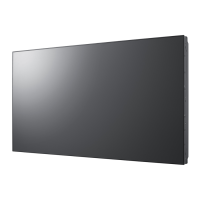
Double-click the shortcut on the desktop, or go to “Start” -> “All Programs” -> ”IRTouchSystems” -
> “TouchScreen Control Panel” (FIG. 5) then open the Control Panel for the touchscreen.
FIG. (5)
Using the Software






 To Next Page