EasyManua.ls Logo

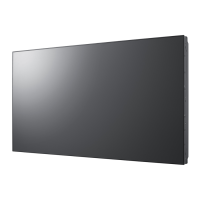
Samsung SyncMaster 460UXN-3 - User Manual

Samsung SyncMaster 460UXN-3
149 pages
Print Icon
To Next Page IconTo Next Page
Loading...
SyncMaster 400UXN-3, 400UX-3, 460UXN-3, 460UX-3
LCD Display
User Manual
The color and the appearance may differ depending on the
product, and the specifications are subject to change
without prior notice to improve the performance.
Downloaded From TV-Manual.com Manuals

Table of Contents

Questions and Answers

  • A
    Alexandra WeaverAug 6, 2025
    Why does the Samsung SyncMaster 460UXN-3 Monitor remote control not work?
    • C
      carol06Aug 7, 2025
      The remote control might not function if the RS-232C cable is disconnected, or the program closes unexpectedly while the Remote Control function is disabled. To fix this, restart the program and enable the Remote Control setting.
  • L
    Lisa JohnsonAug 10, 2025
    What to do if displays power on/off at different times on Samsung SyncMaster 460UXN-3?
    • A
      Alejandro GregoryAug 10, 2025
      If displays power on or off at different times, even with On Time or Off Time set, synchronize the connected displays by adjusting the time on the PC.
  • M
    mcphersonwilliamAug 15, 2025
    How to fix a Samsung SyncMaster 460UXN-3 Monitor when the display doesn't appear on the system information chart?
    • W
      wardbradleyAug 15, 2025
      First, check the RS232C cable connection, ensuring it's properly connected to the correct serial port. Next, verify that no other display is connected with a duplicate ID, as this can cause data collision. Finally, confirm that the display ID is within the range of 0 to 99 by changing the ID in the Display menu if necessary.
  • A
    Anna TaylorAug 19, 2025
    Why does my Samsung Monitor display not appear on the system information chart?
    • T
      Tony ReynoldsAug 19, 2025
      If the display you're trying to control isn't showing up on the system information chart for your Samsung Monitor, here are a few things to check: * Make sure the RS232C cable is properly connected to the correct serial port. * Ensure that no other display is connected with a duplicate ID, as this can cause data collision. * Verify that the display ID is within the range of 0 to 99. You can change the ID in the Display menu.
  • G
    Greg WilkersonAug 23, 2025
    What to do if the Samsung SyncMaster 460UXN-3 Monitor display doesn't appear on the Control Info Grids?
    • J
      Jennifer ChapmanAug 25, 2025
      If the display you want to control does not appear on the other Control Info Grids of your Samsung Monitor, make sure that the display is powered on (check the power status in the system information chart) and that you have selected the input source the display is connected to.
  • K
    Kevin LopezAug 27, 2025
    How to synchronize power on/off times on Samsung Monitors?
    • E
      Eric DelgadoAug 27, 2025
      If your Samsung Monitor displays are powering on or off at different times, even though the On Time or Off Time is set, adjust the time on your PC to synchronize the time between the connected displays.
  • D
    Donald RichSep 1, 2025
    What to do if the display I want to control does not appear on the other Control Info Grids on Samsung SyncMaster 460UXN-3?
    • D
      David GouldSep 1, 2025
      First, verify that the display is powered on by checking the power status in the system information chart. Then, make sure you have selected the correct input source to which the display is connected.

Summary

Safety Instructions

Power Safety Precautions

Essential safety guidelines for electrical power handling and connection.

Installation and Handling Safety

Safety measures during product installation and physical handling.

Using Samsung Display Software

Adjusting Display Settings

Screen Picture Adjustments

Customizing picture settings like contrast, brightness, color, and sharpness.

Sound Settings Configuration

Adjusting audio parameters including bass, treble, and sound modes.

System Setup and Special Features

Configuring Video Wall, PIP, energy saving, and security features.

Time and Screen Protection Settings

Managing clock, timers, and screen burn protection functions.

Troubleshooting and Maintenance

Solving Display and Connection Issues

Common problems and their solutions for display and connection errors.

Screen Display Troubleshooting Guide

Diagnosing and fixing issues related to the screen image and performance.

Product Specifications

Samsung SyncMaster 460UXN-3 Specifications

General IconGeneral
Screen Size46 inches
Resolution1920 x 1080
Brightness450 cd/m²
Contrast Ratio4000:1
Response Time8 ms
Weight25.5 kg
Aspect Ratio16:9
Display Colors16.7 million
Power Consumption220 W
Viewing Angle178° horizontal / 178° vertical
ConnectivityHDMI, VGA
Input PortsComponent, Composite, S-Video, HDMI
Input ConnectorsComponent, Composite, S-Video, HDMI

Related product manuals