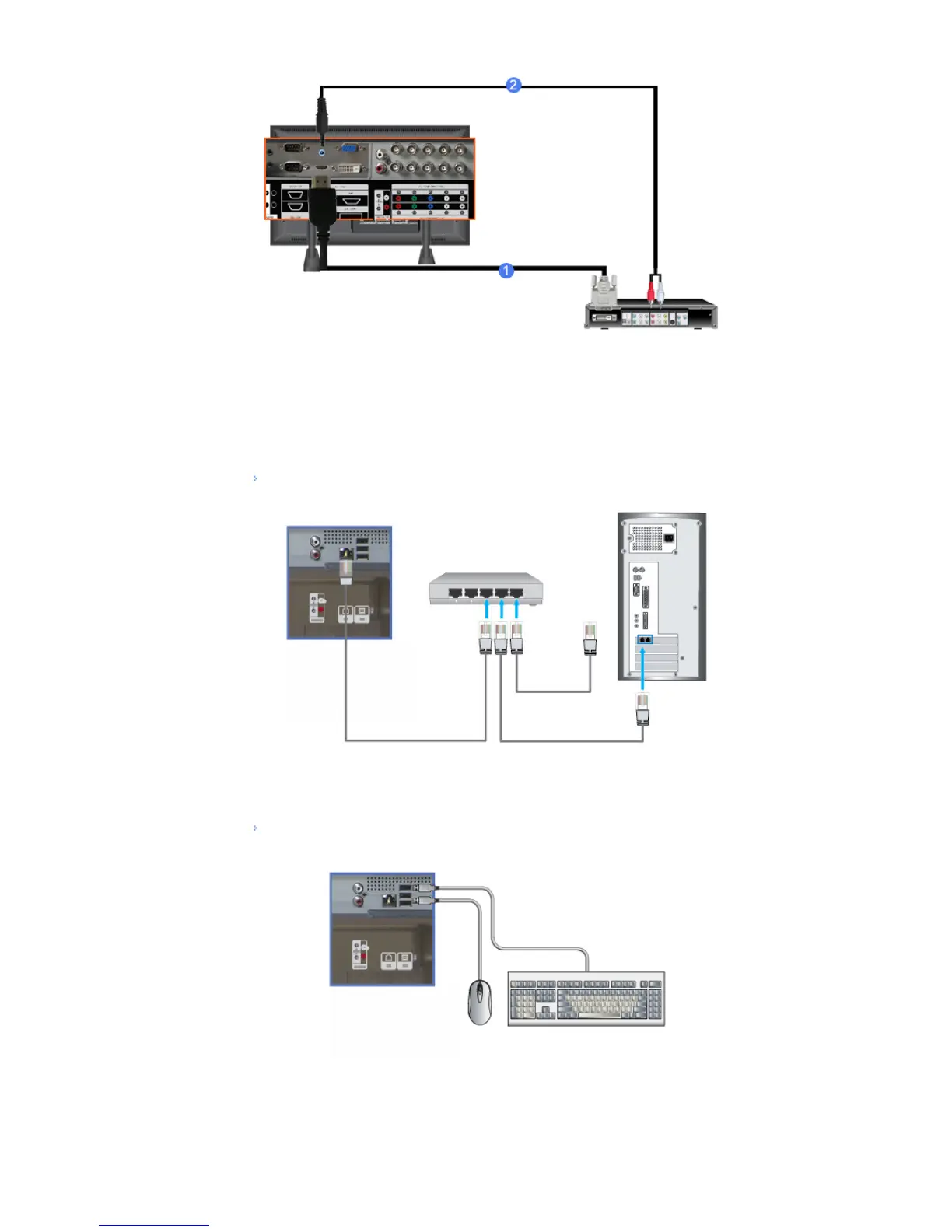
1) Connect the DVI output terminal of a digital output device to the HDMI IN terminal of the monitor using a
DVI to HDMI cable.
2) Connect the red and white jacks of an RCA to stereo (for PC) cable to the same colored audio output
terminals of the digital output device, and connect the opposite jack to the HDMI / PC / DVI-D AUDIO IN
terminal of the monitor.
Connecting a LAN Cable
1) Connect the LAN cable.
Connecting a USB device
1) You can connect USB devices such as a mouse or keyboard.
© 1995~2008 SAMSUNG. ALL Rights Reserved








 To Next Page