Note
This monitor driver is under certifying MS logo, and this installation doesn't damage your system.
The certified driver will be posted on Samsung Monitor homepage.
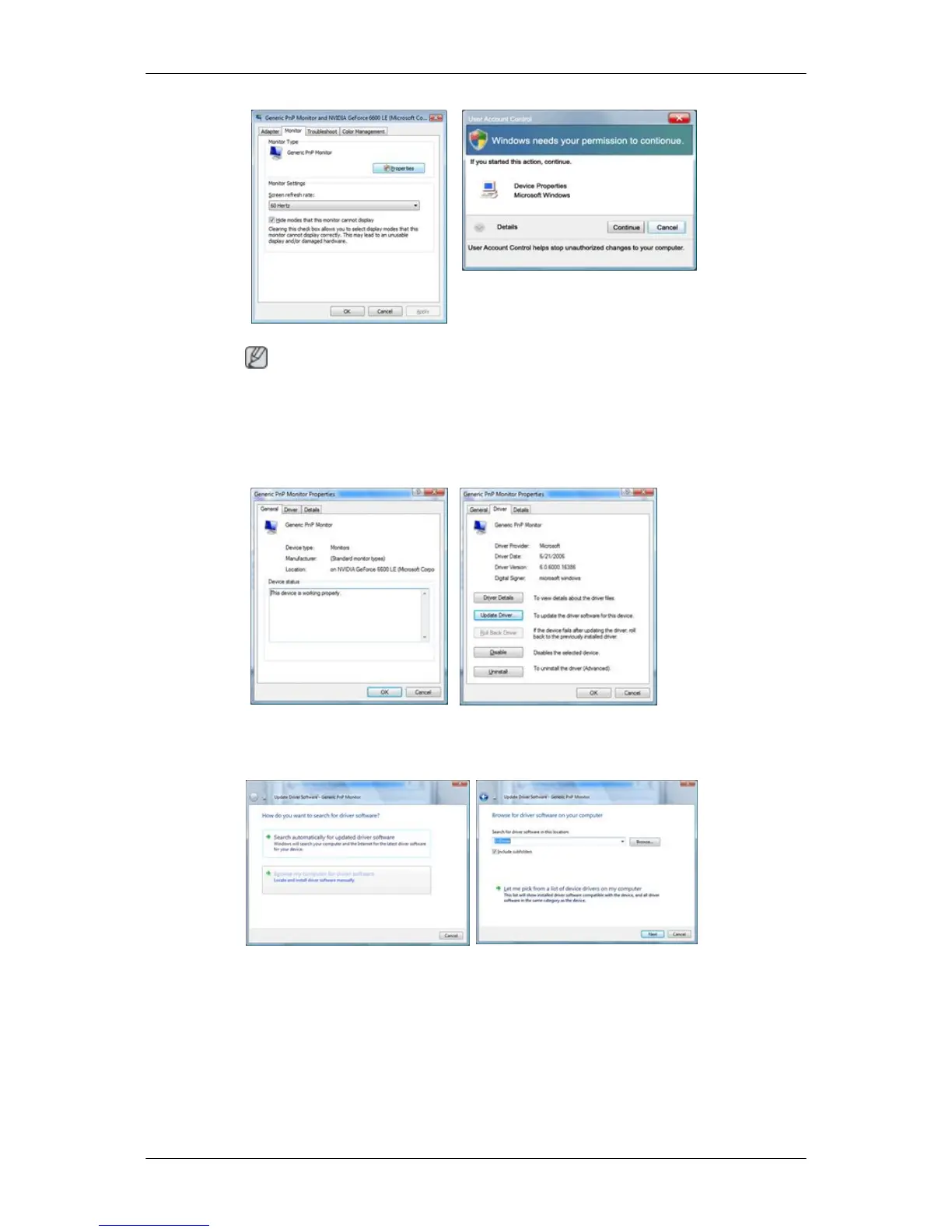
6. Click "Update Driver..." in the "Driver" tab.
7. Check the "Browse my computer for driver software" checkbox and click "Let me pick from a
list of device drivers on my computer".
8. Click "Have Disk...” and select the folder (for example, D:\Drive) where the driver setup file is
located, and click "OK".
Using the Software










 To Next Page