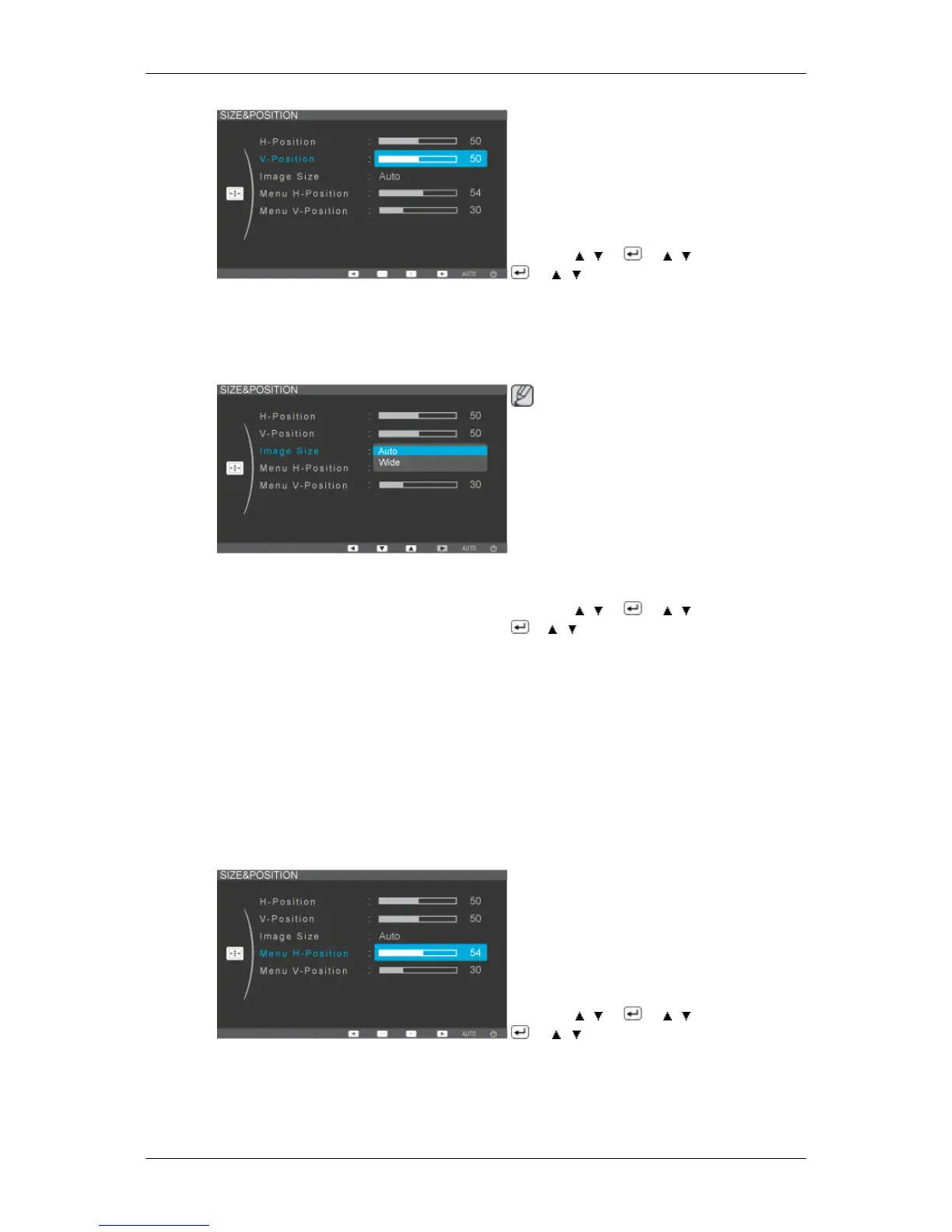
MENU → , → → , →
→ , → MENU
Image Size
You can change the size of the screen displayed on your monitor.
, → → , →
→ , → MENU
• Auto - The screen is displayed in accordance with the screen aspect ratio of the input
signals.
• Wide - A full screen is displayed regardless of the screen aspect ratio of the input signals.
Menu H-Position
You can change the horizontal position where the OSD menu appears on your monitor.
The larger the number, the more the OSD menu moves to the right. The smaller the number,
the more it moves to the left.
MENU → , → → , →
→ , → MENU
Menu V-Position
You can change the vertical position where the OSD menu appears on your monitor.
Adjusting the Monitor
Note
• If the wide screen which is
the optimal resolution for
the monitor is set on your
PC, this function is not per-
formed.
MENU →



 To Next Page