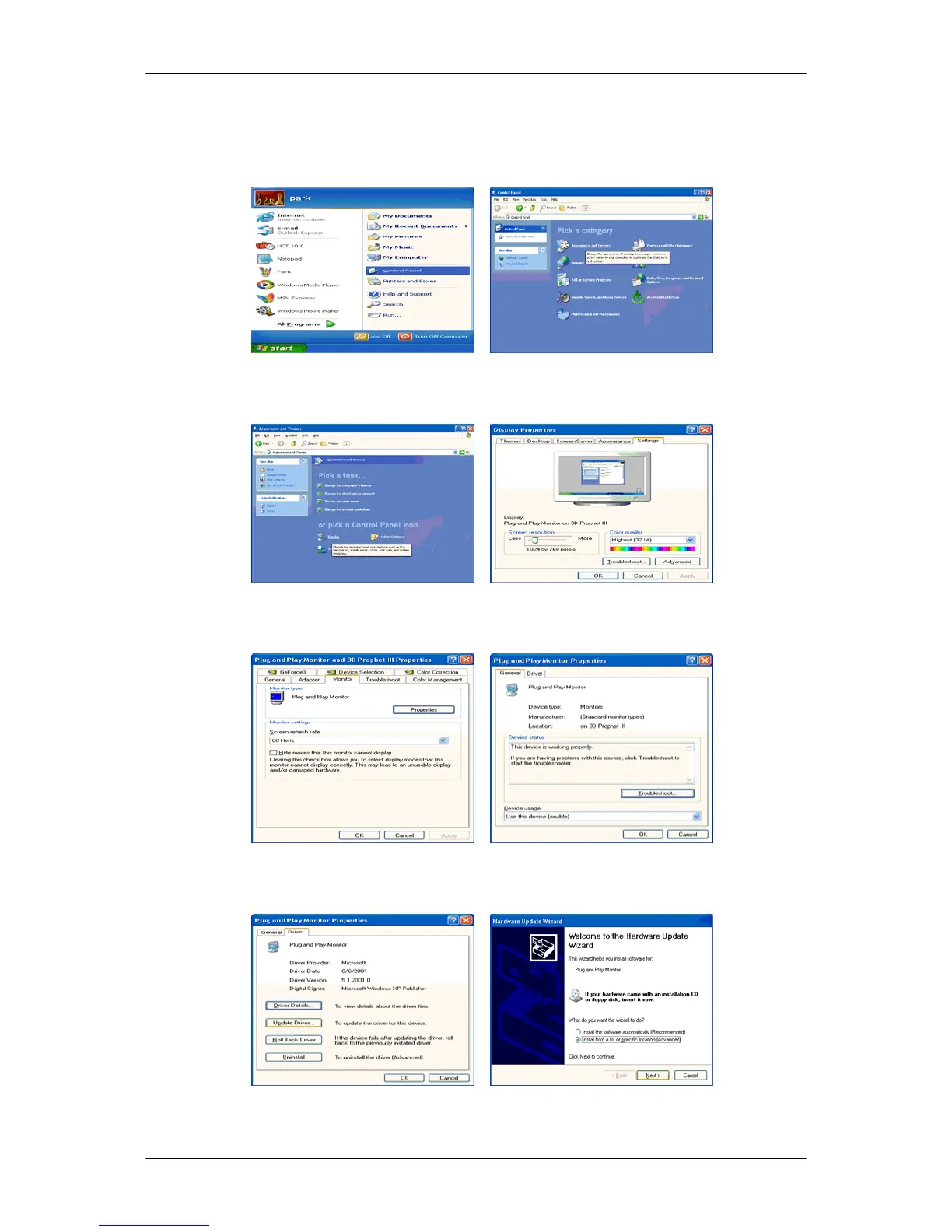
1. Insert CD into the CD-ROM drive.
2.
Click "Start" → "Control Panel" then click the "Appearance and Themes" icon.
3. Click "Display" icon and choose the "Settings" tab then click "Advanced...".
4. Click the "Properties" button on the "Monitor" tab and select "Driver" tab.
5. Click "Update Driver..." and select "Install from a list or..." then click "Next" button.
6. Select "Don't search, I will..." then click "Next" and then click "Have disk".
Using the Software
19









 To Next Page