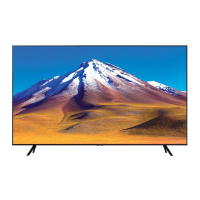
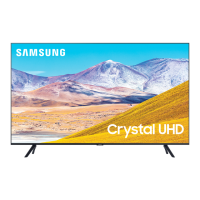
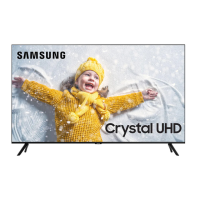
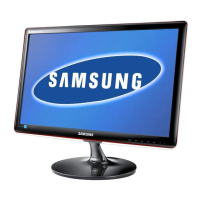
This document is a user manual for a Samsung Crystal UHD 7 Series television, providing comprehensive information on its setup, operation, and maintenance.
Function Description:
The Samsung Crystal UHD 7 Series TV is designed to deliver a high-quality viewing experience with its 4K UHD resolution. It offers smart TV functionalities, allowing users to access online services, stream content, and connect to various devices. The television supports both wireless and wired network connections for internet access and software updates. It also includes an e-Manual for easy access to detailed instructions and troubleshooting tips directly on the TV. The TV can be controlled via a remote control or a physical TV controller located on the device.
Important Technical Specifications:
The manual lists several models within the Crystal UHD 7 Series, including UE43TU7070, UE43TU7090, UE43TU7170, UE43TU7175, UE43TU7190, UE50TU7070, UE50TU7090, UE50TU7170, UE50TU7175, UE50TU7190, UE55TU7070, UE55TU7090, UE55TU7170, UE55TU7175, UE55TU7190, UE58TU7070, UE58TU7090, UE58TU7170, UE58TU7175, UE58TU7190, UE65TU7070, UE65TU7090, UE65TU7170, UE65TU7175, UE65TU7190, UE70TU7070, UE70TU7090, UE70TU7170, UE70TU7175, UE70TU7190, UE75TU7070, UE75TU7090, UE75TU7170, UE75TU7175, and UE75TU7190.
All models feature a display resolution of 3840 x 2160 (4K UHD).
Screen sizes vary:
- 43 inches (108 cm diagonal)
- 50 inches (125 cm diagonal)
- 55 inches (138 cm diagonal)
- 58 inches (146 cm diagonal)
- 65 inches (163 cm diagonal)
- 70 inches (176 cm diagonal)
- 75 inches (189 cm diagonal)
Audio output for all models is 20 W.
Dimensions (W x H x D) and weight vary by model:
- 43-inch models:
- Body: 963.0 x 558.4 x 59.2 mm
- With Stand: 963.0 x 627.3 x 192.5 mm
- Weight (without stand): 8.1 kg
- Weight (with stand): 8.3 kg
- 50-inch models:
- Body: 1115.8 x 643.7 x 59.5 mm
- With Stand: 1115.8 x 718.6 x 250.2 mm
- Weight (without stand): 11.4 kg
- Weight (with stand): 11.6 kg
- 55-inch models:
- Body: 1230.5 x 707.2 x 59.5 mm
- With Stand: 1230.5 x 782.8 x 250.2 mm
- Weight (without stand): 13.9 kg
- Weight (with stand): 14.2 kg
- 58-inch models:
- Body: 1290.0 x 748.2 x 59.5 mm
- With Stand: 1290.0 x 823.9 x 250.2 mm
- Weight (without stand): 15.2 kg
- Weight (with stand): 15.4 kg
- 65-inch models:
- Body: 1448.4 x 829.8 x 59.5 mm
- With Stand: 1448.4 x 906.2 x 282.1 mm
- Weight (without stand): 20.6 kg
- Weight (with stand): 20.9 kg
- 70-inch models:
- Body: 1571.4 x 874.0 x 59.5 mm
- With Stand: 1571.4 x 962.5 x 340.8 mm
- Weight (without stand): 24.2 kg
- Weight (with stand): 24.7 kg
- 75-inch models:
- Body: 1673.2 x 958.2 x 59.9 mm
- With Stand: 1673.2 x 1043.0 x 339.9 mm
- Weight (without stand): 30.4 kg
- Weight (with stand): 30.8 kg
Environmental considerations:
- Operating Temperature: 10°C to 40°C (50°F to 104°F)
- Operating Humidity: 10% to 80%, non-condensing
- Storage Temperature: -20°C to 45°C (-4°F to 113°F)
- Storage Humidity: 5% to 95%, non-condensing
The TV is compliant with CI+ 1.4 standard. Wireless connectivity includes Wi-Fi (5 GHz WLAN function for indoor use only) and Bluetooth. Max BT transmitter power is 100mW at 2.4GHz - 2.4835GHz. Max Wi-Fi transmitter power is 100mW at 2.4GHz-2.4835GHz, 200mW at 5.15GHz-5.25GHz, and 100mW at 5.25GHz-5.35GHz & 5.47GHz - 5.725GHz.
Usage Features:
- Initial Setup: The TV guides users through an initial setup process upon first power-on, covering channel reception, scanning, and network connection. SmartThings app can be used for setup.
- Remote Control: The TV comes with a remote control (2 AAA batteries included) with tactile dots on key buttons (Power, Channel, Volume, Select) for accessibility. The remote operates within 7 meters of the TV.
- TV Controller: A physical TV controller on the bottom of the TV allows basic operations like power on/off, channel change, volume adjustment, and source selection.
- Network Connection: Supports both wireless (Wi-Fi via access point or modem) and wired (LAN cable, Cat 7 STP type recommended for speeds above 10 Mbps) connections for internet access.
- e-Manual: An embedded e-Manual provides detailed instructions, troubleshooting, and specifications. It features search, index, site map, and recently viewed topics. "Try Now" and "Link" buttons within the e-Manual allow direct access to functions or related topics.
- Wall Mount Installation: The manual provides VESA screw hole specifications for wall mounting (e.g., 200x200 mm for 43-55 inch, 400x300 mm for 58-70 inch, 400x400 mm for 75 inch models) and recommends using Samsung-approved wall mount kits.
- Ventilation: Requires a minimum of 10 cm clearance from other objects for proper ventilation to prevent overheating.
- Eco Sensor: Automatically adjusts screen brightness based on ambient light conditions to optimize power consumption. This feature can be disabled.
- Remote Support: Samsung offers a remote support service where a technician can diagnose issues, adjust settings, reset to factory defaults, or install firmware updates remotely.
- Power Consumption Reduction: Users are advised to unplug the power cord when the TV is not in use for extended periods to reduce standby power consumption.
Maintenance Features:
- Cleaning:
- Remove any stickers and adhesive residue from the screen before use.
- Use a soft microfiber cloth to clean the TV frame and screen to avoid scratches.
- Do not spray water or cleaning solutions directly onto the TV to prevent electrical shock or fire.
- Turn off the TV before cleaning.
- Gently wipe dirt and fingerprints from the screen with a dry microfiber cloth.
- For the frame and screen, use a microfiber cloth slightly dampened with water, then dry with a dry cloth.
- Avoid applying excessive pressure to the screen during cleaning to prevent damage.
- Do not use flammable liquids (benzene, thinner) or detergents. For stubborn stains, spray a small amount of screen cleaner onto a microfiber cloth and then wipe the screen.
- Troubleshooting: The manual includes a comprehensive troubleshooting section for common issues such as the TV not turning on, remote control not working, network connection problems (Wi-Fi dropouts), and video app issues. It advises checking power connections, ensuring correct battery polarity in the remote, verifying network status, and resetting Smart Hub if necessary.
- Battery Replacement: Instructions are provided for correctly inserting and replacing AAA batteries in the remote control, emphasizing correct polarity.

 Need help?

 To Next Page
 General