EasyManua.ls Logo

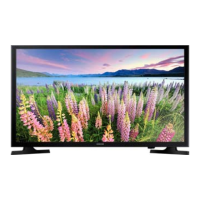
Samsung UE32J5000 - User Manual

Samsung UE32J5000
100 pages
Go to English
Print Icon
To Next Page IconTo Next Page
Loading...
LED ТЕЛЕВИЗОР
руководство пользователя
Благодарим за приобретение продукта компании.
Для получения более полного обслуживания
зарегистрируйте свое устройство по адресу
www.samsung.com/register
Модель______Серийный номер _____________
UE32J4000 / UE32J5000
[UJ4000_5000-RU]BN68-07313T-03L04.indb 1 2015-08-03 오전 10:00:33

Table of Contents

Other manuals for Samsung UE32J5000

Questions and Answers

  • R
    robin92Aug 18, 2025
    How to fix a Samsung UE32J5000 LED TV that won't turn on?
    • L
      Lori BowersAug 18, 2025
      If your Samsung LED TV doesn't turn on, ensure the AC power cord is securely plugged into both the wall outlet and the TV. Verify that the wall outlet is working. Try pressing the 'P' (program/channel) button on the TV itself to rule out a remote control issue. If the TV turns on with the button, the problem might be with the remote control.
  • S
    Sara Davidson DDSAug 20, 2025
    Why does my Samsung UE32J5000 turn off by itself?
    • K
      Kevin RussellAug 20, 2025
      If your Samsung LED TV turns off automatically, ensure the Sleep Timer is set to Off in the Time menu. If a PC is connected, check its power settings. Ensure the AC power cord is securely plugged into the wall outlet and the TV. Note that the No Signal Power Off feature turns off the TV if no signal is received for a specified time, and Auto Power Off turns off the TV after four hours of no user input.
  • C
    Cody CollinsAug 23, 2025
    How to troubleshoot picture quality on Samsung UE32J5000?
    • M
      Mary AdamsAug 23, 2025
      To troubleshoot picture quality on your Samsung LED TV, first perform the Picture Test by navigating to MENU - Support - Self Diagnosis - Picture Test. If the test image displays correctly, the issue likely stems from the source or signal.
  • L
    Luis ArroyoAug 26, 2025
    Why is there no sound on my Samsung UE32J5000 LED TV but the picture is fine?
    • D
      Derek BurgessAug 26, 2025
      If your Samsung LED TV has a good picture but no sound, first set the Speaker Select option to TV Speaker in the sound menu. If using an external device, ensure the audio cables are correctly connected to the TV's audio input jacks. Check the external device’s audio output settings, and if using a DVI to HDMI cable, remember that a separate audio cable is required. Try rebooting the connected device by disconnecting and reconnecting its power cable.
  • T
    Tara MarksAug 27, 2025
    Why doesn't my Samsung UE32J5000 LED TV picture look as good as in the store?
    • L
      lauren88Aug 27, 2025
      If your Samsung LED TV's image quality isn't as good as it appeared in the store, consider upgrading to a digital set-top box if you're using an analogue one. Use HDMI cables for HD picture quality. Cable/Satellite subscribers should try HD stations. Aerial connections should try HD stations after performing Auto tuning. Note that many HD channels are upscaled from SD content. Adjust the Cable/Set top box video output resolution to 1080i or 720p. Ensure you're watching from the minimum recommended distance based on the screen size and signal definition.
  • A
    Alexandra CollierAug 30, 2025
    How to remove the dotted line on the edge of my Samsung UE32J5000 LED TV screen?
    • B
      Brittany OwenAug 30, 2025
      If there's a dotted line on the edge of your Samsung LED TV screen, and the picture size is set to Screen Fit, change it to 16:9. Also, try changing the cable/satellite box resolution.
  • R
    Richard LopezSep 1, 2025
    How to fix Samsung UE32J5000 LED TV not receiving all channels?
    • N
      Nicole HillSep 1, 2025
      If your Samsung LED TV isn't receiving all channels, ensure the aerial cable is securely connected. Try running the Setup (Initial setup) to add available channels to the channel list by going to MENU - System - Setup (Initial setup) and wait for all available channels to be stored. Also, make sure the aerial is correctly positioned.
  • C
    Christy MossSep 3, 2025
    What to do if Samsung LED TV picture freezes when changing channels?
    • C
      Christopher RoblesSep 3, 2025
      If your Samsung LED TV's picture freezes, distorts, or delays when changing channels, try resetting the cable box if you're connected through one. Disconnect and reconnect the AC cord, waiting for the cable box to reboot, which may take up to 20 minutes. Also, set the output resolution of the cable box to 1080i or 720p.
  • P
    Phillip KnappSep 6, 2025
    How to improve poor color or brightness on Samsung UE32J5000?
    • L
      Luis GeorgeSep 6, 2025
      If your Samsung LED TV has poor color or brightness, adjust the Picture options in the TV menu, specifically Picture Mode, Colour, Brightness, and Sharpness. Also, adjust the Energy Saving option in the TV menu by navigating to MENU - System - Eco Solution - Energy Saving. You can also try resetting the picture settings by going to MENU - Picture - Reset Picture.
  • R
    Rebecca ColemanSep 8, 2025
    Why is the picture distorted on my Samsung UE32J5000?
    • C
      Caitlin CannonSep 8, 2025
      Distortion in your Samsung LED TV's picture, such as macroblock errors, small blocks, dots, or pixelization, can be caused by the compression of video content, especially in fast-moving scenes. Low signal level or bad signal quality can also cause this issue, which is not a TV problem. Additionally, using mobile phones close to the TV (within approximately 1 meter) may cause noise in the picture on both analogue and digital TV.

Summary

Samsung LED TV User Manual

Important Safety Instructions

Warranty and Disposal Information

Features and Accessories

Remote Control Overview

Getting Started

Turning On and Standby Mode

Instructions for powering on the TV and managing standby mode.

Initial Setup Process

Guide to the initial setup and PIN management.

Changing Input Sources

Using the e-Manual

Advanced e-Manual Functions

Troubleshooting Picture Quality

Troubleshooting Sound and Other Issues

Sound Quality Problems

Solutions for no sound, low volume, or noisy speakers.

No Picture or Video

Troubleshooting steps for when the TV displays no picture.

Troubleshooting Connectivity and Video

No Picture;Video Solutions

Steps to resolve issues with no picture or video.

Aerial;Cable Connection Issues

Solutions for channel reception and picture distortion problems.

Troubleshooting Settings and Signals

Wall Mount Installation

Securing TV to Wall

Product Specifications

Supported Video Formats

Supported Photo and Music Formats

Samsung UE32J5000 Specifications

General IconGeneral
Screen shapeFlat
Response time- ms
Display diagonal32 \
Display brightness- cd/m²
Native aspect ratio16:9
LED backlighting type-
Supported video modes1080p
Display diagonal (metric)80 cm
Supported graphics resolutions1920 x 1080 (HD 1080)
Motion interpolation technologyPQI (Picture Quality Index) 200
Dynamic contrast ratio marketing nameMega Contrast
3DNo
Annual energy consumption40 kWh
Tuner typeAnalog & digital
Digital signal format systemDVB-C, DVB-T
Audio decodersDolby Digital, DTS Premium Sound 5.1, DTS Studio Sound
RMS rated power10 W
Number of speakers2
USB 2.0 ports quantity1
Ethernet LAN (RJ-45) ports0
Common interface Plus (CI+) version1.3
Number of OSD languages27
Audio formats supportedAIFF, ALAC, FLAC, OGG, WAV, WMA
Video formats supportedDIVX, H.264, M-JPEG, MPEG1, MPEG2, MPEG4-SP, RV, VC-1, VP8
Picture processing technologySamsung Wide Color Enhancer Plus
Product colorBlack
Panel mounting interface200 x 200 mm
Power consumption (standby)0.3 W
Power consumption (typical)28 W
Package depth127 mm
Package width882 mm
Package height497 mm
Package weight5600 g
Remote control typeTraditional remote control
Weight and Dimensions IconWeight and Dimensions
Depth (with stand)150.5 mm
Width (with stand)741 mm
Height (with stand)460 mm
Weight (with stand)4000 g
Depth (without stand)69 mm
Height (without stand)436 mm
Weight (without stand)3900 g

Related product manuals