EasyManua.ls Logo

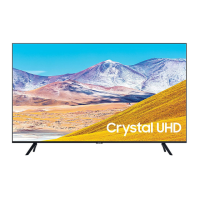
Samsung UE50AU717 - User Manual

Samsung UE50AU717
263 pages
Print Icon
To Next Page IconTo Next Page
Loading...
E-MANUAL
Thank you for purchasing this Samsung product.
To receive more complete service, please register your
product at
www.samsung.com
Model Serial No.
To directly go to the page that provides instructions on
how to use the manual for visually impaired users, select
the Menu Learning Screen link below.
"Menu Learning Screen
" Link

Table of Contents

Questions and Answers

  • A
    Amy KennedyAug 5, 2025
    Why is my Samsung UE50AU717 LED TV flickering and dimming?
    • W
      Willie MarshAug 5, 2025
      If your Samsung LED TV screen is flickering or dimming, try disabling energy-saving features. You can disable Brightness Optimisation, Brightness Reduction, or Motion Lighting in the General Power and Energy Saving settings. Also, disable Contrast Enhancer in the Picture Expert Settings. Run a Picture Test in the Device Care Self Diagnosis menu to check the image quality. If the image quality is normal during the test, examine the signal from your connected devices.

Samsung UE50AU717 Specifications

General IconGeneral
Screen Size50 inches
Display TechnologyLED
HDRHDR10+
Smart TVYes
Operating SystemTizen
HDMI Ports3
USB Ports2
Audio Output20W
ProcessorCrystal Processor 4K
Refresh Rate60Hz
BluetoothYes
Wi-FiYes
Resolution3840 x 2160
Voice AssistantBixby, Alexa, Google Assistant

Related product manuals