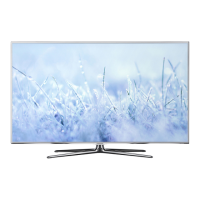
This document is a service manual for Samsung LED-TVs, specifically models UE40D8000Y*, UE46D8000Y*, UE55D8000Y*, and UE60D8000Y*, all sharing the U55A chassis. It provides comprehensive information for servicing, including precautions, product specifications, disassembly/reassembly instructions, troubleshooting, and wiring diagrams.
Function Description
The Samsung LED-TVs covered in this manual are Digital-TVs featuring RF input, four HDMI ports, one Component input, one A/V input, three USB 2.0 ports for media playback, a D-SUB port, and a LAN port. Key features include Mega Contrast for brightness, Picture-in-Picture (PIP) functionality (available in HDMI 1, 2, 3, 4, Component 1, PC Mode, with sub-picture available only in TV mode (DTV/ATV)), Dolby Digital+, and SRS Theater HD sound. These TVs support 3D viewing, MOIP (Media Over IP), SMART HUB, AllShare, Internet TV, built-in Wi-Fi, a full browser, and Bluetooth connectivity.
Important Technical Specifications
The manual details specifications for 40", 46", 55", and 60" models.
General Specifications (common across models unless specified):
- Panel Type: TFT LCD PANEL 240 Hz
- Display Colors: 16.7M color
- Maximum Resolution: Horizontal: 1920 Pixels, Vertical: 1080 Pixels
- Input Signal: Analog 0.7 Vp-p ± 5% positive at 75Ω, internally terminated
- Input Sync Signal: H/V Separate, TTL, P. or N.
- Maximum Pixel Clock Rate: 160 MHz
- AC Power Voltage & Frequency: 110 V ~ 120 V, 60 Hz
- Internal Memory: 128 Mbyte
- DDR: 768 Mbyte
- Environmental Conditions:
- Operating Temperature: 10°C ~ 40°C (50°F ~ 104°F)
- Operating Humidity: 10% ~ 80%, non-condensing
- Storage Temperature: -25°C ~ 45°C (-13°F ~ 113°F)
- Storage Humidity: 5% ~ 95%, non-condensing
- Audio Specifications:
- MAX Internal speaker Out: Right/Left (10 W for 40"/46"/60", 15 W for 55")
- Equalizer: 5 Band
- Output Frequency: RF: 20 Hz ~ 15.4 kHz, AV/Component/HDMI: 20 Hz ~ 20 kHz
Model-Specific Specifications:
-
40" Model (UE40D8000Y*):
- Scanning Frequency: Horizontal: 67.5 KHz (typ), Vertical: 60 Hz (typ)
- Active Display (H x V): 34.867 x 19.613 inches (885.6(H) × 498.15(V) mm)
- Power Consumption: Under 130 W (Under 0.1 W, Stand by)
- Dimensions (W x D x H): 908.6 X 29.7 X 524.9 mm (with stand), 908.6 X 241.3 X 600 mm (without stand)
- Weight: 12.0 kg (with stand), 10.0 kg (without stand)
- Speaker Output: 10 W + 10 W
-
46" Model (UE46D8000Y*):
- Scanning Frequency: Horizontal: 67.5 KHz (typ), Vertical: 60 Hz (typ)
- Active Display (H x V): 40.08189 x 2.546063 inches (1018.08 (H) x 572.67 (V) mm)
- Power Consumption: Under 150 W (Under 0.1 W, Stand by)
- Dimensions (W x D x H): 1041.1 X 276.5 X 607.5 mm (with stand), 1041.1 X 29.7 X 599.4 mm (without stand)
- Weight: 14.3 kg (with stand), 12.4 kg (without stand)
- Speaker Output: 10 W + 10 W
-
55" Model (UE55D8000Y*):
- Scanning Frequency: Horizontal: 67.5 KHz (typ), Vertical: 60 Hz (typ)
- Active Display (H x V): 47.622047 x 26.787402 inches (1209.6 (H) x 680.4(V) mm)
- Power Consumption: Under 160 W (Under 0.1 W, Stand by)
- Dimensions (W x D x H): 1232.6 X 309.3 X 789.7 mm (with stand), 1232.6 X 29.7 X 707.2 mm (without stand)
- Weight: 18.6 kg (with stand), 16.2 kg (without stand)
- Speaker Output: 15 W + 15 W
-
60" Model (UE60D8000Y*):
- Scanning Frequency: Horizontal: 67.5 KHz (typ), Vertical: 60 Hz (typ)
- Active Display (H x V): 52.515748 x 29.62126 inches (1333.9 (H) x 752.38(V) mm)
- Power Consumption: Under 190 W (Under 0.1 W, Stand by)
- Dimensions (W x H x D): 1356.9 X 353.4 X 867.3 mm (with stand), 1356.9 X 30.4 X 779.2 mm (without stand)
- Weight: 32.0 kg (with stand), 21.6 kg (without stand)
- Speaker Output: 10 W + 10 W
TV System:
- Tuning: Frequency Synthesize (Refer to detailed Frequency Table)
- System: UD8000 U.K. & Nordic: 1 PAL/SECAM/NIM/QAM/Cable/T2/S2 Tuner; UD8000 other EU: 1 PAL/SECAM/NIM/QAM/Cable/S2 Tuner
- Sound: Dolby Digital+, SRS Theater HD
Usage Features
Smart Hub (2011 Model):
- Concepts and Features Launcher: Integrates Internet TV, Media Play, and Content Button.
- Search All: Provides integrated search results across various categories like "Your Movie" (recommended movie/TV program), "Top Application" (popular apps), "Top Searched" (popular search list), and "Search History." It supports Web and SNS-based search engines including YouTube, Facebook, Samsung Apps, AllShare, and general Web search.
- Full Browser: Allows access to common websites and applications, similar to a PC web browser. Features include:
- Favorite: Shows frequently accessed sites, with export/import via USB.
- History: Records accessed sites.
- Window List: Displays up to 6 open windows.
- Zooming: Allows zooming in/out of windows.
- Tab Mode: Focuses on linked data using 4-direction buttons.
- Pointer Mode: Changes to pointer mode for selecting unselectable data (e.g., Flash content volume buttons).
- Reading Tools: Displays only text and images for easier reading.
- Clean Site: Accesses pre-set "Clean Sites" for safety (e.g., children's care), password protected.
- Private Browsing: Prevents accessed sites from being stored in web history.
AllShare™:
- Connects the TV with compatible Samsung mobile phones/devices via a network.
- Allows viewing call arrivals, SMS messages, videos, photos, and music from mobile phones or other devices (like a PC) on the TV.
- Enables controlling media playback on the TV using mobile devices.
- Supports browsing web pages on mobile phones using the TV.
- Settings:
- Media (On/Off): Enables/disables media function for controlling content playback.
- Message (On/Off): Enables/disables message function for call arrivals and SMS messages.
- Message Function: Displays call arrivals and SMS messages via an alarm window while watching TV. Users can block unknown mobile phones.
- Media Function: Automatically displays media content (videos, photos, music) sent from a mobile phone after 3 seconds, unless cancelled.
3D Display:
- Function: Displays 3D images artificially by using binocular time delay, where the left eye sees the left image and the right eye sees the right image, which the brain merges to create a three-dimensional effect.
- 3D Formats: Supports various 3D formats including Frame Packing, Top & Bottom, Side by Side, Line by Line, Vertical Stripe, Checker Board, and Frame Sequential.
- 2D → 3D Mode: Converts normal 2D content to 3D.
- 3D → 2D Mode: Allows switching from 3D TV to 2D display.
- Depth Control: Adjusts 3D depth (1-10 steps).
- L/R Correction: Switches left and right image positions for 3D glasses.
- 3D Disable: Turns off 3D in 2D→3D mode or switches to original 2D/3D→2D in 3D mode.
- 3D Glasses Enhancement (2011): Features RF glasses to avoid external IR noise interference, with an auto On/Off function (wear glasses → turn on, take off glasses → turn off automatically).
Built-in Wi-Fi:
- Provides convenient setup and optimized Ethernet usage.
- Smart TV Accessory - Wireless Router:
- One Foot Connection: Establishes Wi-Fi connection with compatible devices within 25 cm.
- USB Configuration: Stores configurations on a USB drive for easy restoration.
- Network Settings (OFC, One Foot Connection): Automatically connects to Samsung wireless APs.
- Network Settings (Plug & Access): Connects Samsung wireless Router to Samsung TV using USB memory.
Maintenance Features
Troubleshooting:
The manual provides detailed troubleshooting flowcharts and symptom-based solutions for various issues:
- No Power: Checks cable connections, power input to Main Board, PD board relay, backlight status, DC voltages (A5V, B18VS, B13V, B5V, A3.3V, B3.3V, B9V, Genoa-P core voltages), and power supplied to the panel.
- No Video (Analog PC signal): Checks PC source, Genoa-P, LVDS cable, signal at CN401 pins, digital data at IC6001 output, and suggests replacing LCD panel if necessary.
- No Video (HDMI - Digital Signal): Checks HDMI source, Valencia, LVDS cable, power indicator LED, HDMI cable connection, signal at IC601 pins, digital data at CN1601 pins, and suggests replacing IC1201 or Main PCB assembly.
- No Video (Tuner_CVBS): Checks Tuner CVBS source, Genoa-P, LVDS cable, power indicator LED, RF source, signal at TU701_HN pins, digital data at CN1601 pins, and suggests replacing TU701_HN or IC1001.
- No Video (Video CVBS 1, 2): Checks Video CVBS source, Tuner, Valencia, LVDS cable, power indicator LED, video source, signal at R528, digital data at CN1601 pins, and suggests replacing CN506_UBA or IC1202.
- No Video (Component): Checks Component source, Genoa-P, LVDS cable, power indicator LED, component cable connection, signal at R437, R444, R442, digital data at CN1601 pins, and suggests replacing CN404 or IC1202.
- No Sound (Speaker, Monitor_out, Optical): Checks sound source, sound cable connection, signal at Main board input (COMP1, AV, PC, DVI), I2C DATA between Audio ICs (IC302), Speaker sound data, Monitor out sound data, SODIF OUT sound data, Woofer sound data, and suggests replacing speaker, IC302, or IC1202.
Alignments and Adjustments:
- General Alignment Instruction: Emphasizes checking basic characteristics (height, horizontal/vertical sync), using specified test equipment, ensuring correct impedance matching, avoiding overload, connecting to correct AC power, and disconnecting power before replacing parts.
- Factory Mode Adjustments: Provides instructions to enter Factory Mode (using remote control keys: Power OFF → INFO → MENU → MUTE → Power ON, or INFO → Factory for factory remote).
- White Balance Calibration: Guides through AV, Component, PC, and HDMI calibration using specific patterns (NTSC Lattice, 720p Lattice, VESA XGA Lattice) and equipment (CA210 & Master MSPG925 Generator).
- Software Upgrade:
- By USB: Download firmware from www.samsung.com to a USB drive and insert into TV.
- By Online: Upgrade software via Internet connection (requires network configuration).
- Standby Mode Upgrade: Automatic upgrade at selected times; screen may turn on for LED products during this process.
Disassembly and Reassembly:
- Detailed step-by-step instructions with pictures for disassembling and reassembling the TV, including removing the stand, rear cover, middle cover, speakers, Wi-Fi Module, Main Board, IP board, and T-CON Bracket.
- Special cautions for handling electrostatically sensitive devices, disconnecting power, and careful handling of sharp edges and cables.
- Instructions for assembling the Touch Function, including removing cover sheets and firmly attaching the ASSY P-Cover Function.
Wiring Diagram:
- Provides wiring diagrams for 40-inch and 46/55-inch models, showing connections between Main Board, SMPS, T-CON, Speakers, Wi-Fi, BT, IR, and power cord.
- Includes detailed connector pin descriptions for CN1405_FHD (to Panel), CN603 (to HDMI2), CN604 (to HDMI3), CN601 (to HDMI3), CN601 (to PC), CN402 (to PC Sound), CN301 (to Speaker), OP401 (to Optical Jack), CN1503 (USB1), CN1502 (USB2), CN1501 (USB3), CN502 (to Monitor OUT), CN401 (to Function/IR), CN404 (to Component1), and CN201 (to Power board).
- Lists connector functions, such as power supply from SMPS to Main Board (CN201 ↔ CNM802) and LVDS signal transfer from Main Board to Panel (CN1601 ↔ CN505).
- Provides codes and photos for Main-SMPS and Main-Tcon cables for different models.
Service Items:
- Lists various service items and their locations for easy reference, including HEADER-BOARD TO BOARD (CN201), CONNECTOR-FPC/FFC/PIC (CN1601), JACK-PHONE (CN402, CN502, CN507_US, CN506_UBA, CN404), TUNER (TU702_FN), HEADER-BOARD TO CABLE (CN301, CN701), JACK-MODULAR (CN1701), CONNECTOR-DSUB (CN401), CONNECTOR-HDMI (CN601, CN604, CN618, CN602), CONNECTOR-OPTICAL (OP401), JACK-USB (CN1501, CN1502, CN1503), ASSY PCB MAIN, IP Board, T-CON, ASSY STAND, FUNCTION IR & 3D Board, Touch function, BT RF-Module, and Lead connector (Function & IR & 3D & BT RF Module).
This manual serves as a critical resource for technicians to effectively diagnose, repair, and maintain the specified Samsung LED-TV models.

 Need help?



 To Next Page
 General