EasyManua.ls Logo

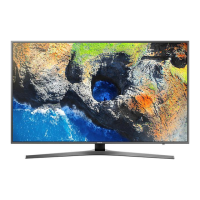
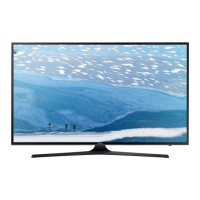
Samsung UE65KU6072 - User Manual

Samsung UE65KU6072
228 pages
Print Icon
To Next Page IconTo Next Page
Loading...
USER MANUAL
6 SERIES
Thank you for purchasing this Samsung product.
To receive more complete service, please register your product at www.samsung.com/register
Model_________________ Serial No._______________________
KU6000_XH_BN68-08015T-00_L16.indb 1 2016-05-26  11:09:53

Table of Contents

Questions and Answers

  • E
    emcconnellAug 30, 2025
    How to fix flickering vertical bars on Samsung LCD TV?
    • L
      Lori SilvaAug 30, 2025
      If vertical bars appear to flicker, jitter, or shimmer on the image of your Samsung LCD TV, adjust the Coarse tuning and then adjust the Fine tuning.
  • Z
    Zachary RodriguezSep 2, 2025
    How to adjust brightness on Samsung Plasma TV if the image is too light or dark?
    • L
      Linda KingSep 2, 2025
      If the image on your Samsung Plasma TV is too light or too dark, adjust the Brightness and Contrast and/or adjust the Fine tuning.
  • S
    Sarah CoxSep 18, 2025
    How to fix a Samsung LED TV remote that is not working?
    • J
      Janet BradshawSep 18, 2025
      If your Samsung LED TV remote control isn't working, first replace the batteries, ensuring the poles (+/–) are correctly aligned. Clean the sensor's transmission window on the remote. Finally, try pointing the remote directly at the TV from about 1.5 to 1.8 meters away.
  • S
    stephenbooneAug 25, 2025
    What to do if my Samsung LCD TV has no picture or sound?
    • T
      Timothy RodriguezAug 26, 2025
      If your Samsung LCD TV has no picture or sound, try switching to another channel. You can also press the SOURCE button. Ensure that the TV is properly plugged into a working outlet and that the antenna connections are secure.
  • K
    Kathy AllenSep 23, 2025
    What does 'This file may not be playable properly' mean on Samsung UE65KU6072 LED TV?
    • C
      cynthiascottSep 23, 2025
      If your Samsung LED TV displays the message “This file may not be playable properly,” it may be due to the high bit rate of the content. The content will generally play but could experience some playability issues.
  • M
    megan12Sep 7, 2025
    Why is the sound on my Samsung LCD TV too low, even at maximum volume?
    • M
      Meghan HuffSep 7, 2025
      If the sound on your Samsung LCD TV is too low even at the maximum volume, first check the volume levels of any devices connected to your TV, such as a digital broadcasting receiver, DVD player, cable broadcasting receiver, or VCR. Then, adjust the TV volume accordingly.
  • R
    Raymond SimmonsSep 13, 2025
    Why is there no sound or low sound on my Samsung LED TV?
    • N
      nolandonnaSep 13, 2025
      If there is no sound or the sound is too low at maximum volume on your Samsung LED TV, check the volume of the device (Cable/Sat Box, DVD, Blu-ray, etc.) connected to your TV.
  • B
    Brian AndersonSep 5, 2025
    What to do if my Samsung UE65KU6072 LED TV has intermittent audio or video loss?
    • T
      Tara SilvaSep 5, 2025
      If you are experiencing intermittent loss of audio or video on your Samsung LED TV, begin by checking the cable connections and reconnecting them. Also, ensure that the cables used are flexible enough for long-term use, as overly rigid or thick cables may cause this issue.
  • C
    Christopher PerezSep 15, 2025
    What causes purple/green bars and buzzing from Samsung LED TV speakers?
    • E
      edwinfranklinSep 16, 2025
      If you are experiencing purple or green rolling horizontal bars and a buzzing noise from the TV speakers with a Component cable connection on your Samsung LED TV, remove the left and right audio connections from the set-top-box.
  • L
    Lisa JacksonSep 10, 2025
    Why is closed captioning not working on my Samsung LCD TV?
    • L
      lwardSep 12, 2025
      If closed captioning is not working on your Samsung LCD TV and you are using a Cable/Satellite box, you must set Closed Captioning on the box, not your TV.

Samsung UE65KU6072 Specifications

General IconGeneral
Screen Size65 inches
Resolution3840 x 2160 (4K UHD)
Display TechnologyLED
Smart TVYes
Operating SystemTizen
HDMI Ports3
USB Ports2
Wi-FiYes
EthernetYes
BluetoothNo
HDRYes
Weight23.5 kg (without stand)

Related product manuals