EasyManua.ls Logo

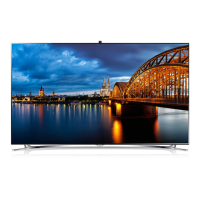
Samsung UE75F6300A - User Manual

Samsung UE75F6300A
81 pages
Go to English
Print Icon
To Next Page IconTo Next Page
Loading...
© 2013 Samsung Electronics Co., Ltd. All rights reserved.
BN68-04881U-04
LED-ТЕЛЕВИЗОР
руководство пользователя
Благодарим за приобретение продукта компании.
Для получения более полного обслуживания
зарегистрируйте свое устройство по адресу
www.samsung.com/register
Модель____ Серийный номер. _____________
UE75F6300A

Если у вас есть предложения или вопросы по продукции Samsung, обращайтесь, пожалуйста, в информационный центр
компании Samsung.



RUSSIA 8-800-555-55-55 www.samsung.com
GEORGIA 0-800-555-555 www.samsung.com
ARMENIA 0-800-05-555 www.samsung.com
AZERBAIJAN 088-55-55-555 www.samsung.com
KAZAKHSTAN 8-10-800-500-55-500 (GSM: 7799) www.samsung.com
UZBEKISTAN 8-10-800-500-55-500 www.samsung.com
KYRGYZSTAN 00-800-500-55-500 www.samsung.com
TADJIKISTAN 8-10-800-500-55-500 www.samsung.com
MONGOLIA +7-800-555-55-55 www.samsung.com
UKRAINE 0-800-502-000 www.samsung.com/ua (Ukrainian)
www.samsung.com/ua_ru (Russian)
BELARUS 810-800-500-55-500 www.samsung.com
MOLDOVA 0-800-614-40 www.samsung.com
[UF6300-RU]BN68-04881U-03L04.indb 1 2014-01-15  1:51:49

Questions and Answers

  • K
    Kim GutierrezAug 27, 2025
    How to fix a Samsung UE75F6300A LED TV that won't turn on?
    • Z
      zjimenezAug 28, 2025
      If your Samsung LED TV will not turn on, ensure the AC power cord is securely plugged into both the wall outlet and the TV. Also, verify that the wall outlet is working. As an additional check, try pressing the 'P' button on the TV to rule out a remote control issue.
  • G
    Gary HamptonAug 27, 2025
    What to do if my Samsung Plasma TV has no picture or sound?
    • G
      Gordon NguyenAug 27, 2025
      If your Samsung Plasma TV has no picture or sound, try the following: * Try another channel. * Press the SOURCE button. * Make sure the TV is plugged in. * Check the antenna connections. * Make sure the MUTE button is off.
  • P
    Paula PowersAug 27, 2025
    What to do if my Samsung LED TV turns off automatically?
    • B
      Brian RomanAug 27, 2025
      If your Samsung LED TV turns off automatically, make sure the Sleep Timer is set to Off in the Time menu.
  • E
    Elizabeth LivingstonSep 4, 2025
    Why does my Samsung LED TV picture quality look bad?
    • M
      Michael ZunigaSep 4, 2025
      If the image on your Samsung LED TV doesn't appear as sharp as it did in the store, consider upgrading to a digital set-top box if you're using an analog connection. Use HDMI cables for HD picture quality. Cable/satellite subscribers should try HD stations. Aerial connections can benefit from running auto-tuning to find HD stations. Adjust the cable/set-top box video output resolution to 1080i or 720p and ensure you are watching from the minimum recommended distance.
  • M
    Mrs. Sandra Gomez DVMSep 7, 2025
    What to do if Samsung Dishwasher has suds in the tub?
    • B
      Bobby GreeneSep 7, 2025
      If you see suds in your Samsung Dishwasher, it's likely due to using improper detergent; use only special dishwasher detergent. If suds occur, open the dishwasher and let them evaporate, then add 1 gallon of cold water. Close and latch the dishwasher, and start the “soak” wash cycle to drain the water. Repeat if needed. Another cause could be spilled rinse agent; always wipe up spills immediately.
  • P
    philip54Sep 9, 2025
    How to resolve digital broadcasting screen problems on Samsung LCD TV?
    • B
      brandon61Sep 9, 2025
      To resolve digital broadcasting screen problems on your Samsung LCD TV, please check the digital signal strength and input antenna.
  • H
    Heather LewisSep 13, 2025
    Why is there no sound or low sound on my Samsung UE75F6300A?
    • A
      Anthony AlvarezSep 13, 2025
      If there is no sound or the sound is too low at maximum volume on your Samsung LED TV, check the volume of the device (Cable/Sat Box, DVD, Blu-ray, etc.) connected to your TV.
  • T
    Tony CooperSep 23, 2025
    Why are my Samsung UE75F6300A LED TV speakers making noise?
    • J
      johnthorntonSep 23, 2025
      If the speakers on your Samsung LED TV are making inappropriate noises, check the cable connections to ensure a video cable is not connected to an audio input. For aerial or cable connections, check the signal strength, as a low signal level may cause sound distortion.
  • T
    thomas11Aug 25, 2025
    What to do if my Samsung LCD TV has no picture or sound?
    • L
      lmendozaAug 26, 2025
      If your Samsung LCD TV has no picture or sound, try switching to another channel. You can also press the SOURCE button. Ensure that the TV is properly plugged into a working outlet and that the antenna connections are secure.
  • A
    Amber AndrewsAug 25, 2025
    How to get Samsung Dishwasher dishes dried?
    • M
      Marissa DiazAug 26, 2025
      If your Samsung Dishwasher leaves dishes undried, the rinse agent dispenser might be empty. Make sure it is filled.

Samsung UE75F6300A Specifications

General IconGeneral
Screen Size75 inches
Display TypeLED
Smart TVYes
HDMI Ports4
USB Ports3
Wi-FiYes
Ethernet PortYes
Audio Output20W
3DNo
Operating SystemSamsung Smart TV
Resolution1920 x 1080

Related product manuals