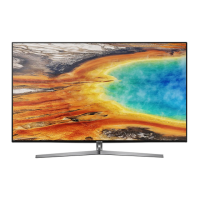
This document is a user manual for the Samsung LS003 Series, also known as "The Frame," a television designed to blend into its environment as a piece of art when not in use.
Function Description
The Samsung LS003 Series is a smart TV that offers a unique "Art Mode" feature, allowing it to display artwork or photos when the TV is off, making it appear like a framed picture. It integrates with Samsung's Smart Hub for access to various apps and services, and can be controlled via the Samsung Smart Remote or a mobile device using the Smart View app. The TV supports wireless connectivity for internet access and content streaming.
Important Technical Specifications
The manual provides specifications for two models: UN55LS003 (55-inch) and UN65LS003 (65-inch).
Display:
- Resolution: 3840 x 2160 (4K UHD)
- Screen Size (Diagonal): 55 inches (54.6 measured diagonally) for UN55LS003, 65 inches (64.5 measured diagonally) for UN65LS003.
Audio:
- Sound (Output): 40 W for both models.
Dimensions (W x H x D):
- Body:
- UN55LS003: 48.6 x 27.9 x 1.7 inches (1235.0 x 707.8 x 42.5 mm)
- UN65LS003: 57.2 x 32.7 x 1.7 inches (1453.9 x 830.9 x 42.5 mm)
- With Stand:
- UN55LS003: 48.6 x 29.6 x 7.9 inches (1235.0 x 750.7 x 200.0 mm)
- UN65LS003: 57.2 x 34.5 x 11.6 inches (1453.9 x 875.5 x 294.0 mm)
Weight:
- Without Stand:
- UN55LS003: 41.0 lbs (18.6 kg)
- UN65LS003: 56.0 lbs (25.4 kg)
- With Stand:
- UN55LS003: 42.1 lbs (19.1 kg)
- UN65LS003: 57.8 lbs (26.2 kg)
Environmental Considerations:
- Operating Temperature: 50°F to 104°F (10°C to 40°C)
- Operating Humidity: 10% to 80%, non-condensing
- Storage Temperature: -4°F to 113°F (-20°C to 45°C)
- Storage Humidity: 5% to 95%, non-condensing
The TV uses an "Invisible Connection" cable for power and external devices, connecting to a separate "One Connect Box" to minimize cable clutter around the display. It supports Dolby Audio, DTS Premium Sound 5.1, and HDMI High-Definition Multimedia Interface.
Usage Features
Art Mode:
- Displays artwork or photos when the TV is off.
- Users can select desired images from an external storage device, mobile device, or "My Collection" on the TV.
- The "Art Store" offers additional artwork for purchase or subscription.
- Settings for Art Mode include "Matte" (to apply various border styles and colors), "Sleep After" (to turn off the TV automatically after a set time in Art Mode), "Motion Detector Sensitivity" (to turn off the TV when no motion is detected), "Sound Mirroring" (to use the TV speaker as a Bluetooth speaker in Art Mode), and "Creating Collage" (to combine multiple images).
- The Eco Sensor adjusts the brightness of the TV automatically to reduce power consumption and optimize the brightness of the TV in Art Mode based on ambient light.
Smart Remote:
- The Samsung Smart Remote features a minimal design with buttons for Power, 123 (number pad), Directional pad, Return, Play/pause, Smart Hub, Voice Interaction, and 4 Color buttons for additional options.
- Pairing the remote involves pressing and holding the "Return" and "123" buttons simultaneously for 3 seconds.
Initial Setup:
- The TV guides users through the initial setup process, including connecting the One Connect Box, installing batteries in the Smart Remote, and configuring basic settings.
Connectivity:
- The "Invisible Connection" cable connects the TV to the One Connect Box, which houses all input ports (HDMI, USB, etc.) and the power cable.
- Supports wireless network connections (Wi-Fi) and wired LAN connections.
- Allows for connecting external devices like soundbars, game consoles, and other media players.
Mounting:
- Can be mounted on a wall using a VESA-compliant wall mount adapter or placed on a stand.
- The manual provides instructions and precautions for wall mounting, including recommended VESA screw hole specifications.
Preventing the TV from falling:
- The manual provides instructions for securing the TV to a wall or furniture to prevent it from falling, emphasizing the importance of using appropriate screws and wall anchors.
Using Art Mode:
- Users can access Art Mode by pressing the "Power" button on the remote when the TV is off, or by selecting "Art Mode" from the Smart Hub.
- Images can be viewed, selected, and customized within Art Mode.
Maintenance Features
Safety Instructions:
- The manual outlines important safety precautions, including warnings about electric shock, high voltage, and proper ventilation.
- It advises against opening the TV, placing objects on top of it, or exposing it to water or extreme temperatures.
- Emphasizes the importance of using authorized personnel for repairs.
Software Updates:
- The TV supports automatic software updates to ensure optimal performance and security. Users can manually check for updates through the TV's menu.
Troubleshooting:
- Provides a comprehensive troubleshooting guide for common issues such as the TV not turning on, no picture/video/sound, remote control not working, and Wi-Fi connectivity problems.
- Offers solutions for various display issues, including bright or dark pixels.
Caring for the TV:
- Instructions for cleaning the TV screen and exterior using a soft, dry cloth.
- Warnings against using water or liquid detergents directly on the TV to prevent damage.
- Advises against using cleaning products containing alcohol, benzene, thinner, or other flammable substances.
Eco Sensor and Screen Brightness:
- The Eco Sensor automatically adjusts screen brightness based on ambient light to save energy.
- Users can enable or disable the Eco Sensor and adjust its sensitivity.
Reducing Power Consumption:
- The manual explains that the TV consumes a small amount of power in standby mode.
- It advises unplugging the power cord when the TV will not be used for an extended period.
Customer Support:
- Provides contact information for Samsung Customer Service for assistance with product registration, questions, or issues.
- Recommends registering the product online for complete service.

 Need help?

 To Next Page
 General