
 Need help?
Do you have a question about the Samsung UN65TU8000 and is the answer not in the manual?
Explains hazard symbols and covers ventilation, placement, water exposure, and battery disposal.
Guidance on preventing electric shock, handling power cords, and product care.
Safe practices for batteries, including storage, disposal, and fire hazards.
Detailed instructions and safety precautions for wall mounting the TV.
Methods and precautions to prevent the TV from tipping or falling.
Initial steps for diagnosing and resolving common TV issues including power.
Solutions for no picture/video/sound or experiencing weak/no signal from external devices.
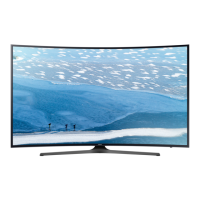
This document serves as a user manual for a Samsung Crystal UHD 8 Series television, providing comprehensive information on its installation, operation, troubleshooting, and maintenance.
The Samsung Crystal UHD 8 Series TV is a smart television designed for home entertainment. It offers a high-resolution display (3840 x 2160) and integrates smart features, allowing users to access various applications and online content. The TV is equipped with an embedded e-Manual for detailed guidance and supports a Samsung Smart Remote for intuitive control. It also features Ambient Mode, which allows the TV to blend into its surroundings or display useful information when not actively being watched. The TV is designed to be energy-efficient, incorporating an Eco Sensor that automatically adjusts screen brightness based on ambient light to reduce power consumption.
The TV's usage is primarily controlled via the Samsung Smart Remote, which features dedicated buttons for power, Bixby voice assistant, Ambient Mode, Smart Hub (for accessing apps), and media playback controls. A directional pad allows for navigation through menus, while volume and channel buttons provide quick adjustments. For initial setup, the TV guides users through a process to configure basic settings and connect to Wi-Fi, optionally using the SmartThings app on a mobile device for a streamlined experience. The TV Controller button, located at the bottom of the TV, offers basic controls (Power Off, Volume Up/Down, Channel Up/Down, Source) in case the remote is unavailable or not paired. The e-Manual, accessible through the TV's settings, provides detailed instructions and assistance functions such as search, index, sitemap, and recently viewed topics, making it easy to find specific information. "Try Now" buttons within the e-Manual allow users to directly access and test features. The TV supports various internet accounts like Netflix and Facebook, and users are encouraged to use strong passwords for security. Software updates are available to improve security and performance, with an "Auto Update" feature to ensure the TV always runs the latest firmware.
Maintaining the Samsung Crystal UHD 8 Series TV involves several key practices to ensure its longevity and optimal performance. For cleaning the TV, it is recommended to turn it off and gently wipe smudges and fingerprints from the panel with a micro-fiber cloth. The body or panel can also be cleaned with a micro-fiber cloth dampened with a small amount of water, followed by a dry cloth to remove moisture. Users are advised against applying strong force to the panel, using flammable liquids (like benzene or thinner), or harsh cleaning agents, as these can damage the TV's appearance or internal components. Water or any liquid should not be sprayed directly onto the TV to prevent electrical shock or fire. If a sticker is removed from the screen, any remaining debris should be cleaned off carefully. For troubleshooting common issues like the TV not turning on, no picture/sound, or Wi-Fi connectivity problems, the manual provides a dedicated section. Users can perform a TV self-diagnosis (Picture Test or Sound Test) through the settings to identify the source of a problem. If the remote control is not working, checking battery installation and pairing status is recommended. The TV also offers "Remote Support" service, allowing a Samsung Technician to remotely diagnose and adjust TV settings, perform factory resets, or install firmware updates, providing convenient assistance. To decrease power consumption, it is advised to unplug the power cord when the TV will not be used for an extended period, as it still draws a small amount of power in Standby mode.


 To Next Page
 General