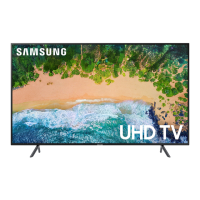
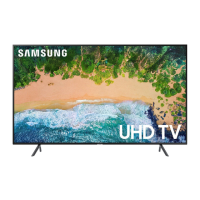
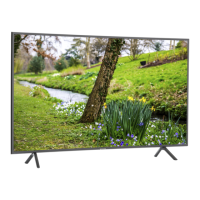
This document is a user manual for a Samsung UHD TV, specifically the 6 Series models UN70NU6070, UN70NU6080, and UN70NU6900. It provides comprehensive information on installation, operation, troubleshooting, and maintenance of the television.
Function Description:
The Samsung UHD TV 6 Series is a high-definition television designed for home entertainment. It offers a large display with 4K resolution, smart TV capabilities, and various connectivity options. The TV is equipped with an embedded e-Manual for detailed information and assistance functions like search, index, and recently viewed topics. It also features an Eco Sensor to automatically adjust screen brightness for optimal viewing and power consumption. The TV supports remote control operation and can be set up initially using either the remote or the SmartThings app on a mobile device.
Important Technical Specifications:
- Model Names: UN70NU6070, UN70NU6080, UN70NU6900
- Display Resolution: 3840 x 2160 (4K UHD)
- Screen Size: 70" Class (69.5 inches measured diagonally)
- Sound Output: 20 W
- Dimensions (W x H x D):
- Body: 62.0 x 34.6 x 2.4 inches (1574.8 x 877.9 x 59.9 mm)
- With Stand: 62.0 x 38.2 x 13.4 inches (1574.8 x 970.4 x 340.3 mm)
- Weight:
- Without Stand: 54.5 lbs (24.7 kg)
- With Stand: 55.8 lbs (25.3 kg)
- Environmental Considerations:
- Operating Temperature: 50°F to 104°F (10°C to 40°C)
- Operating Humidity: 10% to 80%, non-condensing
- Storage Temperature: -4°F to 113°F (-20°C to 45°C)
- Storage Humidity: 5% to 95%, non-condensing
- VESA Screw Hole Specs (for 70" TV): 400 x 300 mm (A x B)
- Wall Mount Screw Length (C): 21-23 mm
- Standard Screw: M8
- Pitch: 1.25 mm
- Quantity of Screws: 4
- Network Connection: Supports CAT 7 (STP type) LAN cable for wired connection.
- Wireless Connectivity: Wi-Fi (requires a secure access point with WPA2 encryption).
Usage Features:
- Initial Setup: The TV guides users through an initial setup process upon first power-on, allowing configuration of basic settings. This can be done via the remote control or the SmartThings app.
- Remote Control: The provided remote control features standard buttons for power, source selection, channel navigation, volume adjustment, menu access, and smart TV functions. It includes Braille points on key buttons for visually impaired users.
- e-Manual: An embedded e-Manual provides detailed instructions and troubleshooting. It offers search, index, and recently viewed topics functions, and "Try Now" buttons to directly access corresponding menu items.
- TV Controller Button: A physical button on the bottom of the TV allows basic control (power, volume, channel, source) if the remote is unavailable.
- Smart TV Features: The TV is Internet-compatible, supporting various apps and online services. Samsung implements security measures like encrypted communications and controls against unauthorized app installation. Users are advised to install software updates promptly, secure their wireless network, use strong passwords for online accounts, and avoid suspicious websites or programs.
- Eco Sensor: Automatically adjusts screen brightness based on ambient light to optimize viewing and reduce power consumption. This feature can be turned off in the settings.
- Remote Support: Samsung offers a remote support service where a technician can remotely diagnose, adjust settings, perform factory resets, and install firmware updates on the TV.
- Accessibility Shortcuts: The remote control includes a button for Accessibility Shortcuts, providing quick access to accessibility features.
Maintenance Features:
- Troubleshooting Guide: The manual includes a troubleshooting section for common issues like the TV not turning on, no picture/sound, remote control not working, or Wi-Fi connectivity problems. Users are encouraged to perform self-diagnosis tests and check cable connections.
- Software Updates: Users are advised to keep the TV software updated using the "Update Now" or "Auto Update" functions to maintain optimum condition and security.
- Cleaning: The manual provides specific instructions for cleaning the TV screen and exterior. It recommends using a soft, dry micro-fiber cloth and avoiding harsh chemicals, flammable liquids, or excessive force. For stubborn smudges, a small amount of screen cleaner on the cloth is suggested.
- Power Consumption: To decrease power consumption when the TV is not in use for extended periods, users are advised to unplug the power cord from the wall outlet.
- Battery Replacement: Instructions for installing and replacing batteries in the remote control are provided, emphasizing correct polarity.
- Wall Mount Installation: Detailed safety precautions and instructions for mounting the TV on a wall are included, emphasizing proper ventilation and the use of Samsung-provided parts or VESA-compliant kits. It warns against installing the mount while the TV is on, using incorrect screws, or mounting at an excessive tilt.
- Anti-Fall Device: Recommendations for securing the TV to the wall with brackets and a heavy-duty string are provided to prevent accidental falling, especially in households with children.



 To Next Page
 General