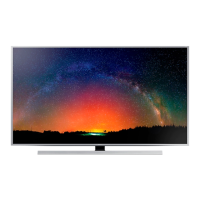
This document is a service manual for the Samsung SUHD TV, model UN78JS8600F, with chassis UWJ50. It provides detailed information for servicing, including safety precautions, product specifications, disassembly and reassembly procedures, troubleshooting, and wiring diagrams.
Function Description
The Samsung SUHD TV (UN78JS8600F) is a high-end television designed for an immersive viewing experience. It features a Shirring Flat UHD TV display, offering a resolution of 3840 x 2160 pixels. The TV incorporates advanced display technologies such as Ultra Clear Pro panel, SUHD Remastering Engine, UHD Dimming, and Precision Black (Local Dimming) for superior picture quality. It also boasts Nano Crystal Color and PurColor for a wide color gamut, enhancing vividness and color accuracy. The TV is equipped with an Auto Depth Enhancer and Contrast Enhancer to provide a more dynamic and engaging visual experience. For motion clarity, it includes Auto Motion Plus and a 240Hz Motion Refresh Rate.
Beyond its display capabilities, the UN78JS8600F is a Smart TV, offering a comprehensive suite of features through the Samsung SMART TV platform. This includes full web browsing, access to various apps and games, and Multi-Link Screen functionality, which allows users to view multiple content sources simultaneously. The TV supports Bluetooth and Wi-Fi connectivity, enabling seamless integration with other devices and networks. It also features a "One Connect Mini" for simplified cable management and connectivity.
Audio features include Dolby Digital Plus MS11, DTS Premium Sound 5.1, and DTS Studio Sound, delivering a rich sound experience. The TV has a 2.2CH (Front Firing) speaker type with dual woofers, providing a total sound output of 50W (10W x 2, Woofer: 15W x 2). It also supports HD Audio and Wallmount Sound Mode.
Important Technical Specifications
- Model: UN78JS8600F
- Chassis: UWJ50
- Screen Size (Diagonal): 78 inches
- LCD Panel: UHD 120Hz
- Display Colors: 1.07B color (10bit)
- Display Resolution: 3840 x 2160
- Input Signal: Analog 0.7 Vp-p ± 5% positive at 75Ω, internally terminated
- Input Sync Signal: H/V Separate, TTL, P. or N.
- AC Power Voltage & Frequency: AC110-120V 60Hz
- Operating Temperature: 50°F ~ 104°F (10°C ~ 40°C)
- Operating Humidity: 10%~80%, non-condensing
- Storage Temperature: -4°F ~ 113°F (-20°C ~ 45°C)
- Storage Humidity: 5%~95%, non-condensing
- Sound Output (RMS): 50 W (10 W X 2, Woofer: 15 W X 2)
- Panel Type: Ultra clear pro (UHD + Super Clear Polarizer)
- Internal Memory: 8GB
- DDR: DDR3 2.5GB
- Connectivity: 4 HDMI ports, 3 USB ports, 1 Component In, 1 Composite In (AV), 1 Ethernet (LAN), 1 Audio Out (Mini Jack), 1 Digital Audio Out (Optical), 1 RF In (Terrestrial / Cable input), 1 Ex-Link (RS-232C).
- Wireless: Built-in 802.11ac Wi-Fi, Bluetooth.
- Processor: Quad-Core
- Dimensions (W x H x D):
- Body: 1770.2 X 1010.7 X 38.3 mm
- With stand: 1770.2 X 1072.8 X 325.0 mm
- Weight:
- Body: 45.8 Kg
- With stand: 51.6 Kg
- Front Color: Silver
- Design: Shirring Flat, VNB Bezel Type, Ultra-Thin Slim.
- Supported External Subtitles: .ttxt, .smi, .srt, .sub, .txt, .ssa, .ass, .psb, .xml.
- Supported Internal Subtitles: Xsub (AVI), SubStation Alpha (MKV), Advanced SubStation Alpha (MKV), SubRip (MKV), VobSub (MKV), MPEG-4 Timed text (MP4), TTML in smooth streaming (MP4), SMPTE-TT text (MP4), SMPTE-TT PNG (MP4).
- Supported Image Resolutions: JPEG (up to 15360x8640), PNG (up to 4096x4096), BMP (up to 4096x4096), MPO (up to 15360x8640).
- Supported Music File Formats: MPEG (MP3), MPEG4 (M4A, MPA, AAC), FLAC, OGG (Vorbis), WMA, WAV, MIDI (MID, MIDI), APE, AIFF (AIF, AIFF), ALAC (M4A).
- Supported Video Codecs: H.264 BP/MP/HP, HEVC (H.265 Main/Main10), Motion JPEG, MVC, DivX 3.11/4/5/6, MPEG4 SP/ASP, Window Media Video 9(VC1), MPEG2, MPEG1, Microsoft MPEG-4 V1, V2, V3, Window Media Video (WMV1), H.263 Sorenson, VP6, VP8, VP9.
- Supported Audio Codecs: Dolby Digital, LPCM, ADPCM (IMA, MS), AAC, HE-AAC, WMA, Dolby Digital Plus, MPEG(MP3), DTS, (Core), (BR), G.711(A-Law, μ-Law), Vorbis.
Usage Features
The UN78JS8600F offers a variety of user-friendly features:
- Samsung Smart Control: This remote allows for intuitive navigation using a pointer, motion control, and voice recognition. Users can move the pointer by hand gestures, select items by folding their index finger, and return to previous menus by making a counterclockwise circle with their hand.
- On-Screen Remote: A virtual remote control displayed on the TV screen, providing access to various functions like menu, picture size, caption, network settings, 3D, info, guide, and channel list.
- Smart Hub: A central platform for accessing web browsing, downloading apps and games, and viewing photo, video, and music files from external storage devices.
- Multi-Link Screen: Allows users to surf the web or run an app while simultaneously viewing TV content, with adjustable screen sizes.
- Instant On: A feature that enables the TV to boot up faster when connected to power, storing app usage history for quick access.
- HDMI UHD Color: Optimizes processing of UHD 50P/60P signals for each HDMI connector, supporting up to UHD 50P/60P 4:4:4 and 4:2:2 input signals when enabled.
- Accessibility: Includes Voice Guide/Enlarge/High Contrast for users with visual impairments.
- One Connect Mini: A separate box that houses all external connections, simplifying cable management and making it easier to upgrade connectivity options.
- Eco Sensor: Automatically adjusts screen brightness based on ambient light to save energy.
Maintenance Features
The service manual outlines several features and procedures for maintenance and troubleshooting:
- Safety Precautions: Emphasizes disconnecting AC power, using calibrated voltage meters, inspecting leads and protective devices, and performing leakage current checks to prevent electrical shock and fire hazards.
- Static Electricity Precautions: Provides guidelines for handling electrostatically sensitive devices (ESD) to prevent damage, including draining static charge, using conductive surfaces, grounded soldering irons, and anti-static solder removal devices.
- Installation Precautions: Advises on safe handling during installation, proper power cord management, adequate ventilation, and correct battery disposal to prevent fire or electric shock.
- Disassembly and Reassembly Procedures: Detailed, step-by-step instructions with illustrations for disassembling and reassembling the TV components, including the stand, rear cover, cables (power, speaker, LVDS, AC Inlet, BT & WIFI, Local Dimming), main PCB, LED TV PD BD, speaker, IR unit, and jog unit. It also covers the disassembly of the One Connect Mini.
- Troubleshooting Guide:
- Previous Check: Guides technicians to check cable connections, power input, and differentiate problems between the Main Board and T-CON based on video symptoms.
- Customer Picture Test: Provides patterns (Scaler, FRC Pre/Post, SoC TCON) to diagnose video issues and identify faulty components like the Main Board, LVDS Cable, FRC, T-CON, or Panel.
- Bluetooth / WIFI Module Check: Instructions to verify Bluetooth and Wireless MAC addresses and BT Version in Factory Mode, and to check voltage on signal pins.
- One Connect Mini Symptom: Describes the reboot behavior when the One Connect Mini is connected or disconnected and advises on careful handling.
- Jog Function Control Test: Provides a chart to check DC voltage for each command change of the jog shuttle and LED activity.
- T-CON Board Operation and Testing: Steps to check voltage of SMPS connectors, fuses on the T-CON Board, and power feed from SMPS to diagnose T-CON or SMPS defects.
- Factory Mode Adjustments: Explains how to access and adjust factory options, including changing the "Type" setting when replacing the main board.
- White Balance Calibration and Adjustment: Details procedures for calibrating and adjusting white balance using various input modes and patterns with specific equipment.
- RS-232C Control: Provides pin descriptions and control commands for RS-232C communication.
- AV Control Table: A comprehensive table listing control items, commands, and values for general functions, input sources, and picture settings (e.g., BackLight, Contrast, Brightness, Color, Tint, Advanced Settings, Film Mode, Auto Motion Plus, Picture Size, 3D Mode).
- Updating TV's Software: Instructions for updating the TV's software via the Internet or USB, with warnings about power interruption and settings reset.

 Need help?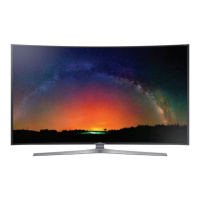


 To Next Page
 General