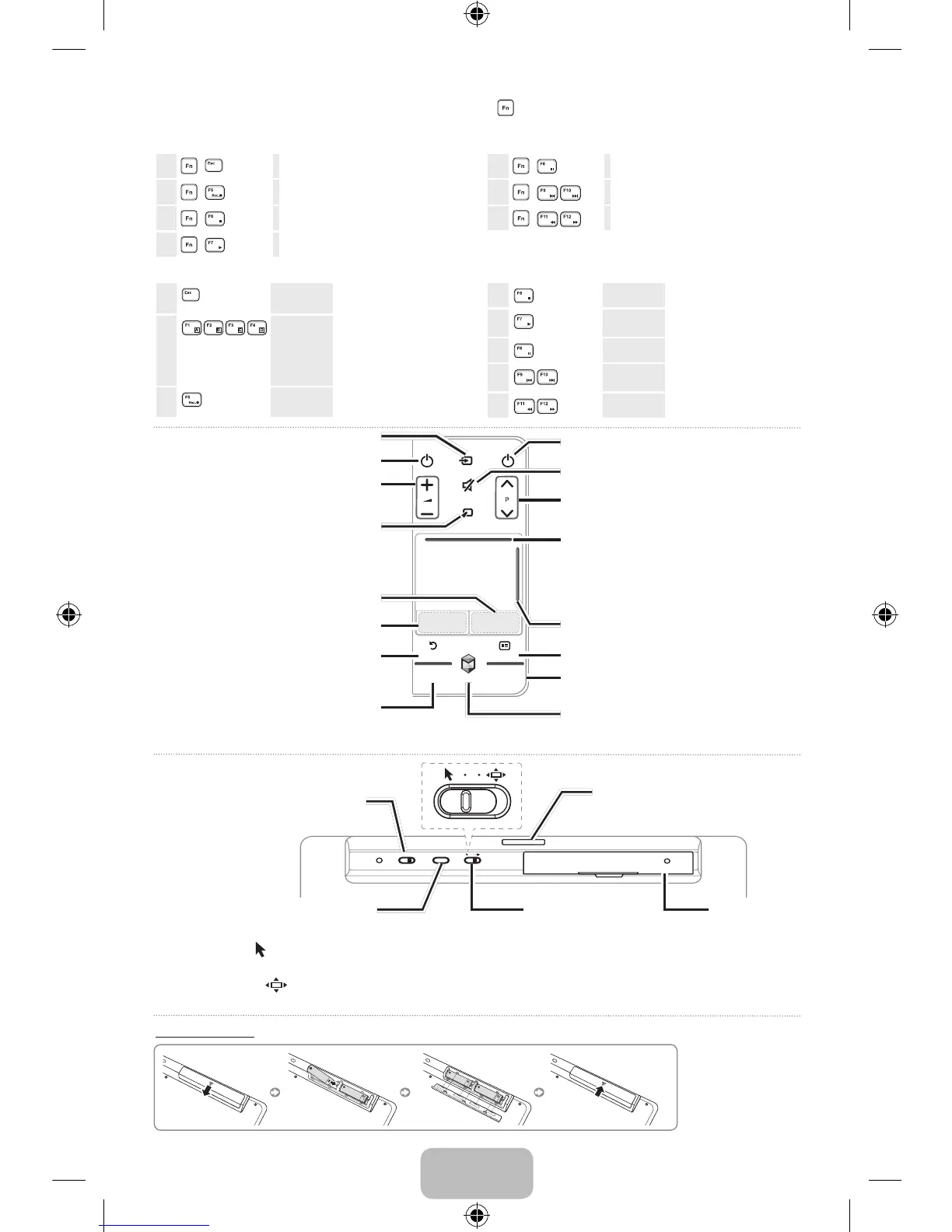
indicates you must press the keys together.
✎ To control the STB (Set-Top box) and BD (Blu-ray Player) using the keys below, a TV software update and IR extender cable (or IR
Blaster) are needed.
1
+
EXIT
Exit Menu
3
+
Record
4
+
Stop
5
+
Play
6
+
Pause
7
+
Play the previous or next file
8
+
Rewind or Fast forward
1
EXIT
Return
Go to previous menu
screen.
2
Color keys
Perform different functions
depending on the TV
mode. When using these
keys, please follow the
on-screen instructions.
3
Smart Hub
Bring up Smart Hub
applications.
4
Source
Change the input device.
5
CH List
Display the list of available
channels.
6
Mute
Turn the sound on/off.
7
Volume
Turn the volume up/down.
8
Channel
Change the channel.
Switching the Touchpad mode
• Pointer mode
: Move a finger across the touchpad to move the pointer on the TV screen, as if using a mouse. Place the pointer
on an item and tap the touchpad to select it.
• Highlight mode
: Move a finger across the touchpad to move the highlight between items on the TV screen, as if using the
Smart Touch Control. Place the highlight on an item and tap the touchpad to select it.
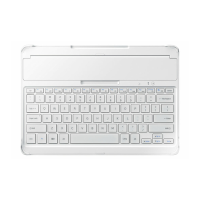
Power: Turn the Smart Wireless
Keyboard on/off.
Touchpad mode
Reset: Reset all paired devices
Infrared signal transmitter
Battery cover
Turn the set-top box on/off.
Turn the sound on/off.
Display a virtual remote control on the screen.
Flip the panels in Smart Hub or the virtual
remote control. The raised line on the top of the
Touchpad is available only when the Touchpad is
in highlight mode.
Scroll up/down the webpage, photo lists etc.Use as left mouse button.
Use as right mouse button.
Display the EPG (Electronic Program Guide).
Display the status bar at the top of the screen.
Go to previous menu screen.
Display recently viewed content and
recommended programs, apps.
™
: Bring up Smart Hub applications. Please
refer to the Smart Hub section of the e-Manual
for more detailed information.
Turn the TV on/off.
Display and select the available video sources.
<
P
>
: Change the channel.
w= v
: Turn the volume up/down.
✎ The following keys are available on the TV mode.
[EURO]VG-KBD2000-L16-Rev-13.indb 3 2013-09-09 5:18:06


 To Next Page