EasyManua.ls Logo

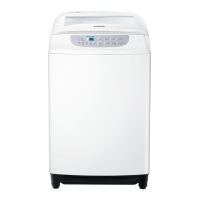
Samsung WA10F5S2 - User Manual

Samsung WA10F5S2
44 pages
Print Icon
To Next Page IconTo Next Page
Loading...
Washing Machine
user manual
imagine the possibilities
Thank you for purchasing a Samsung
product.
To receive a more complete service, please
register your product at
www.samsung.com/register
WA90F5S2
WA10F5S2
WA11F5S2
WA12F5S2
This manual is made with 100% recycled paper.
F500S_W3050_DC68-03273N-01_EN.indd 1
DC68-03273N-01

Questions and Answers

  • L
    Levi AcevedoAug 12, 2025
    What to do if my Samsung WA10F5S2 Washer shows a Child Lock error?
    • C
      charlescollinsAug 12, 2025
      If the Samsung Washer displays the 'CL' error, indicating a Child Lock issue, complete draining first. Then, turn the power off and on again to restore normal operation. To clear the “CL” display, after draining is complete, close the door of the washing machine, turn the power off and then on.
  • C
    Craig SmithAug 20, 2025
    Why my Samsung Washer won’t work?
    • R
      Randy BrownAug 20, 2025
      If your Samsung Washer isn't working, consider these possible causes: * Ensure the water tap is open. * Check if the washer is properly plugged in. * Verify that there isn't a power outage. * Confirm that there is an adequate water supply.
  • B
    bhallAug 27, 2025
    How to clear a Child Lock error on a Samsung WA10F5S2?
    • M
      markgrahamAug 27, 2025
      To clear the “CL” display on your Samsung Washer, ensure the draining is complete, close the washer door, turn the power off, and then turn it back on.
  • S
    sherry06Sep 4, 2025
    What to do if Samsung WA10F5S2 is overflowing?
    • R
      Russell SmithSep 4, 2025
      If water is overflowing in your Samsung Washer, restart the appliance after the spinning cycle. If the error sign persists, it is suggested to call agency.

Samsung WA10F5S2 Specifications

General IconGeneral
ModelWA10F5S2
TypeTop Load
Capacity10 kg
Spin Speed700 RPM
ColorWhite
Water Level5 levels
Water Level SelectionYes
Child LockYes
Delay StartYes

Related product manuals