EasyManua.ls Logo

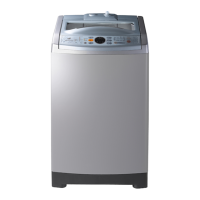
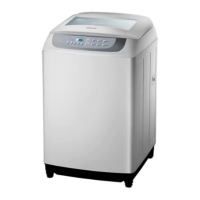
Samsung WA13F5S3 - User Manual

Samsung WA13F5S3
24 pages
Print Icon
To Next Page IconTo Next Page
Loading...
Washing Machine
user manual
imagine the possibilities
Thank you for purchasing a Samsung product.
WA13F5S3
WA10F5S3
WA90F5S3
WA85F5S3
F500-03273C-03_EN.indd 1F500-03273C-03_EN.indd 1 2/21/2017 4:47:54 PM2/21/2017 4:47:54 PM

Questions and Answers

  • M
    Mark MorganAug 10, 2025
    What to do if water does not drain from my Samsung WA13F5S3?
    • C
      christina57Aug 10, 2025
      If your Samsung Washer won't drain water, several factors could be at play. First, ensure the drain hose is properly positioned—it should be down if there's no pump. Check if the drain hose is frozen or clogged. Also, if the water doesn't drain within 30 minutes, the washer will sound a buzzer, and the display will show '5E'.
  • N
    Nathan AlvaradoAug 15, 2025
    How to fix a Child Lock error on a Samsung WA13F5S3?
    • B
      barbara69Aug 15, 2025
      If you're seeing a 'CL' or 'dE' message blinking on your Samsung Washer, it indicates the Child Lock function is activated. This feature drains water and sounds an alarm to prevent accidents. Once draining is complete, turn the power off and then on to resume normal operation. To clear the 'CL' display, ensure the door is closed after draining, then power cycle the machine. Also, check if the Start/Pause button has been pressed.
  • S
    Sarah LeeAug 20, 2025
    Why is the spinning function not working on my Samsung WA13F5S3 Washer?
    • A
      Austin MurphyAug 20, 2025
      If your Samsung Washer isn't spinning, make sure the laundry is spread evenly inside the washer. Also, check that the washer is placed on a sturdy, flat surface.
  • J
    Jonathan MillerAug 25, 2025
    What to do if there's a water leakage error in my Samsung WA13F5S3 Washer?
    • U
      upetersonAug 26, 2025
      If you notice a water leakage error with your Samsung Washer, first, check that the end of the drain hose is correctly positioned above the pump hose guide and not resting on the floor. Then, inspect the drain hose for any blockages caused by foreign substances. If the problem continues, it is recommended to contact a service center.
  • A
    Alice SanchezAug 30, 2025
    How to troubleshoot a Samsung Washer that won’t work?
    • D
      Donald RiveraAug 30, 2025
      To troubleshoot why your Samsung Washer isn’t working, check the following: Is the water tap opened? Is the washer properly plugged in? Is there a power outage? Is there enough water supply?
  • J
    John DurhamSep 4, 2025
    Why is water not being supplied to my Samsung WA13F5S3?
    • R
      Robert TaylorSep 4, 2025
      If your Samsung Washer isn't supplying water, check a few things: Ensure the water tap is fully open and that the water supply isn't cut off. Inspect the water supply hose and its connections for any clogs. Also, verify that the water tap isn't frozen. If the water supply isn't completed within 1 hour, or if there's no water level change after 5 minutes (10 minutes for some models), the buzzer will sound, and '4E' will appear on the display.

Samsung WA13F5S3 Specifications

General IconGeneral
TypeTop Load
Capacity13 kg
Body ColorWhite
PulsatorYes
Water FallYes
Tempered Glass WindowYes
Digital DisplayYes
Fuzzy Logic ControlYes
Child LockYes
Delay StartYes
Magic FilterYes
ColorWhite
Water Level5

Related product manuals