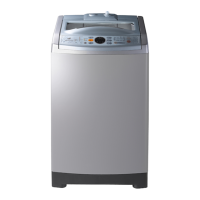
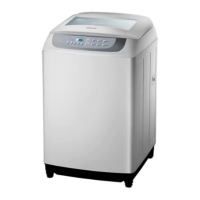
This document is a user manual for a Samsung top-loading washing machine, model WA13M8700**. It provides comprehensive information on safety, installation, operation, maintenance, and troubleshooting.
Function Description
The Samsung WA13M8700** is a top-loading washing machine designed for household use. It features various washing cycles to accommodate different fabric types and soil levels, including Cotton, Delicates, Quick Wash, Heavy Duty, Baby Care, Water Saving, 40°C Magic Clean, 60°C Magic Clean, Towels, Bedding, and Rinse+Spin. The machine incorporates a "Water Jet" function and a "Built-in sink" for convenient pre-washing and hand-washing of heavily soiled items before the main wash cycle. It also includes a "Tub Clean" cycle to maintain the cleanliness of the tub and remove bacteria, with a reminder indicator to prompt regular cleaning. Special features like "Child Lock" are included to prevent accidents, and "Delay End" allows users to schedule the wash cycle to finish at a specified time. The "Soak" option enhances wash performance for heavily stained laundry. The washing machine also has a "Smart Check" function, which, when used with a mobile app, helps diagnose problems and provides solutions.
Important Technical Specifications
- Type: Top loading washing machine
- Capacity: 13.0 kg
- Power consumption: AC 220-240 V / 50 Hz, 1400-1650 W
- Dimensions (W x D x H): 686 x 744 x 1077 mm
- Net weight: 65.0 kg
- Water pressure: 0.05 - 0.78 MPa (0.5 - 8.0 kgf/cm²)
- Spin speed: 800 rpm
Usage Features
The washing machine's control panel is intuitive, featuring a cycle panel for selecting wash programs, a display for current cycle information and estimated time, and buttons for adjusting water level, wash time, rinse times, spin speed, delay end, soak, Activ Dual Wash (Water Save/Drain), and temperature (Cold/Hot).
Before You Start:
- Prewash (Water Jet & Built-in sink): The Water Jet and Built-in sink facilitate hand-washing. Water Jet is available when the door is open and the water level is below "High." To use, press the release lever, place laundry in the sink, press Water Jet, hand-wash, then lift the sink to drain water into the tub for reuse or select "Drain" to discard.
- Detergent Guidelines: The machine has a two-compartment dispenser for detergent (liquid or powder) and fabric softener, and a separate bleach compartment for non-chlorine bleach. Users are advised to use "low suds" laundry detergent and not exceed the maximum fill lines. Powdered detergent should be dissolved in water before adding for best results.
- Laundry Guidelines: Sort laundry by care label, color, size, and sensitivity. Empty pockets to prevent damage to the machine or clothes. Delicate items like brassieres should be placed in a laundry net. Inflatable items should be soaked before washing. Overloading should be avoided, with a recommended load capacity of 3.5kg or less for bedding.
- Smart Check: This feature allows users to diagnose issues using a smartphone app. By pressing "Rinse Times + Spin Speed" for 3 seconds, the machine enters Smart Check mode, displays an information code, which the app can then recognize to provide solutions.
Operations:
- Starting a Cycle: Power on, select a cycle, adjust settings (water level, wash time, rinse count, spin speed), add options like Delay End or Soak, then press and hold START/PAUSE.
- Changing a Cycle: Press START/PAUSE to stop, select a new cycle, adjust settings, then press and hold START/PAUSE again.
- Child Lock: Activated by holding "Wash Time" and "Rinse Times" for 3 seconds. Prevents accidental operation and initiates forced draining if the door is opened with water inside.
- Delay End: Sets the wash cycle to finish at a later time (up to 24 hours).
- Soak: Adds 20 minutes to the cycle time for heavily stained laundry.
- Sound: Can be turned on/off by holding "Temp." for 3 seconds.
Maintenance Features
- Exterior Cleaning: Wipe with a soft, damp cloth. Avoid abrasive powders or spraying cleaners directly on panels.
- Tub Clean: Run this cycle regularly (every 1-3 months) to clean the tub and remove bacteria. The machine will remind you when it's time to clean. Ensure the tub is empty before running.
- Built-in Sink Cleaning: Open the door, clean the sink with a cloth or sponge, and use Water Jet to rinse.
- Magic Filter Cleaning: Press down the upper area of the filter case to remove, unlock the cover, clean with running water and a brush, then reinsert.
- Pump Filter Cleaning (applicable models only): Place a cloth under the filter, turn the knob anticlockwise to remove, clean with running water and a soft brush, then reinsert and turn clockwise to lock.
- Mesh Filter Cleaning: Use pliers to pull out the mesh filter from the water inlet, clean with a soft brush and running water, then reinsert and tighten.
- Detergent Drawer Cleaning: Pull out the drawer, push the ends to remove, take out inserts, and rinse with warm water and a soft brush. Clean the drawer opening with a small, non-metallic brush, then reassemble.
Troubleshooting:
The manual provides a detailed troubleshooting guide with common problems, information codes (e.g., 1C for WaterLevel sensor, 3C for motor, 4C for water supply, 5C for draining, 9C1 for electronic control, 9C2 for low voltage, AC6 for Inverter Communication, dC for door open, HC for high temperature heating, LC for drain hose, OC for water overflow, PC/PC1 for clutch position, Ub for unbalanced load, Ur for additional rinsing), and corresponding actions to resolve them. If problems persist, users are advised to contact a local Samsung service center.

 Need help?

 To Next Page
 General