EasyManua.ls Logo

Samsung WA18CG6886 Series - User Manual

Samsung WA18CG6886 Series
52 pages
Print Icon
To Next Page IconTo Next Page
Loading...
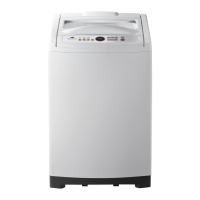
Washing Machine
User manual
WA18CG6886**/WA16CG6886**
Untitled-6 1 2023-05-30  2:40:40

Questions and Answers

  • A
    April PerezAug 12, 2025
    Why Samsung WA18CG6886 does not turn on?
    • C
      Cassandra KellyAug 12, 2025
      If your Samsung Washer isn't turning on, ensure it's receiving adequate power by checking the power cord is completely plugged in and that you are using rated power for the product. Also, inspect the fuse or reset the circuit breaker.
  • A
    Anna DonaldsonAug 16, 2025
    What to do if Samsung WA18CG6886 Washer does not start?
    • D
      Deanna RoweAug 16, 2025
      If your Samsung washer isn't starting, first, ensure the lid is closed and the water taps are open. Then, press the Start/Pause button (or press and hold it for 3 seconds). Also, make sure Child Lock is not activated. Note that before filling, the washer might make clicking noises to check the lid lock and perform a quick drain, particularly on models with a lid-locking feature. If the lid was opened during spinning, close it and press Start/Pause to resume (for models without lid-locking). Check the fuse or reset the circuit breaker. Finally, the machine might be in Standby or a soaking cycle, so please wait.
  • D
    Daniel ClementsAug 19, 2025
    How to fix a Samsung WA18CG6886 that does not turn on?
    • V
      Vincent DavisAug 19, 2025
      If your Samsung Washer isn't turning on, ensure it's receiving adequate power. Check that the power cord is fully plugged into the outlet. You may also need to check the fuse or reset the circuit breaker.
  • M
    Mr. Phillip JohnsonAug 23, 2025
    What to do if my Samsung WA18CG6886 Washer does not start?
    • R
      ryanmarshallAug 23, 2025
      If your Samsung Washer isn't starting, try the following: * Ensure the lid is completely closed. * Check that the water taps are open. * Press the Start/Pause button (or press and hold it for 3 seconds). * Confirm that Child Lock is not activated. Also, be aware that the washer makes clicking noises and does a quick drain before filling. If the lid was opened during the spin cycle, close it and press Start/Pause to resume. The machine may also be in Standby or a soaking cycle; in that case, wait. Lastly, check the fuse or reset the circuit breaker.
  • J
    Justin PhillipsAug 27, 2025
    How to resolve Samsung Washer water is not supplied?
    • K
      Karen SmithAug 27, 2025
      If water is not being supplied to your Samsung washer, make sure you press Start/Pause (or press and hold Start/Pause for 3 seconds) after selecting the water supply and that the water taps are open. Check if the filter net at the water supply hose connector is clogged; if so, clean it with a toothbrush. Ensure the water supply isn't cut off; if it is, close the tap and power off the machine. Straighten any kinks in the water supply hoses. Try opening and closing the lid, then press Start/Pause (or press and hold Start/Pause for 3 seconds). Note that low water pressure can extend the start time. If the water level seems incorrect, use the level selector to adjust it.
  • L
    Leah BradshawAug 30, 2025
    Why is no water being supplied to my Samsung Washer?
    • M
      Mary WilliamsAug 30, 2025
      If water isn't being supplied to your Samsung Washer, ensure you press Start/Pause after selecting the water supply. Also, check that the water taps are fully open and the water supply hoses are not kinked or bent. Clean the filter net at the water supply hose connector with a toothbrush if it's clogged. Make sure the water supply isn't cut off. If the water pressure is low, the washing process will take longer to start. Adjust the water level using the level selector if it is lower than expected. Try opening and closing the lid, then press Start/Pause.
  • S
    Sarah GonzalesSep 3, 2025
    What to do if detergent remains in the automatic dispenser after a cycle in Samsung WA18CG6886?
    • H
      Haley DixonSep 3, 2025
      If detergent remains in the dispenser of your Samsung washer after a cycle, ensure the washing machine is running with sufficient water pressure. Verify that the detergent drawer is properly inserted. If the issue persists, remove and clean the detergent drawer before trying again.
  • B
    Billy CarrSep 7, 2025
    What to do if detergent remains in the dispenser after a Samsung WA18CG6886 cycle?
    • A
      Andres TaylorSep 7, 2025
      If detergent remains in the automatic dispenser of your Samsung Washer after a cycle, ensure the washing machine is running with sufficient water pressure. Also, check that the detergent drawer is properly inserted. If the problem persists, remove and clean the detergent drawer before trying again.

Samsung WA18CG6886 Series Specifications

General IconGeneral
BrandSamsung
ModelWA18CG6886 Series
CategoryWasher
LanguageEnglish

Related product manuals