EasyManua.ls Logo

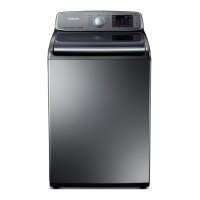
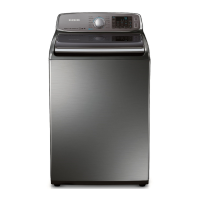
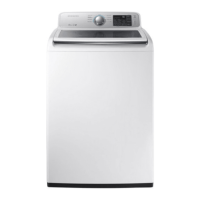
Samsung WA50M7450AP/A4 - User Manual

Samsung WA50M7450AP/A4
132 pages
Print Icon
To Next Page IconTo Next Page
Loading...
Washing Machine
user manual
WA50M7450A*
WA45M7050A*
imagine the possibilities
Thank you for purchasing this Samsung product.
WA7000M_EN.indd 1WA7000M_EN.indd 1 2/3/2017 11:13:18 AM2/3/2017 11:13:18 AM

Table of Contents

Questions and Answers

  • C
    clarkcarlosAug 7, 2025
    Why Samsung WA50M7450AP/A4 Washer will not start?
    • J
      James FlemingAug 7, 2025
      Your Samsung Washer might not start due to several reasons. First, ensure the lid is completely closed. Make sure the washer is properly plugged into a working electrical outlet. Check that the water source faucets are fully open. You must press the Start/Pause button to initiate the wash cycle. Also, verify that the Child Lock feature is not activated. Before the washer fills, it will make clicking sounds to check the lid lock and perform a quick drain. Finally, inspect the fuse or reset the circuit breaker.
  • C
    Christopher KnightAug 13, 2025
    What to do if Samsung Washer stops mid-cycle?
    • M
      Matthew BellAug 14, 2025
      If your Samsung washer stops, ensure the power cord is plugged into a working outlet and check the fuse or circuit breaker. Close the lid properly and press the Start/Pause button. Remember, the washer won't spin with an open lid for safety. It may make clicking noises and do a quick drain before filling. There might be a pause or soak period in the cycle, so allow it some time to continue. Also, inspect the inlet hose screens at the faucets for any obstructions and clean them regularly.
  • E
    Erin FordAug 21, 2025
    Why Samsung Washer has no water or not enough water?
    • C
      Courtney SimsAug 21, 2025
      If your Samsung Washer isn't filling with enough water, start by ensuring both water faucets are fully open. Check the water inlet hoses and straighten them if they are bent or kinked. Also, the hose filter screens may be clogged, so disconnect the hoses and clean the screens.
  • M
    Michael SmithAug 28, 2025
    How to fix Samsung WA50M7450AP/A4 that vibrates too much?
    • J
      Joseph CastroAug 28, 2025
      To reduce vibration and noise in your Samsung Washer, first, ensure it is placed on a level surface; adjust the washer's feet if needed. Make sure the washer isn't touching any surrounding objects. Also, ensure the laundry load inside the washer is balanced.

Summary

Safety Information

Important Safety Symbols and Precautions

Explains safety symbols and precautions to prevent injury and property damage.

Critical Installation Warnings

Details critical warnings related to the safe installation of the washing machine.

Usage and Cleaning Safety Guidelines

Covers safety precautions for using and cleaning the washing machine.

Installing Your Washer

Unpacking and Component Overview

Guide to unpacking the washer and identifying its main parts and components.

Location Requirements and Dimensions

Specifies location needs, clearances, and dimensions for safe installation.

Installation Steps and Connections

Step-by-step guide for connecting water, drain, leveling, and powering.

Washing a Load of Laundry

Loading, Getting Started, and Cycle Selection

Guidelines for loading laundry, starting a wash, and selecting appropriate cycles.

Control Panel and Special Features

Explanation of the control panel, cycles, options, and features like Child Lock and Smart Care.

Detergent and Additive Usage

Instructions on using detergent, bleach, and fabric softener correctly in the dispenser.

Maintaining Your Washer

Cleaning the Exterior, Interior, and Filter

Instructions for cleaning the washer's exterior, interior, and mesh water filter.

Cleaning Dispensers and Self Clean Cycle

Guide to cleaning dispenser drawers and using the Self Clean cycle for drum hygiene.

Troubleshooting Washer Issues

Common Problems and Solutions

Lists common operational issues and their corresponding troubleshooting steps.

Information Codes and Error Meanings

Explains display codes and their meanings for diagnosing washer problems.

Appendix and Specifications

Fabric Care Chart

Provides a chart of washing symbols and care instructions for different fabrics.

Cycle Chart

Reference tables for recommended cycles, temperatures, spins, and soil levels for models.

Technical Specifications

Presents technical details including dimensions, water pressure, and power consumption.

Warranty Information

Limited Warranty Terms (U.S.A)

Details the limited warranty period, coverage, and exclusions for the product in the U.S.A.

Limited Warranty Terms (Canada)

Outlines the limited warranty period, coverage, and exclusions for the product in Canada.

Samsung WA50M7450AP/A4 Specifications

General IconGeneral
TypeTop Load
Capacity5.0 cu. ft.
Energy Star CertifiedYes
ColorWhite
Voltage120V
Water Level Options5
Smart FeaturesYes

Related product manuals