EasyManua.ls Logo

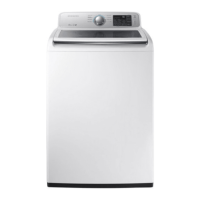
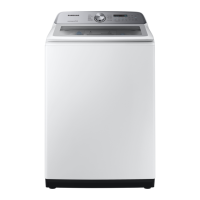
Samsung WA50M7450AW/A4 - User Manual

Samsung WA50M7450AW/A4
132 pages
Print Icon
To Next Page IconTo Next Page
Loading...
Washing Machine
user manual
WA50M7450A*
WA45M7050A*
imagine the possibilities
Thank you for purchasing this Samsung product.
WA7000M_EN.indd 1WA7000M_EN.indd 1 2/3/2017 11:13:18 AM2/3/2017 11:13:18 AM

Table of Contents

Other manuals for Samsung WA50M7450AW/A4

Questions and Answers

  • S
    Suzanne RamirezAug 12, 2025
    Why Samsung Washer will not start?
    • S
      seanhamiltonAug 12, 2025
      Your Samsung Washer might not start due to several reasons. First, ensure the lid is completely closed. Make sure the washer is properly plugged into a working electrical outlet. Check that the water source faucets are fully open. You must press the Start/Pause button to initiate the wash cycle. Also, verify that the Child Lock feature is not activated. Before the washer fills, it will make clicking sounds to check the lid lock and perform a quick drain. Finally, inspect the fuse or reset the circuit breaker.
  • S
    Stephen GonzalezAug 15, 2025
    What to do if Samsung WA50M7450AW/A4 Washer stops mid-cycle?
    • A
      abakerAug 15, 2025
      If your Samsung washer stops, ensure the power cord is plugged into a working outlet and check the fuse or circuit breaker. Close the lid properly and press the Start/Pause button. Remember, the washer won't spin with an open lid for safety. It may make clicking noises and do a quick drain before filling. There might be a pause or soak period in the cycle, so allow it some time to continue. Also, inspect the inlet hose screens at the faucets for any obstructions and clean them regularly.
  • T
    thomasandersonAug 20, 2025
    How to fix a Samsung Washer that will not start?
    • S
      Sara RamirezAug 20, 2025
      If your Samsung Washer won't start, ensure the lid is completely closed and that the appliance is properly plugged into a working electrical outlet. Also, check that the water source faucets are fully open. You may need to press the Start/Pause button to initiate the wash cycle. If none of these work, verify that the Child Lock feature is deactivated and inspect the fuse or circuit breaker. Before the washer fills, it will make clicking noises to check the lid lock and drain briefly.
  • M
    Mitchell WilliamsonAug 23, 2025
    What to do if my Samsung WA50M7450AW/A4 stops during the cycle?
    • D
      Diana MaxwellAug 23, 2025
      If your Samsung Washer stops mid-cycle, ensure it is connected to a live electrical outlet and check the fuse or circuit breaker. Make sure the lid is closed properly and press the Start/Pause button. The washer will not spin if the lid isn't closed. The washer may pause or soak during certain cycles, so allow it some time to resume. Inspect inlet hose screens for obstructions and clean them as needed. Before filling, the washer makes clicking noises while checking the lid lock and performing a quick drain.
  • D
    Daniel JohnsonAug 27, 2025
    Why Samsung WA50M7450AW/A4 has no water or not enough water?
    • J
      Jennifer RobertsonAug 27, 2025
      If your Samsung Washer isn't filling with enough water, start by ensuring both water faucets are fully open. Check the water inlet hoses and straighten them if they are bent or kinked. Also, the hose filter screens may be clogged, so disconnect the hoses and clean the screens.
  • M
    Mr. Zachary AllenAug 31, 2025
    How to fix Samsung Washer that vibrates too much?
    • M
      Michael SmithAug 31, 2025
      To reduce vibration and noise in your Samsung Washer, first, ensure it is placed on a level surface; adjust the washer's feet if needed. Make sure the washer isn't touching any surrounding objects. Also, ensure the laundry load inside the washer is balanced.
  • C
    Curtis MortonSep 3, 2025
    Why does my Samsung WA50M7450AW/A4 have no water or not enough water?
    • C
      Cameron CervantesSep 3, 2025
      If your Samsung Washer isn't filling with enough water, begin by ensuring that both water faucets are completely open. Check the water inlet hoses for any kinks or bends and straighten them out. If the problem persists, disconnect the hoses and inspect the screens for any clogs, cleaning them as necessary.
  • A
    Andrew AndrewsSep 7, 2025
    How to reduce vibration and noise in my Samsung Washer?
    • K
      Kristine WilliamsSep 8, 2025
      If your Samsung Washer is vibrating excessively or making too much noise, ensure that it is placed on a level surface. Also, confirm that the washer is not in contact with any surrounding objects. An unbalanced laundry load can also cause these issues, so make sure to distribute the items evenly inside the drum.

Summary

Safety Information

Important Safety Symbols and Precautions

Explains icons and signs used for safety warnings and precautions in the manual.

Critical Installation Warnings

Essential warnings and safety guidelines specifically for the installation process of the washer.

Installation Cautions

Cautions and advice during the installation of the washing machine.

Critical Usage Warnings

Critical warnings to prevent accidents and ensure safe operation of the washing machine.

Usage Cautions

Cautions and advice for the safe and proper daily use of the washing machine.

Critical Cleaning Instructions

Critical instructions and warnings for safely cleaning the washing machine.

Installing Your Washer

Unpacking Your Washer

Guide on how to unpack the washing machine and check for included items and shipping damage.

Overview of Your Washer

Identifies the main parts and components of the washing machine.

Basic Location Requirements

Requirements for selecting a suitable and safe location for washer installation.

Drain Facility

Proper setup and height requirements for the drain hose connection.

Flooring

Guidance on selecting appropriate flooring for optimal washer performance.

Alcove or Closet Installation

Minimum clearances needed for installing the washer in an alcove or closet.

Required Dimensions for Installation

Necessary dimensions for installing the washer in different configurations.

Important Note to Installer

Crucial instructions and recommendations for professional installers.

Installation Flow Chart

Visual guide outlining the step-by-step process for installing the washing machine.

Connecting the Water Supply Hose

Instructions on connecting water supply hoses to washer and faucets.

Connecting the Drain Hose

Details on connecting the drain hose and ensuring proper drainage.

Leveling Your Washer

Steps to adjust the washer's feet to ensure it is level.

Powering Your Washer

Instructions for properly connecting the washer to an electrical outlet.

Running a Test Cycle

Guide on performing a test run to verify correct installation and operation.

Calibration Mode

Instructions on running the calibration mode for accurate weight detection.

Operating Your Washer

Loading Your Washer

Guidance on loading laundry for optimal results and safety.

Getting Started

Basic steps to begin operating the washing machine after installation.

Overview of the Control Panel

Explains the functions and layout of the washing machine's control panel.

Child Lock

Instructions on activating and deactivating the child lock feature.

Sound

How to activate or deactivate the sound notifications.

Garment

How to add or remove laundry items during the wash cycle.

Delay End

How to set a delayed start time for the wash cycle.

Pre Soak

Use of the Pre Soak function for heavily stained or soiled laundry.

Mist Shower

Describes the Mist Shower function for enhanced washing with less water.

Smart Care

Using a smartphone app to check the washer's status and diagnose issues.

Washing Clothes Using the Cycle Selector

Guide to selecting wash cycles based on fabric type and load.

Pause Option

How to pause the cycle to add or remove laundry items.

ATC (Auto Temperature Control)

Explains the automatic temperature control feature for optimal washing.

Detergent Use

Guidance on using high-efficiency (HE) detergents for best performance.

Automatic Dispenser

Information on using the automatic dispenser for additives.

Loading the Bleach Compartment

Instructions for adding liquid chlorine bleach to the compartment.

Loading the Fabric Softener Compartment

Guide on adding liquid fabric softener to the dispenser.

Maintaining Your Washer

Cleaning the Exterior

Instructions for cleaning exterior surfaces and the control panel.

Cleaning the Interior

Guidance on cleaning the washer drum to remove odors and residue.

Storing Your Washer

Steps to prepare the washer for storage, especially in freezing conditions.

Preserving the Top Cover and Front Frame

Advice on protecting the washer's exterior finish from damage.

Cleaning Mesh Filter

Instructions for cleaning the mesh filter in the water inlet hose.

Cleaning the Dispensers

Detailed steps for cleaning the dispenser drawer and inserts.

Self Clean

How to use the Self Clean cycle to maintain drum hygiene and remove mold.

Troubleshooting

Check Solutions

Common problems and their solutions for washer operation issues.

Information Codes

Explains error codes displayed by the washer and how to resolve them.

Appendix

Fabric Care Chart

Symbols and guidelines for garment care during washing, drying, and ironing.

Cycle Chart

Table outlining recommended cycles, temperatures, and settings for fabrics.

Helping the Environment

Tips for environmentally friendly use and disposal of the washing machine.

Specification

Technical specifications of the washing machine, including dimensions and power.

Warranty Information

Limited Warranty to Original Purchaser (U.S.A)

Details warranty terms, coverage, and exclusions for U.S.A. purchasers.

Limited Warranty to Original Purchaser (Canada)

Outlines warranty terms, coverage, and exclusions for Canadian purchasers.

Samsung WA50M7450AW/A4 Specifications

General IconGeneral
Capacity5.0 cu. ft.
TypeTop Load
ColorWhite
Control TypeElectronic
Number of Wash Cycles11
Steam FunctionNo
Energy Star CertifiedYes
Water Level Options5
FeaturesSelf Clean, Smart Care

Related product manuals