EasyManua.ls Logo

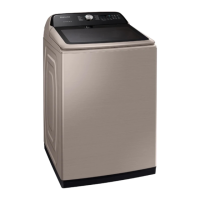
Samsung WA50T5300AC/US - User Manual

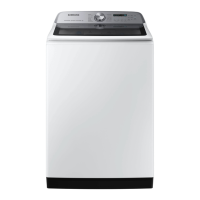
Samsung WA50T5300AC/US
128 pages
Print Icon
To Next Page IconTo Next Page
Loading...
Washer
User manual
WA50R5400A*/WA50T5300A*
Untitled-1 1 2019-12-11 PM 12:37:22

Table of Contents

Questions and Answers

  • T
    Tyler HoffmanAug 7, 2025
    What to do if my Samsung Washer does not start?
    • M
      Marie BeardAug 7, 2025
      If your Samsung Washer doesn't start, ensure the door is fully closed and that the water taps are open. Press the Start/Pause button. Also, verify that the Child Lock is deactivated. Note that before filling, the machine makes clicking noises to check the door lock, followed by a quick drain. If the door was opened during spinning, close it and press Start/Pause to resume. The machine may be in Standby, paused, or soaking, so wait. Finally, check the fuse or reset the circuit breaker.
  • M
    Matthew CarterAug 21, 2025
    How to fix a Samsung WA50T5300AC/US Washer that does not turn on?
    • C
      Curtis HuffAug 21, 2025
      If your Samsung Washer doesn't turn on, ensure your home's electrical system meets the washer's requirements. Make sure the power cord is fully plugged in and check the fuse or reset the circuit breaker. If the power was turned off after using the Active Waterjet function, the power will not turn on until the water is completely drained.

Summary

Safety Information

Important Safety Precautions

Details critical safety measures to prevent fire, electric shock, and injury during use.

Critical Installation Warnings

Highlights essential warnings related to the electrical setup and installation of the washer.

Critical Usage Warnings

Outlines crucial safety warnings to prevent hazards during the operation of the washer.

Washer Installation Guide

Installation Requirements

Specifies electrical, grounding, and water supply requirements for proper installation.

Step-by-Step Installation Process

Comprehensive guide covering location, connections, leveling, and testing the washer.

Operating Your Samsung Washer

Control Panel Layout

Overview of the washer's control panel, including the display and cycle selector.

Cycle Setting Controls

Explanation of controls for temperature, rinse, spin, soil level, and special options.

Cycle Overview Descriptions

Descriptions of each available wash cycle and their intended use.

Cycle Chart and Settings

A chart detailing recommended settings for temperature, rinse, spin, and soil levels.

Washer Maintenance

Self-Clean Cycle Guide

Instructions for performing the Self-Clean cycle and understanding reminders.

Troubleshooting Washer Issues

Initial Troubleshooting Checks

Basic checks for common issues like the washer not turning on or starting.

Information Codes and Error Meanings

Explanation of various information codes displayed by the washer and their meanings.

Samsung WA50T5300AC/US Specifications

General IconGeneral
Styletop load
Colorchampagne
Washer Capacity5 cubic feet
Max Spin Speed750 revolutions per minute
Spin Speeds5
Number of Cycles12
Cycle Selectionsnormal, heavy duty, permanent press, bedding/waterproof, delicates/hand wash, quick wash, rinse + spin, spin only, whites, self clean
Optionschild lock, pre-soak, delay end, fabric softener, alarm off
Temperature Settings5
Temperature Selectionshot, warmer, warm, cool, cold
Soil Levelsheavy, medium heavy, normal, medium low, liight
Control Paneldial, button
Delay Start / Endyes
Child Lockyes
Cycle Signalyes
Steamno
Dispensersingle load
Smart Homeno
Annual Energy Consumption120 kilowatt hours
Voltage120 volts
Current15 amperes
Weight and Dimensions IconWeight and Dimensions
Depth29 7/16 inches
Height44 9/16 inches
Width27 9/16 inches
Net Weight130 pounds

Related product manuals