EasyManua.ls Logo

Samsung WA55CG71 A Series - User Manual

Samsung WA55CG71 A Series
72 pages
Print Icon
To Next Page IconTo Next Page
Loading...
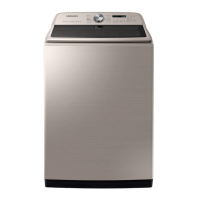
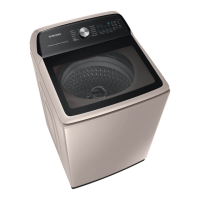
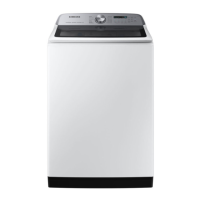
Washer
User manual
WA55CG71**A*/WA54CG7105A*/WA54CG715*A*/
WA53CG7155A*
Untitled-9 1 2023-06-22  4:15:00

Questions and Answers

  • E
    Elizabeth BernardAug 15, 2025
    What to do if Samsung Washer does not start?
    • C
      Charles GonzalesAug 16, 2025
      If your Samsung washer isn't starting, there are several things to check: * Ensure the door is completely closed. * Verify that the water taps are open. * Press or tap the Start/Pause button. * Confirm that Child Lock is not activated. * Also, the washer may make clicking noises and do a quick drain before filling. If the door was opened during the spin cycle, close it and press Start/Pause to resume. The machine might also be in Standby, paused, or soaking. Finally, check the fuse or circuit breaker.
  • M
    margaret92Aug 18, 2025
    How to fix Samsung WA55CG71 A Washer that does not turn on?
    • L
      Lisa LyonsAug 18, 2025
      If your Samsung washer isn't turning on, here are a few things to check: * Ensure your home electrical system provides the correct power. * Make sure the power cord is fully plugged in. * Check the fuse or reset the circuit breaker. * If the power was turned off to drain water added by the Active Waterjet function, the power won't turn on until the water is completely drained.
  • J
    Jessica MooreAug 21, 2025
    What to do if my Samsung Washer does not start?
    • M
      Mary NavarroAug 21, 2025
      If your Samsung washer isn't starting, there are several things to check: * Ensure the door is fully closed. * Verify that the water taps are open. * Press or tap the Start/Pause button. * Confirm that Child Lock is not activated. Also, the washer makes clicking noises and does a quick drain before filling. If the door was opened during spinning, close it and press Start/Pause. The machine may also be in Standby, paused, or soaking. Lastly, check the fuse or circuit breaker.
  • H
    haley44Aug 25, 2025
    Why my Samsung Washer does not turn on?
    • M
      Michelle YatesAug 26, 2025
      If your Samsung washer isn't turning on, consider the following: * Ensure your home's electrical system meets the washer's requirements. * Make sure the power cord is fully plugged in. * Check the fuse or reset the circuit breaker. * If you used the Active Waterjet function and turned off the power to drain the water, the power won't turn on until the water is completely drained.
  • H
    Helen MasonAug 27, 2025
    How to fix a Samsung Washer that does not turn on?
    • L
      lellisAug 27, 2025
      If your Samsung Washer isn't turning on, ensure your home's electrical system provides the correct power. Verify the power cord is fully plugged in. Check the fuse or reset the circuit breaker. If the power was turned off to drain water from the Active Waterjet function, the power will not turn on until the water is completely drained.
  • W
    wilsonstevenAug 30, 2025
    Why Samsung Washer is not supplying water?
    • M
      Mary HollandAug 30, 2025
      If your Samsung washer isn't supplying water, consider the following: * Ensure you press the Start/Pause button after selecting the cycle and options. * Verify that the water taps are open. * Straighten the water supply hoses. * Open and close the door, then press the Start/Pause button. If the water supply is cut off, close the tap and power off the washer. If the water level isn't high enough, use the level selector to adjust it.
  • M
    marshdannySep 2, 2025
    What to do if detergent remains in dispenser after Samsung WA55CG71 A cycle?
    • R
      rachelstantonSep 2, 2025
      If detergent remains in the automatic dispenser after a cycle in your Samsung washing machine: * Ensure the washing machine is running with sufficient water pressure. * Make sure the detergent drawer is properly inserted. * Try removing and cleaning the detergent drawer.
  • C
    cassandra20Sep 5, 2025
    What to do if water is not supplied to my Samsung Washer?
    • T
      Tonya FieldsSep 5, 2025
      If water isn't being supplied to your Samsung washer, try the following: * Press the Start/Pause button after choosing your cycle and options. * Ensure the water taps are fully open. * Straighten any kinks in the water supply hoses. * Open and close the door, then press Start/Pause. Also, if the water supply is cut off, close the tap and power off the machine. Low water pressure will extend the wash start time. If the water level seems low, adjust it using the level selector.
  • P
    Paul WattsSep 8, 2025
    Why is water not being supplied to my Samsung WA55CG71 A Washer?
    • K
      Kristin HallSep 8, 2025
      If your Samsung Washer isn't getting water, first, make sure you press the Start/Pause button after selecting the cycle and options. Check that the water taps are fully open. Inspect the mesh filters in the water inlets for clogs and clean them with a toothbrush. Ensure the water supply isn't cut off; if it is, close the tap and power off the machine. Straighten any kinks in the water supply hoses. Try opening and closing the door, then press Start/Pause again. Low water pressure can also cause delays. If the water level seems low, adjust it using the level selector.
  • T
    Todd DuncanSep 12, 2025
    What to do if detergent remains in the dispenser after a Samsung Washer cycle?
    • B
      Barbara PriceSep 12, 2025
      If detergent remains in the dispenser of your Samsung Washer after a cycle, ensure the washing machine has sufficient water pressure. Also, verify that the detergent drawer is correctly inserted. You might also need to remove and clean the detergent drawer before trying again.

Summary

Safety Information

What you need to know about the safety instructions

General safety instructions overview.

Important safety symbols

Explanation of safety icons used in the manual.

Important safety precautions

Key safety measures to reduce risks of fire, electric shock, or injury.

California Proposition 65 Warning

Warning regarding cancer and reproductive harm as per California law.

Critical installation warnings

Critical safety warnings for washer installation.

Installation cautions

Important cautions regarding washer installation procedures.

Critical usage warnings

Critical safety warnings for proper washer operation.

Usage cautions

Important cautions for safe and effective washer usage.

Critical cleaning warnings

Critical safety warnings for washer cleaning.

Regulatory Notice

FCC Notice

Information regarding FCC compliance and regulations.

IC Notice

Information regarding Industry Canada compliance and regulations.

Open Source Announcement

Details on open source software included in the product.

Installation

Unpacking your washer

Instructions and tips for safely unpacking the washing machine.

Whats included

List of parts and accessories provided with the washer.

Installation requirements

Necessary electrical, water, and space requirements for installation.

Step-by-step installation

Detailed guide for physically installing the washing machine.

Before You Start

Initial settings

Recommended setup procedures, including calibration.

Laundry guidelines

Instructions for sorting and preparing laundry for washing.

To put a blanket in your washer

Specific guidance on loading blankets into the washer.

Prewash (if necessary)

Procedure for pre-treating stains before the main wash cycle.

Determine the load capacity

Guidance on how to determine the correct load size for washing.

Add the correct detergent type

Information on selecting and adding the appropriate detergent.

Detergent drawer guidelines

How to use the detergent, softener, and bleach compartments.

Operations

Control panel

Overview of the washer's control panel buttons and display.

Simple steps to start

Basic instructions for operating the washing machine.

Cycle overview

Descriptions of the available wash cycles and their uses.

Cycle chart

Recommended settings for various laundry types and conditions.

Special features

Information on advanced functions and options.

Active Waterjet (for prewash)

Using the prewash function for hand-washing items.

Delay End

How to set a timer for the wash cycle to finish later.

Sound Off

Instructions for muting or unmuting machine sounds.

ATC (Auto Temperature Control)

Explanation of automatic temperature adjustment for washing.

Child Lock

How to activate and use the child safety lock feature.

DOWNLOADED cycle

How to select cycles downloaded via the SmartThings app.

SmartThings

Guide to connecting the washer to the SmartThings app.

Smart Care

Using the app for remote diagnostics and troubleshooting.

Maintenance

SELF CLEAN

Procedure for running the self-cleaning cycle for the washer tub.

Cleaning the exterior

Instructions for cleaning the outer surfaces of the washer.

Cleaning the interior

Methods for cleaning the inside of the washer tub.

Care for an extended period of non-use

Guidelines for storing the washer when not in use.

Pet hair filter (applicable models only)

Maintenance instructions for the pet hair filter.

Cleaning the mesh filter

Steps for cleaning the water inlet mesh filters.

Cleaning the detergent drawer

How to clean the detergent dispenser drawer and inserts.

Troubleshooting

Checkpoints

Troubleshooting guide for common washer problems and solutions.

Information codes

Explanation of error codes displayed on the washer.

Specifications

Fabric care chart

Guide to garment care symbols for washing and drying.

Warning symbols for laundering

Explanation of symbols indicating laundering prohibitions.

Helping the environment

Information on environmentally responsible disposal and usage.

Specification sheet

Technical specifications and model details of the washer.

Limited Warranty (U.S.A.)

Limited warranty to original consumer purchaser

Details of the warranty provided for US customers.

Exclusion of Implied Warranties

Information on implied warranties and their limitations.

Limitation of Remedies

Explanation of warranty remedies and liability limitations.

Warranty (CANADA)

Limited Warranty to Original Purchaser

Details of the warranty provided for Canadian customers.

Samsung WA55CG71 A Series Specifications

General IconGeneral
Capacity5.5 cu. ft.
Energy Star CertifiedYes
ColorWhite
Steam FunctionYes
Smart FeaturesYes
Vibration Reduction TechnologyYes

Related product manuals