EasyManua.ls Logo

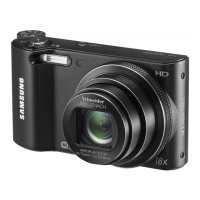
Samsung WB150 - User Manual

Samsung WB150
160 pages
Print Icon
To Next Page IconTo Next Page
Loading...
Click a topic
Basic troubleshooting
Quick reference
Contents
Basic functions
Extended functions
Shooting options
Playback/Editing
Wireless network
(WB150F/WB151F/WB152F only)
Settings
Appendixes
Index
This user manual includes detailed usage
instructions for your camera. Please read
this manual thoroughly.
WB150/WB150F/
WB151/
WB151F/WB152F

Table of Contents

Other manuals for Samsung WB150

Questions and Answers

  • X
    xrussellAug 9, 2025
    Why are my Samsung WB150 photos blurred?
    • B
      Brooke TurnerAug 9, 2025
      Blurring can occur if you capture photos in low light conditions or hold the camera incorrectly. Use the OIS function or half-press the shutter button to ensure the subject is focused.
  • M
    Mark StewartAug 23, 2025
    What to do if photos are blurred when shooting at night with my Samsung Digital Camera?
    • L
      Larry ParkerAug 23, 2025
      When shooting at night, the camera tries to let in more light, slowing the shutter speed and making it difficult to hold the camera steady. Select Night in s mode to resolve this issue.

Summary

Health and safety information

Warnings and precautions

Covers potential hazards to users, subjects, and equipment.

Safe operation guidelines

Details on avoiding interference, battery safety, and proper handling.

Device care and environmental notes

Cautions regarding battery usage, temperature, and electronic interference.

Basic functions

Initial setup and operation

Covers component insertion, charging, powering on, and initial setup.

Extended functions

Manual exposure control

Explains Aperture/Shutter Priority and Manual modes for exposure.

Shooting options

Face Detection and advanced shooting

Using Face Detection, Smart Face Recognition, and burst modes.

Wireless network (WB150 F;WB151 F;WB152 F only)

WLAN connection and network setup

Connecting to Wi-Fi networks, configuring settings, and entering text.

Appendixes

Error messages and troubleshooting

Lists common errors and provides solutions for camera issues.

Samsung WB150 Specifications

General IconGeneral
Optical Zoom18x
Video Resolution720p HD
Image StabilizationOptical
TypeCompact
Digital Zoom5x
ISO Sensitivity80-3200
LCD Resolution460, 000 dots
Storage MediaSD/SDHC/SDXC
Display3.0" LCD
ConnectivityUSB 2.0
Shutter Speed1/8 - 1/2000 sec
Weight188 g
Image Sensor1/2.3"
Battery TypeSLB10A

Related product manuals