EasyManua.ls Logo

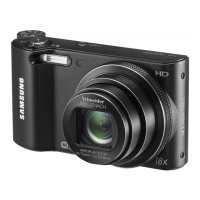
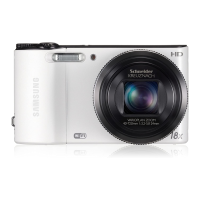
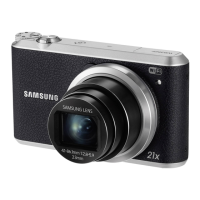
Samsung WB152 - User Manual

Samsung WB152
160 pages
Print Icon
To Next Page IconTo Next Page
Loading...
Click a topic
Basic troubleshooting
Quick reference
Contents
Basic functions
Extended functions
Shooting options
Playback/Editing
Wireless network
(WB150F/WB151F/WB152F only)
Settings
Appendixes
Index
This user manual includes detailed usage
instructions for your camera. Please read
this manual thoroughly.
WB150/WB150F/
WB151/
WB151F/WB152F

Table of Contents

Other manuals for Samsung WB152

Questions and Answers

  • Y
    Yvonne AdamsAug 10, 2025
    Why are my Samsung WB152 photos blurred?
    • C
      Christopher CarrollAug 10, 2025
      Blurring can occur if you capture photos in low light conditions or hold the camera incorrectly. Use the OIS function or half-press the shutter button to ensure the subject is focused.
  • M
    Mallory HansonAug 27, 2025
    What to do if photos are blurred when shooting at night with my Samsung WB152 Digital Camera?
    • V
      vincent76Aug 27, 2025
      When shooting at night, the camera tries to let in more light, slowing the shutter speed and making it difficult to hold the camera steady. Select Night in s mode to resolve this issue.

Samsung WB152 Specifications

General IconGeneral
Sensor TypeCCD
Megapixels14.2 MP
Optical Zoom18x
Screen Size3.0 inches
ISO Range80 - 3200
Battery TypeSLB-10A
Image Sensor Size1/2.3 inch
Digital Zoom5x
ConnectivityUSB 2.0, HDMI
ISO SensitivityAuto, 80, 100, 200, 400, 800, 1600, 3200
LCD Resolution230, 000 dots
Video Resolution1280 x 720
Storage MediaSD/SDHC
Shutter Speed1/8 - 1/2000 sec
Maximum Aperturef/3.2 (W) - f/5.8 (T)

Related product manuals