EasyManua.ls Logo

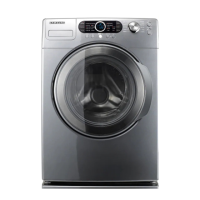
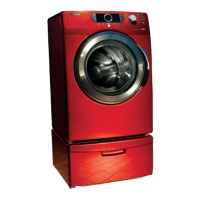
Samsung WF337AAR/XAA - Troubleshoot Manual

Samsung WF337AAR/XAA
7 pages
Print Icon
To Next Page IconTo Next Page
Loading...
Fast Track Troubleshooting
Model:
WF337AAG/XAA
WF337AAR/XAA
WF337AAW/XAA
WF337AAL/XAA
Publication # tsWF337 Revision Date 8/10/2010
Quick Test Mode
To enter press Spin, Silver Care, & Power
simultaneously with the power off.
1. All LED’s light up and the washer beeps as it
enters the Quick Test Mode.
2. The unit displays the software version for a
second then clears the EEprom.
3. After the displaying the software version, LCD
will display Model information. If EEEE is displayed
the PCB ass’y is defective.
4. When the version is displayed. Press the follow-
ing keys to test the various components
Press Temp Key to cycle through the Water Valves in
this order: Pre Cold, Cold Main, Bleach, Cold Main &
Bleach for Fabric Softener, Hot, then off.
Press Spin Key to test Motor circuit.
Press Soil Key to test Drain Pump
Press Silver Care to test door lock - unlock circuit
Service Mode:
This mode allows more detailed operation tests and trouble-
shooting, to enter press Signal & Extra Rinse
simultaneously with the power on.
While in Service Mode the following tests can be performed:
Quick Spin Test = Delay Start & Silver Care: This
accelerates the drum motor from 0 to maximum RPM over a
few minutes. Note: Stay with the washer during this test, out
of balance detection may be bypassed. Press the Start/Pause
button during the test to hold its spinning speed for 10 minutes
before going back to Quick Spin Test Mode.
Cycle Count = Press the Signal button to see how many times
the unit was used
Soft Ware # = Press the Soil button to see the software version
information
Fast Time Down = Press the Temp button to advance to the
next cycle
Fault Code Test = Press the Silver Care button to view the
stored fault codes – then turn Dial to view error codes (Push
Start/Pause while the code is displayed to view the number of
cycles since the error occurred)
Peripheral (Main PCB) input Tests
1. Extra Wash
. Then turn the Dial so that the Normal LED is
turned on. Next, press the Start/Pause Key. The Water Tem-
perature will be displayed in Fahrenheit.
2. Extra Wash
. Then turn the Dial so that the Whites LED is
turned on. Next, press the Start/Pause Key. The door status will
be displayed (OP if open, CL if closed).
3. Extra Wash
. Then turn the Dial so that the Perm Press LED
is turned on. Next, press the Start/Pause Key. The door lock
Switch status will be displayed (UL if unlocked, Lo if locked).
4. Extra Wash
. Then turn the Dial so that the Quick Wash LED
is turned on. Next, press the Start/Pause Key. The Water Fre-
quency will be displayed.
5. Extra Wash
. Then turn the Dial so that the Sanitize LED
is turned on. Next, press the Start/Pause Key it will display the
Ag Kit Status in 3 seconds: “- -” if AG kit is operated properly.
“7E” if AG kit is out of order (check wire harness & PCB)
IMPORTANT SAFETY NOTICE“For Technicians Only” This service data sheet is
intended for use by persons having electrical, electronic, and mechanical experience
and knowledge at a level generally considered acceptable in the appliance repair trade.
Any attempt to repair a major appliance may result in personal injury and property
damage. The manufacturer or seller cannot be responsible, nor assume any liability for
injury or damage of any kind arising from the use of this data sheet.
Selecting Language
1. The “Select the Language” message appears.
2. Turn the Dial to select language
3. Press Signal button to select
EEPROM Clear Check
Power off, Press Delay Start, Signal and Power Key at
the same time. Good = Good Fail = FAiL
All memory will be cleared, including Fault Codes
This should be done when a new Main PCB is
installed
1
Question and Answer IconNeed help?

Do you have a question about the Samsung WF337AAR/XAA and is the answer not in the manual?

Overview

This document provides comprehensive information for the Samsung WF337AAG/XAA, WF337AAR/XAA, WF337AAW/XAA, and WF337AAL/XAA washing machine models, covering troubleshooting, service modes, component checks, error codes, and general maintenance. It is intended for technicians with electrical, electronic, and mechanical experience.

Function Description

The Samsung WF337 series washing machine is designed to efficiently clean laundry using various wash cycles and features. It incorporates advanced control systems for precise operation, including water temperature regulation, motor control, and water level sensing. The machine offers multiple wash options such as Heavy Duty, Normal, Quick Wash, Sanitize, Whites, Perm Press, Delicates, Wool, and Bedding, catering to different fabric types and soil levels. Special features like "Ag+" (Silver Care) provide enhanced cleaning and sanitization. The machine also includes a "Delay Start" function for scheduled operation and a "Child Lock" feature for safety.

Usage Features

The washing machine's operation is managed through a control panel with a dial and several buttons.

Quick Test Mode: This mode allows for rapid testing of various components. To enter, simultaneously press the "Spin," "Silver Care," and "Power" buttons when the power is off. Upon entry, all LEDs illuminate, the washer beeps, and the software version is displayed, followed by the EEPROM clearing. If "EEEE" is displayed, the PCB assembly is defective.

  • Component Testing in Quick Test Mode:
    • Temp Key: Cycles through water valves in the following order: Pre Cold, Cold Main, Bleach, Cold Main & Bleach for Fabric Softener, Hot, then off.
    • Spin Key: Tests the motor circuit.
    • Soil Key: Tests the drain pump.
    • Silver Care Key: Tests the door lock and unlock circuit.

Service Mode: This mode offers more detailed operational tests and troubleshooting. To enter, simultaneously press the "Signal" and "Extra Rinse" buttons when the power is on.

  • Tests Available in Service Mode:
    • Quick Spin Test: Initiated by pressing "Delay Start" and "Silver Care." This accelerates the drum motor from 0 to maximum RPM over a few minutes. It's important to stay with the washer during this test as out-of-balance detection may be bypassed. Pressing "Start/Pause" during the test holds the spinning speed for 10 minutes before returning to Quick Spin Test Mode.
    • Cycle Count: Press the "Signal" button to view the total number of times the unit has been used.
    • Software Version: Press the "Soil" button to display the software version information.
    • Fast Time Down: Press the "Temp" button to advance to the next cycle.
    • Fault Code Test: Press the "Silver Care" button to view stored fault codes. Turn the dial to scroll through error codes. Press "Start/Pause" while a code is displayed to view the number of cycles since that error occurred.
    • Peripheral (Main PCB) Input Tests: These tests verify the functionality of various inputs to the main PCB.
      • Extra Wash (Normal LED): Turn the dial to illuminate the "Normal" LED, then press "Start/Pause." The water temperature in Fahrenheit will be displayed.
      • Extra Wash (Whites LED): Turn the dial to illuminate the "Whites" LED, then press "Start/Pause." The door status (OP for open, CL for closed) will be displayed.
      • Extra Wash (Perm Press LED): Turn the dial to illuminate the "Perm Press" LED, then press "Start/Pause." The door lock switch status (UL for unlocked, Lo for locked) will be displayed.
      • Extra Wash (Quick Wash LED): Turn the dial to illuminate the "Quick Wash" LED, then press "Start/Pause." The water frequency will be displayed.
      • Extra Wash (Sanitize LED): Turn the dial to illuminate the "Sanitize" LED, then press "Start/Pause." The Ag Kit Status will be displayed for 3 seconds: "--" if the AG kit operates properly, "7E" if the AG kit is out of order (requires checking wire harness & PCB).

Selecting Language:

  1. The "Select the Language" message appears.
  2. Turn the dial to select the desired language.
  3. Press the "Signal" button to confirm the selection.

Maintenance Features

EEPROM Clear Check: To clear all memory, including fault codes, power off the machine and simultaneously press "Delay Start," "Signal," and "Power." This should be performed when a new Main PCB is installed. A "Good" display indicates success, while "FAIL" indicates failure.

Component Checks and Troubleshooting: The manual provides detailed checks for various components, including:

  • Water Temperature Thermistor: Check operating voltage at room temperature (4.2VDC) and operating resistance (50-57KΩ) with power off.
  • Door Switch: Check 25VDC when open and 0VDC when closed. Also, check operating resistance with power off (open with door open, short with door closed).
  • Water Level Sensor: Check operating voltage (2.5VDC) with no water in the drum and operating resistance (22-24Ω) with power off.
  • Hall Sensor: Manually spin the drum with power on to observe voltage change (0Vdc or 3.75Vdc).
  • Motor: Check power-off resistance across pins (11.5Ω).
  • A/C Power: Check 120VAC power on.
  • Door Lock/Unlock: Check for a 120VAC pulse for a few milliseconds when locking/unlocking and a power-off resistance between 56-62Ω.
  • Drain Motor: Check 120VAC with the pump on and 0VAC with the pump off. Power-off resistance should be 13.9Ω.
  • Water Valve: Check 120VAC with the valve on and 0VAC with the valve off. Power-off resistance at the valve is from 1202Ω-1245Ω.
  • Heater Relay: Check 120VAC with the heater on and 0VAC with the heater off. Power-off heater resistance is 16.6Ω.

Error Codes: The document lists various error codes (LED and LCD displays) with detailed explanations and troubleshooting steps.

  • Drain Error (nD1): Check for foreign material, wiring harness, water pump terminal, and freezing.
  • Power Error (2E, 91, 92, PF): Check operating voltage (under/over voltage), plug receptacle, extension cord use, and main PBA fault. PF indicates momentary power failure.
  • Communication Error (AE): Check wire connections, terminal contacts, disconnected wires, sub PCB short circuit (moisture), and main PCB communication circuit.
  • EEPROM Fault (11): If "FAIL" is displayed in "EEPROM Clear Mode," replace the Machine Control Board.
  • Switch Error (E2, 15, SR): Check for stuck buttons, over-tightened PBA holding screws, and main PBA switching IC errors. SR indicates a power interruption.
  • Door Error (dS22, dL18, LO2, FL4): Check door switch and latch alignment, latch damage, wiring harness, and main PBA door sensing circuit.
  • Heater Error (Hr36, 9E1): Check for shorted/disconnected heater circuit, tub contact with heater, frozen water, and PBA relay malfunction. 9E1 indicates EMC filter issue or noise spike.
  • Overflow Error (OE, E): Verify drain function, water level detection, and water valve shut-off.
  • Temperature Sensor Error (29, LE): Check connections for the washing heater temperature sensor.
  • Unbalance Error (dC10): Check laundry type, reposition load, or remove items.
  • Silver Care Kit Failure (7E): Check Silver Care PCB, Main PCB, and wire harness.
  • MEMS or Harness Error (8E): Check MEMS PCB, Main PCB, and wire harness.
  • Foaming Detected (SUdS, Sd): This is a normal operation when excessive suds are detected; the cycle proceeds after removal.
  • Water Level Sensor Problem (LE8): Check hose, sensor connection, and sensor itself.
  • Motor Drive Error (3E, E3, bE25): Check motor drive connector, hall sensor, foreign objects in motor, motor damage, stator, and PCB.
  • Water Supply Error (nF3): Check water valve wiring harness, supply valve clogging, and water supply.
  • Fill Hoses Reversed (nF1): Correct hot/cold hose connections.
  • System Error (SF1, SF2, SF3): Replace PCB.

General Maintenance:

  • Leveling: Ensure the washing machine is level to the floor to prevent vibrations and extend product lifetime.
  • Foot Pads: Use foot pads for walking washers; order four if needed. For installations on upper floors, do not exceed the recommended leg adjustment height for stability.
  • Detergent Drawer: It is normal for a small amount of water to remain in the detergent drawer. Bleach is flushed into the tub at the beginning of the wash, and the compartment is washed again during the rinse cycle.
  • Detergent Usage: Advise consumers to use HE detergents and appropriate amounts to avoid over-sudsing, which can cause leaks from the detergent drawer and door.
  • Operating Temperature: Do not install the washer in areas where water may freeze. The operating temperature should be above 60°F/16°C to prevent damage to belts, pump, hoses, and other components.

Samsung WF337AAR/XAA Specifications

General IconGeneral
BrandSamsung
ModelWF337AAR/XAA
TypeFront Load Washer
ColorWhite
Energy Star CertifiedYes
Spin Speed1300 RPM
Steam FunctionYes
Number of Wash Cycles10

Related product manuals