SELF CLEAN+
Self Clean+ is a self-cleaning cycle that removes mold that may occur inside the washing machine.
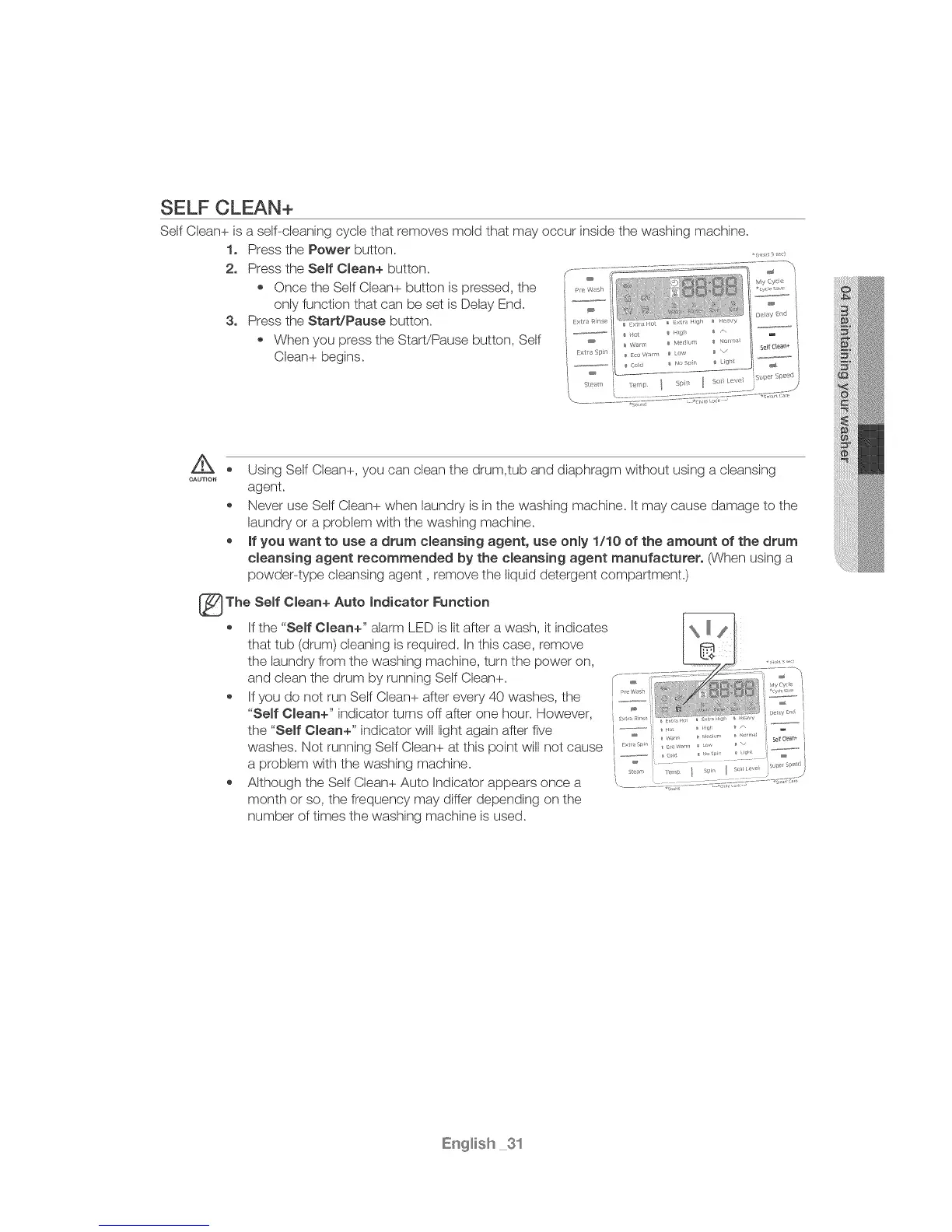
1. Press the Power button.
2. Press the Self Clean+ button.
Once the Self Clean+ button is pressed, the _,_,_._,
only function that can be set is Delay End.
3. Press the Start!Pause button.
When you press the Start/Pause button, Self
Clean+ begins.
CAUTION
Using Self Clean+, you can clean the drum,tub and diaphragm without using a cleansing
agent.
Never use Self Clean+ when laundry is in the washing machine. It may cause damage to the
laundry or a problem with the washing machine.
, if you want to use a drum cleansing agent, use only 1110 of the amount of the drum
cleansing agent recommended by the cleansing agent manufacturer. (When using a
powder-type cleansing agent, remove the liquid detergent compartment.)
The Self Clean+ Auto indicator Function
If the "Self Clean+" alarm LED is lit after a wash, it indicates
that tub (drum) cleaning is required. In this case, remove
the laundry from the washing machine, turn the power on,
and dean the drum by running Self Clean+. ',
If you do not run Self Clean+ after every 40 washes, the
"Self Clean+" indicator turns off after one hour. However, _°°_'_-- I
I tl_ / ,rr I
the "Self Clean+" indicator will light again after five I,,--&-o,-,........... _'_,i! _"Y,,, '%:-'°-I
washes. Not running Self Clean+ at this point will not cause ...........
a problem with the washing machine. _ _ _ }
Although the Self Clean+ Auto Indicator appears once a
month or so, the frequency may differ depending on the
number of times the washing machine is used.



 To Next Page