EasyManua.ls Logo

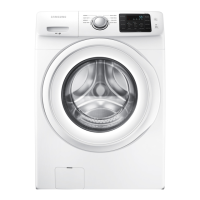
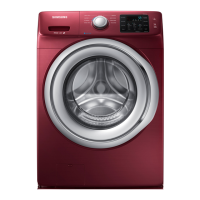
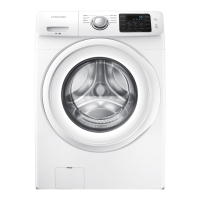
Samsung WF42H5000AW - User Manual

Samsung WF42H5000AW
144 pages
Print Icon
To Next Page IconTo Next Page
Loading...
Washing Machine
user manual
Imagine the possibilities
Thank you for purchasing this Samsung product.
WF42H5200A*
WF42H5100A*
WF42H5000A*
BETTER_WF42H5200-03397A-11_EN.indd 1 2017/1/17 9:38:02

Table of Contents

Other manuals for Samsung WF42H5000AW

Questions and Answers

  • M
    Matthew GonzalesAug 20, 2025
    How to fix a Samsung WF42H5000AW Washer that will not start?
    • L
      Leslie BlakeAug 20, 2025
      If your Samsung Washer won't start, ensure the door is firmly closed, the washer is plugged in, and the water source faucets are open. Press the Start/Pause Button. Also, verify that the Child Lock is not activated and check the fuse or reset the circuit breaker. Note that before filling, the washer clicks to check the door lock and do a quick drain.
  • G
    gibsonlisaAug 25, 2025
    What to do if Samsung WF42H5000AW shows unbalance error?
    • S
      Sean LopezAug 25, 2025
      If your Samsung Washer displays an unbalance error, redistribute the laundry evenly.
  • H
    hayesbrandonAug 26, 2025
    What to do if my Samsung Washer stops mid-cycle?
    • A
      Anna ParksAug 26, 2025
      If your Samsung Washer stops, make sure the power cord is plugged into a live electrical outlet. Check the fuse or reset the circuit breaker. Ensure the door is closed and press the Start/Pause Button. The washer won't tumble or spin unless the door is closed. Also, there may be a pause or soak period in the cycle, so wait and see if it restarts. Inspect the screens on the inlet hoses at the faucets for obstructions and clean them if needed. Note that before filling, the washer clicks to check the door lock and do a quick drain.
  • J
    john20Aug 28, 2025
    Why is my Samsung WF42H5000AW vibrating or making noise?
    • K
      Kristina CooperAug 28, 2025
      If your Samsung Washer vibrates or is too noisy, make sure it is set on a level surface and that the shipping bolts have been removed. Ensure the washer is not touching any other object and that the laundry load is balanced.
  • R
    rhodesmelissaAug 30, 2025
    What to do if my Samsung Washer has no water or not enough water?
    • E
      Ethan AustinAug 30, 2025
      If your Samsung Washer has no water or not enough water, first ensure that both faucets are fully turned on and the door is tightly closed. Check that the water inlet hoses are straight. If the hose filter screens are clogged, disconnect the hoses and clean the screens. You can also try opening and closing the door, then pressing the Start/Pause Button.
  • N
    nmartinezAug 31, 2025
    Why does my Samsung Washer show a drain error?
    • M
      Melinda RiveraSep 1, 2025
      If your Samsung Washer displays a drain error, it could be due to several reasons. The pump motor impeller might be damaged internally and need replacement. Ensure the correct voltage is supplied to the parts. Inspect and replace any faulty parts. Freezing in the winter season can also cause this issue, so ensure proper winterization to prevent freezing. Additionally, the drain hose may be clogged, requiring you to clear the drain hose.
  • N
    nbarrSep 2, 2025
    What to do if my Samsung Washer has a water supply error?
    • T
      Timothy PowellSep 3, 2025
      If your Samsung Washer is showing a water supply error, start by checking and cleaning the water supply valve, as foreign material may be entering it. Ensure the water supply valve terminal is securely connected. Verify that the warm water and rinse connectors are correctly connected to each other. Check and connect the PCB terminal from the drain hose to the detergent drawer, if it's disconnected. Inspect the transparent hose for any folds or tears and rectify the issue.
  • T
    Todd SuttonSep 5, 2025
    Why does my Samsung WF42H5000AW have detergent remains in the dispenser?
    • S
      Sean MartinSep 5, 2025
      If detergent remains in the automatic dispenser of your Samsung Washer after the wash cycle, ensure the washer is running with sufficient water pressure. Also, make sure the Detergent Selector dial is in the upper position when using granular detergent.
  • J
    Joshua WeaverSep 7, 2025
    What causes an overflow error on my Samsung Washer?
    • N
      nromanSep 7, 2025
      If your Samsung Washer is displaying an overflow error, inspect the water level detection system, as water may be supplied continually because it is not working correctly. Clear the drain hose, as a clogged drain hose with an injection error can also cause the water level detection to fail, leading to continuous water supply. Ensure the water supply valve is clear and not frozen, as these conditions can also cause continuous water supply. If the issue persists, inspect and replace the water level sensor if necessary, as it may be degraded.
  • A
    Anthony PooleSep 8, 2025
    How to fix motor driving error on Samsung WF42H5000AW Washer?
    • R
      Ronald BarnettSep 9, 2025
      If your Samsung Washer displays a motor driving error or hall sensor error, ensure the PBA connector terminal is connected properly. Engage the motor spin net correctly. If the motor’s internal coil is damaged (short-circuited or cut), replace the damaged internal coil. Reconnect the hall sensor terminal if it is not connected. Also, check for any foreign material, such as a screw, that may have entered the motor and remove it.

Summary

Safety Information

Important Safety Symbols and Precautions

Explanation of icons and signs used in the manual and their meanings.

Severe Warning Signs for Installation

Critical warnings regarding the proper installation of the washing machine.

Severe Warning Signs for Using

Crucial warnings to prevent injury, fire, or explosion during appliance operation.

Caution Signs for Using

Precautions for safe usage, including cleaning and preventing damage.

Installing Your Washer

Unpacking and Overview

Instructions for unpacking, inspecting, and identifying the washer's main components.

Basic Location Requirements

Guidelines for choosing a suitable and safe location for the washing machine.

Installation Dimensions and Options

Clearance requirements for alcove, closet, and undercounter installations.

Key Installation Steps

Important notes, flow chart, removing bolts, selecting location, and connecting hoses.

Washing and Operating Your Washer

Loading Your Washer

Guidance on how to load clothes into the washer for optimal washing efficiency.

Basic Washing Instructions

Step-by-step guide for starting and running a wash cycle on the machine.

Control Panel and Cycle Selection

Detailed explanation of the control panel, cycles, temperature, spin, and soil level selection.

Special Functions and Detergent Use

Instructions for steam, ATC, and proper detergent usage for best results.

Maintaining Your Washer

Exterior and Interior Cleaning

Instructions for cleaning the external surfaces and the interior of the washing machine.

Cleaning the Dispensers

Steps for cleaning the detergent and fabric softener dispenser compartments.

Cleaning the Debris Filter

Procedure for cleaning the debris filter to ensure proper draining.

Self Clean+ Cycle

Information on using the self-cleaning cycle to maintain the washer's interior.

Troubleshooting and Support

Common Washer Issues and Solutions

Solutions for common problems like not starting, no water, noise, and stopping.

Error Codes and Information Displays

Understanding and resolving error codes displayed on the washer.

Fabric Care and Cycle Charts

Guide to garment care symbols and a chart detailing best wash cycles and settings.

Warranty Information

Details of the warranty terms and conditions for purchasers in the U.S.A. and Canada.

Samsung WF42H5000AW Specifications

General IconGeneral
TypeFront Load
Capacity4.2 cu. ft.
Spin Speed1200 RPM
Energy Star CertifiedYes
ColorWhite
SteamNo
Voltage120V

Related product manuals