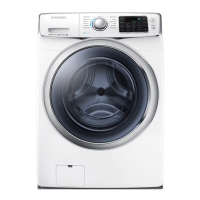
EasyManua.ls Logo

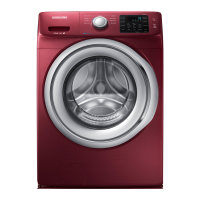
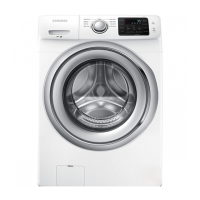
Samsung WF42H5400AF/A2 - User Manual

Samsung WF42H5400AF/A2
132 pages
Print Icon
To Next Page IconTo Next Page
Loading...
Washing Machine
user manual
Imagine the possibilities
Thank you for purchasing this Samsung product.
WF42H5200A*
WF42H5100A*
WF42H5000A*
BETTER_WF42H5200-03397A-09_EN.indd 1 2016/3/3 10:19:53

Table of Contents

Questions and Answers

  • E
    Evan GallagherAug 20, 2025
    How to fix a Samsung WF42H5400AF/A2 Washer that will not start?
    • M
      Mrs. Andrea Savage DDSAug 20, 2025
      If your Samsung Washer won't start, ensure the door is firmly closed, the washer is plugged in, and the water source faucets are open. Press the Start/Pause Button. Also, verify that the Child Lock is not activated and check the fuse or reset the circuit breaker. Note that before filling, the washer clicks to check the door lock and do a quick drain.
  • M
    mccoyjosephAug 25, 2025
    What to do if Samsung WF42H5400AF/A2 Washer shows unbalance error?
    • J
      Jonathan CooperAug 25, 2025
      If your Samsung Washer displays an unbalance error, redistribute the laundry evenly.
  • M
    Michelle BergerAug 26, 2025
    What to do if my Samsung Washer stops mid-cycle?
    • D
      Deborah PhamAug 26, 2025
      If your Samsung Washer stops, make sure the power cord is plugged into a live electrical outlet. Check the fuse or reset the circuit breaker. Ensure the door is closed and press the Start/Pause Button. The washer won't tumble or spin unless the door is closed. Also, there may be a pause or soak period in the cycle, so wait and see if it restarts. Inspect the screens on the inlet hoses at the faucets for obstructions and clean them if needed. Note that before filling, the washer clicks to check the door lock and do a quick drain.
  • T
    Timothy ScottAug 28, 2025
    Why is my Samsung Washer vibrating or making noise?
    • T
      Thomas KellyAug 28, 2025
      If your Samsung Washer vibrates or is too noisy, make sure it is set on a level surface and that the shipping bolts have been removed. Ensure the washer is not touching any other object and that the laundry load is balanced.
  • A
    Alfred BakerAug 29, 2025
    What to do if my Samsung WF42H5400AF/A2 has no water or not enough water?
    • M
      Matthew LandryAug 30, 2025
      If your Samsung Washer has no water or not enough water, first ensure that both faucets are fully turned on and the door is tightly closed. Check that the water inlet hoses are straight. If the hose filter screens are clogged, disconnect the hoses and clean the screens. You can also try opening and closing the door, then pressing the Start/Pause Button.
  • L
    Laura FoleySep 1, 2025
    Why does my Samsung WF42H5400AF/A2 Washer show a drain error?
    • K
      Kimberly BaileySep 1, 2025
      If your Samsung Washer displays a drain error, it could be due to several reasons. The pump motor impeller might be damaged internally and need replacement. Ensure the correct voltage is supplied to the parts. Inspect and replace any faulty parts. Freezing in the winter season can also cause this issue, so ensure proper winterization to prevent freezing. Additionally, the drain hose may be clogged, requiring you to clear the drain hose.
  • E
    Erin JohnsonSep 3, 2025
    What to do if my Samsung WF42H5400AF/A2 Washer has a water supply error?
    • J
      Jeff KingSep 3, 2025
      If your Samsung Washer is showing a water supply error, start by checking and cleaning the water supply valve, as foreign material may be entering it. Ensure the water supply valve terminal is securely connected. Verify that the warm water and rinse connectors are correctly connected to each other. Check and connect the PCB terminal from the drain hose to the detergent drawer, if it's disconnected. Inspect the transparent hose for any folds or tears and rectify the issue.
  • C
    Christopher HernandezSep 5, 2025
    Why does my Samsung Washer have detergent remains in the dispenser?
    • M
      Mary LucasSep 5, 2025
      If detergent remains in the automatic dispenser of your Samsung Washer after the wash cycle, ensure the washer is running with sufficient water pressure. Also, make sure the Detergent Selector dial is in the upper position when using granular detergent.
  • J
    Joseph SmithSep 6, 2025
    What causes an overflow error on my Samsung Washer?
    • M
      Mary ReidSep 7, 2025
      If your Samsung Washer is displaying an overflow error, inspect the water level detection system, as water may be supplied continually because it is not working correctly. Clear the drain hose, as a clogged drain hose with an injection error can also cause the water level detection to fail, leading to continuous water supply. Ensure the water supply valve is clear and not frozen, as these conditions can also cause continuous water supply. If the issue persists, inspect and replace the water level sensor if necessary, as it may be degraded.
  • J
    John RosarioSep 8, 2025
    How to fix motor driving error on Samsung WF42H5400AF/A2?
    • D
      Derek RoachSep 8, 2025
      If your Samsung Washer displays a motor driving error or hall sensor error, ensure the PBA connector terminal is connected properly. Engage the motor spin net correctly. If the motor’s internal coil is damaged (short-circuited or cut), replace the damaged internal coil. Reconnect the hall sensor terminal if it is not connected. Also, check for any foreign material, such as a screw, that may have entered the motor and remove it.

Samsung WF42H5400AF/A2 Specifications

General IconGeneral
BrandSamsung
ModelWF42H5400AF/A2
TypeFront Load Washer
Capacity4.2 cu. ft.
ColorWhite
Energy Star CertifiedYes
Spin Speed1200 RPM
Steam FunctionYes
Number of Wash Cycles10

Related product manuals