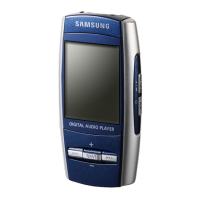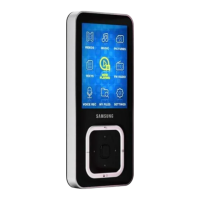
EasyManua.ls Logo

Samsung YP-Q3 - User Manual

Samsung YP-Q3
55 pages
Print Icon
To Next Page IconTo Next Page
Loading...
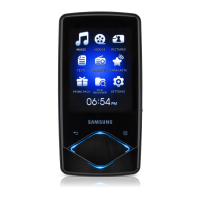
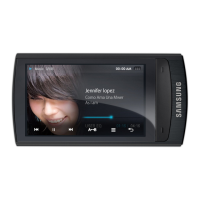
YP-Q3
Thank you for purchasing this Samsung
product. To receive a more complete
service, please register your product at
www.samsung.com/register
MP3 Player
user manual
imagine the possibilities

Questions and Answers

  • C
    Caroline ColeAug 14, 2025
    How to fix a Samsung MP3 Player that won't turn on?
    • A
      Amanda GomezAug 14, 2025
      If your Samsung MP3 Player doesn't turn on, the battery might be completely drained. Recharge the battery and try turning the player on again. If that doesn't work, try pressing the reset button to reset your player.
  • S
    Steven ThompsonAug 17, 2025
    Why can't I download files to my Samsung MP3 Player?
    • J
      Jeffrey BoydAug 17, 2025
      If you can't download files to your Samsung MP3 Player, make sure the USB cable is correctly connected and reconnect it if necessary. Also, ensure you have Windows Media Player 11 or higher installed on your PC and that the memory isn't full. As a last resort, press the reset button to reset your player.
  • B
    brandon17Aug 20, 2025
    Why is Samsung YP-Q3 MP3 Player battery life shorter than expected?
    • J
      jamesclarkAug 21, 2025
      The battery running time of your Samsung MP3 Player may differ depending on the current sound mode or display settings. Additionally, the battery running time may decrease if your player is left in a location with a high or low temperature.
  • A
    Amanda FisherAug 25, 2025
    What to do if my Samsung YP-Q3 will not play any files?
    • N
      nguyenmaryAug 25, 2025
      If your Samsung MP3 Player won't play files, first check if any playable files are stored on it. Then, verify that the files aren't larger than 2 GB and aren't damaged. Also, ensure that the battery is charged.
  • L
    Lisa LandryAug 27, 2025
    Why is file transfer so slow on my Samsung YP-Q3?
    • D
      David BondAug 27, 2025
      If file transfers to your Samsung MP3 Player are too slow, it might be because multiple programs are running simultaneously. Close any programs you aren't using.
  • T
    Thomas LopezAug 30, 2025
    Why don't the buttons work on my Samsung YP-Q3 MP3 Player?
    • U
      uknightAug 30, 2025
      If the buttons on your Samsung MP3 Player aren't working, first check if the buttons are locked. If they are not locked, try pressing the reset button to reset your player.
  • B
    Benjamin ChristianSep 3, 2025
    Why are files missing from my Samsung YP-Q3?
    • J
      johnsonkristySep 3, 2025
      Files or data might be missing from your Samsung MP3 Player if you disconnected the USB cable while transferring files or data. Check if this happened.
  • M
    martinsanfordSep 6, 2025
    Why does my Samsung YP-Q3 MP3 Player turn off automatically?
    • J
      Joan OconnorSep 6, 2025
      Your Samsung MP3 Player might turn off automatically if you don't use it for 5 minutes after you pause playback.
  • C
    Caleb HayesSep 9, 2025
    What to do if the screen on my Samsung MP3 Player doesn't display anything?
    • J
      Jeffrey NavarroSep 9, 2025
      If the screen on your Samsung MP3 Player isn't displaying anything, check if the screen is visible under direct sunlight. Also, check the time set in .

Summary

Safety Information

General Safety Precautions (CAUTION)

Details situations that may result in death or serious injury.

Product and Personal Safety Warnings (WARNING)

Lists warnings to prevent product damage and personal injury.

Battery Usage Precautions

Provides specific warnings and precautions for battery usage.

Getting Started

Connecting to PC and Charging

Guides on connecting the player to a PC for charging and data transfer.

Managing Media Files

Downloading Media Files

Instructions for transferring media files from a PC to the player.

Playing Video and Music

Playing Video Files

Section dedicated to playing video files on the MP3 player.

Playing Music Files

Section focused on playing music files stored on the player.

Additional Applications

Viewing Pictures

Section for viewing image files stored on the player.

Viewing Text Files

Section for viewing text files (.txt) on the player.

Using the FM Radio

Section on listening to and managing FM radio stations.

Customizing Settings

Troubleshooting

Power and Button Issues

Solutions for player not turning on or buttons not working.

Display and Auto-Shutdown Problems

Troubleshooting for screen issues and unexpected player shutdowns.

Battery Life and Connectivity Issues

Explains battery time variations and PC connection problems.

File Transfer and Playback Errors

Solutions for slow file transfers and files not playing.

Data Loss and File Display Issues

Addresses missing files, incorrect playing time, and file name display errors.

Player Heating and Video Errors

Information on player heating and solutions for video playback errors.

Specifications

Samsung YP-Q3 Specifications

General IconGeneral
BrandSamsung
ModelYP-Q3
CategoryMP3 Player
LanguageEnglish

Related product manuals