V21 Parts & Service Manual
All V21 Identified Equipment
REV A – 10/2013
P/N: 1230298
SET-UP AND CODE DESCRIPTION (CONTINUED)
dSEt Depth Setting Mode
The purpose of this mode is to enable the controller to set the vending depth for each column.
If selection button two is pressed at the “
dSEt” prompt, the display will indicate “0X”. Pressing
selection button one will scroll through all of the columns. Pressing selection button two will
enter into the displayed column. Pressing selection button one again will change the displayed
depth settings from 1-4. Pressing selection button two will save the depth setting and selection
button three will exit the mode.
OPtS Option Mode
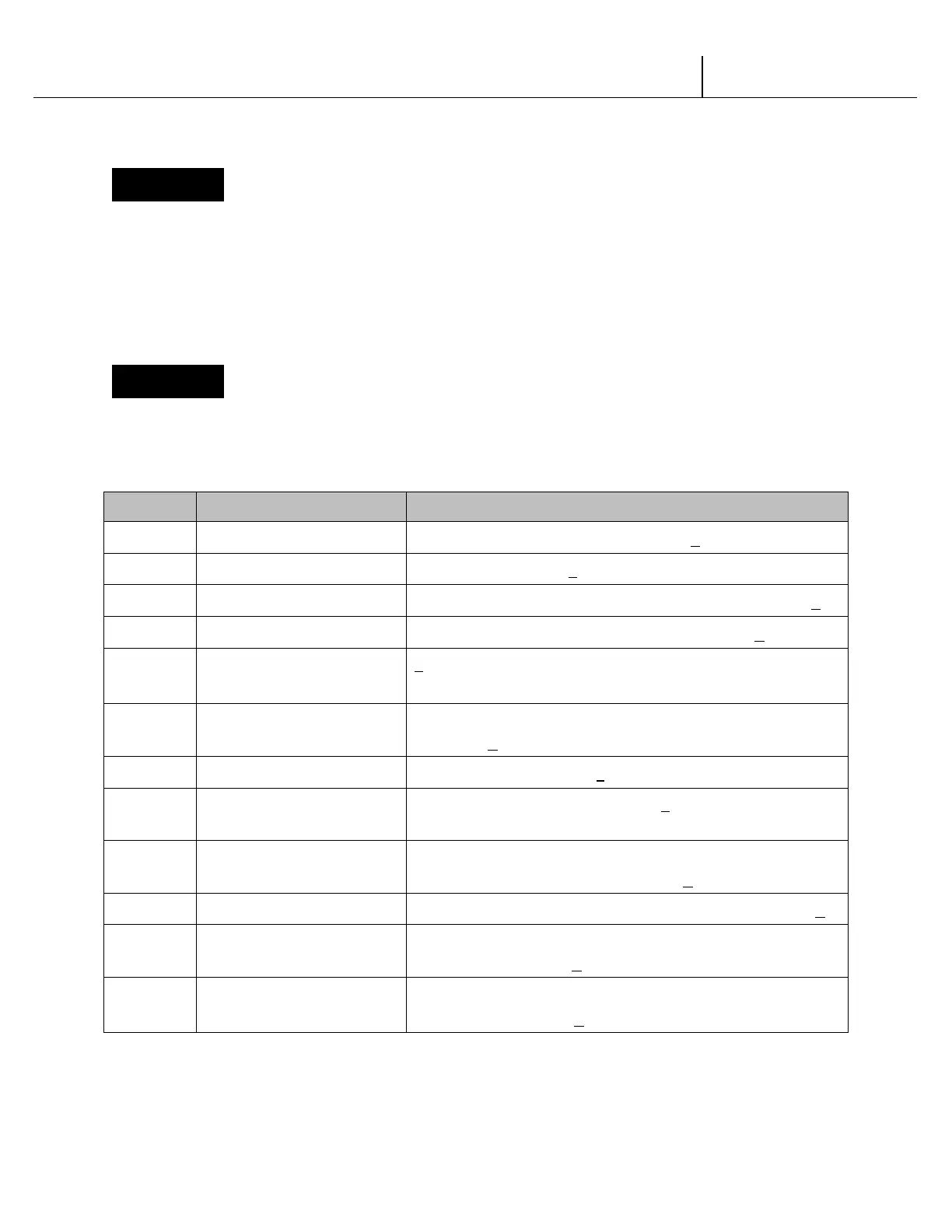
If selection button two is pressed at the “OPtS” prompt, the controller will enter the Option
mode. The purpose of this mode is to allow the controller to select the configuration options
desired. Default options are underlined.
Display Description Meaning
Force Select Force select enabled (y) or disabled (n)
Bill Escrow Bill Escrow enabled (y) or disabled (n)
Error/Sold Out Indicator Error/Sold Out indicator “
” enabled (y) or disabled (n)
Single Price Single Price enabled (y)/Multi-Price enabled (n)
ct
Count by Price/Count
by Selection
y = count by price
n = count by selection
CC
Correct Change Light
Correct Change Light enabled (y)/Correct Change Light
disabled (n)
Allow Overpay Allow overpay enabled (y)/Allow overpay disabled (n)
SC
Save Credit
Credit will remain for 5 minutes (y)/Credit will remain
indefinitely (n)
NU
Multi Vend
Multi vend enabled, single vend disabled (y)/ Single
vend enabled, multi vend disabled (n)
Learning Mode* Learning mode enabled (y)/Learning mode disabled (n)*
AR
Auto MIS reset
MIS data will reset with DEX read (y)/MIS data will not
reset with DEX read (n)
dt**
Double Talk
Enable Double Talk (y)/
Disable Double Talk (n)
FIGURE 2
V21 12.1 Programming Trade | P3-8


 To Next Page
 Loading...

