Need help?
Do you have a question about the S&G SPARTAN 1007 and is the answer not in the manual?
Instructions for opening the safe for initial use.
Step-by-step guide for battery installation.
Guide to unlocking and locking the safe.
Behavior of the lock after incorrect code attempts.
Procedure for modifying the user access code.
Information about recovering lost user codes.
Critical advice and precautions for electronic lock users.
Guidelines for cleaning and maintaining the safe and lock.
Solutions for common electronic lock malfunctions.
Information on recovering or handling lost user codes.
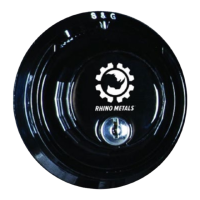
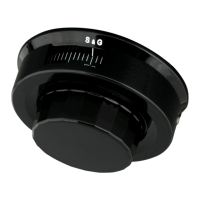
The SARGENT AND GREENLEAF® (S&G®) SPARTAN™ D-DRIVE ELECTRONIC LOCK, Model 1007, is a sophisticated electronic locking mechanism designed for safes, offering enhanced security and user-friendly operation. This lock is UL Listed and EMP (Electromagnetic Pulse) resistant, ensuring robust protection against various threats.
The primary function of the S&G Spartan D-Drive Electronic Lock is to secure a safe by controlling the retraction and extension of its bolt. Unlike traditional electronic locks that rely solely on a motor for bolt movement, this system incorporates a manual turning mechanism via the keypad ring. Users enter a six-digit code, and upon successful validation, they manually rotate the outer ring to retract the lock tang, allowing the safe door to be opened. To lock the safe, the process is reversed: the handle or hand wheel is turned counter-clockwise until it stops, and then the outer ring is rotated counter-clockwise to extend the lock tang, securing the door. This hybrid approach of electronic code entry and manual bolt manipulation increases dependability and can contribute to longer battery life compared to fully motorized systems.
The lock is designed with security in mind. User codes are stored in memory within a shielded area of the safe door, protecting them from drill attacks, which are further deterred by ball bearings or hardened steel protection plates. The user code remains in memory for years, even if the battery is removed or the keypad is destroyed, ensuring continued access once power is restored or the keypad is replaced. To prevent unauthorized access through brute-force attempts, the lock incorporates a "Wrong Try Penalty" feature. After five consecutive incorrect user code entries, the lock initiates a three-minute delay period, during which all keypad inputs are disabled. Further incorrect entries can extend this delay period, making it more difficult for unauthorized individuals to guess the code.
Operating the S&G Spartan D-Drive Electronic Lock is designed to be straightforward. For first-time use, the safe is shipped in an unlocked state. Users can open the door by rotating the hub clockwise and pulling the door open. If the hub is stiff, a solid round wooden stick can be inserted into a handle hole to assist with turning.
To unlock the safe, the user enters their existing six-digit code. Each key press is confirmed with an audio beep and a visual LED flash, providing immediate feedback. A valid code entry is indicated by a double signal. Within four seconds of a valid code, the outer ring must be turned clockwise until it stops to retract the lock tang, followed by turning the safe's handle or hand wheel clockwise to open the door. To lock the safe, the handle or hand wheel is turned counter-clockwise until it stops, then the outer ring is turned counter-clockwise until it stops to extend the lock tang. A double signal confirms the lock has re-engaged. It is crucial to always test the lock by attempting to turn the handle or hand wheel in both directions to ensure it is properly secured.
Changing the user code is a critical security feature and can be done at any time. The factory default code is 1-2-3-4-5-6, and it is strongly recommended to change this immediately to a unique, personal six-digit code. When creating a new code, users should avoid easily guessable personal data such as birth dates, street numbers, or phone numbers. The procedure for changing the code involves pressing "0" six times, entering the existing six-digit code once, entering the NEW six-digit code twice, and then entering the NEW six-digit code once more to unlock the lock. It is vital to perform this procedure with the safe door open and the locking bolts extended to prevent accidental lockout. After changing the code, the lock should be tested several times with the new code before closing and locking the safe. If a mistake is made during the code change process, users should wait 30 seconds and then repeat the steps.
The lock also provides clear indications for low battery status. Repeated beeping during opening or any other unfamiliar occurrences signal that the battery is low and needs immediate replacement.
While electronic locks generally require minimal maintenance, ensuring reliable operation primarily revolves around battery management. Rhino Metals strongly recommends using a high-quality 9-volt alkaline battery, specifically Duracell® or Energizer®, with a "Use Date" of at least four years in the future. The battery should be replaced annually to ensure consistent and reliable access to the safe.
Installing the battery is a simple process. First, the safe door must be unlocked and pulled open. To access the battery cavity, a tab (marked with a blue arrow) on the outer ring of the keypad is pulled, and the ring is rotated counter-clockwise slightly. The ring is then carefully pulled away from the safe, taking care not to damage the wiring harness, which reveals the battery cavity. A new 9-volt battery is installed into the terminals, and the battery and wiring harness are tucked back into the cavity. Finally, the ring is pushed back towards the safe and rotated clockwise until it clicks into place. After installation, it is recommended to test the lock's operation several times with the door open before closing and locking the safe.
For the safe body, cleaning should be done with a clean, soft cloth (like a microfiber cloth) slightly damp with water. Care should be taken around logos or pinstriping to avoid damage. Locks and handles, which are coated to prevent rust or tarnish, should not be cleaned with metal polish or harsh cleaning products; a soft, damp cloth is sufficient. Minor scratches on the paint can be touched up with a paint touch-up kit available from Rhino Metals.
In cases of a lost user code, Rhino Metals may be able to provide an override code, as these are tracked by model and serial number. A research fee is typically assessed for this service, and proper documentation of ownership is required. It is crucial for users to keep their user code in a secure location outside the safe.
The troubleshooting section highlights common issues and their solutions. The most frequent cause of electronic lock issues is a low battery, emphasizing the importance of regular battery replacement. If the lock is not working properly, users should check for any pressure on the side of the lock tang, which might prevent proper operation. Rotating the handle counter-clockwise and applying slight pressure while entering the code can sometimes resolve this. Ensuring the wiring harness is properly and tightly connected to the keypad, without pinched wires or bent connectors, is also important. If the lock light is flashing randomly, it may be in a delay period due to incorrect code entries. During this time, no user code should be entered for at least fifteen minutes, as any input or battery removal can extend the delay. If the flashing persists, waiting up to two hours is advised before trying again.
 General
| Lock Type | Mechanical Combination Lock |
|---|---|
| Standard Mounting Pattern | Yes |
| Manipulation Resistance | Yes |
| Combination Type | 3-Number Combination |
| Case Material | Steel |
| Bolt Material | Steel |
| Relock Trigger | Yes |
| Drill Resistance | Yes |
| UL Listed | Yes |
| Wheel Pack | 3-wheel |
| Mounting | Right or left hand |


 To Next Page