28
Using the Dry Mode
For the best dehumidifying eect, keep all windows
and doors closed.
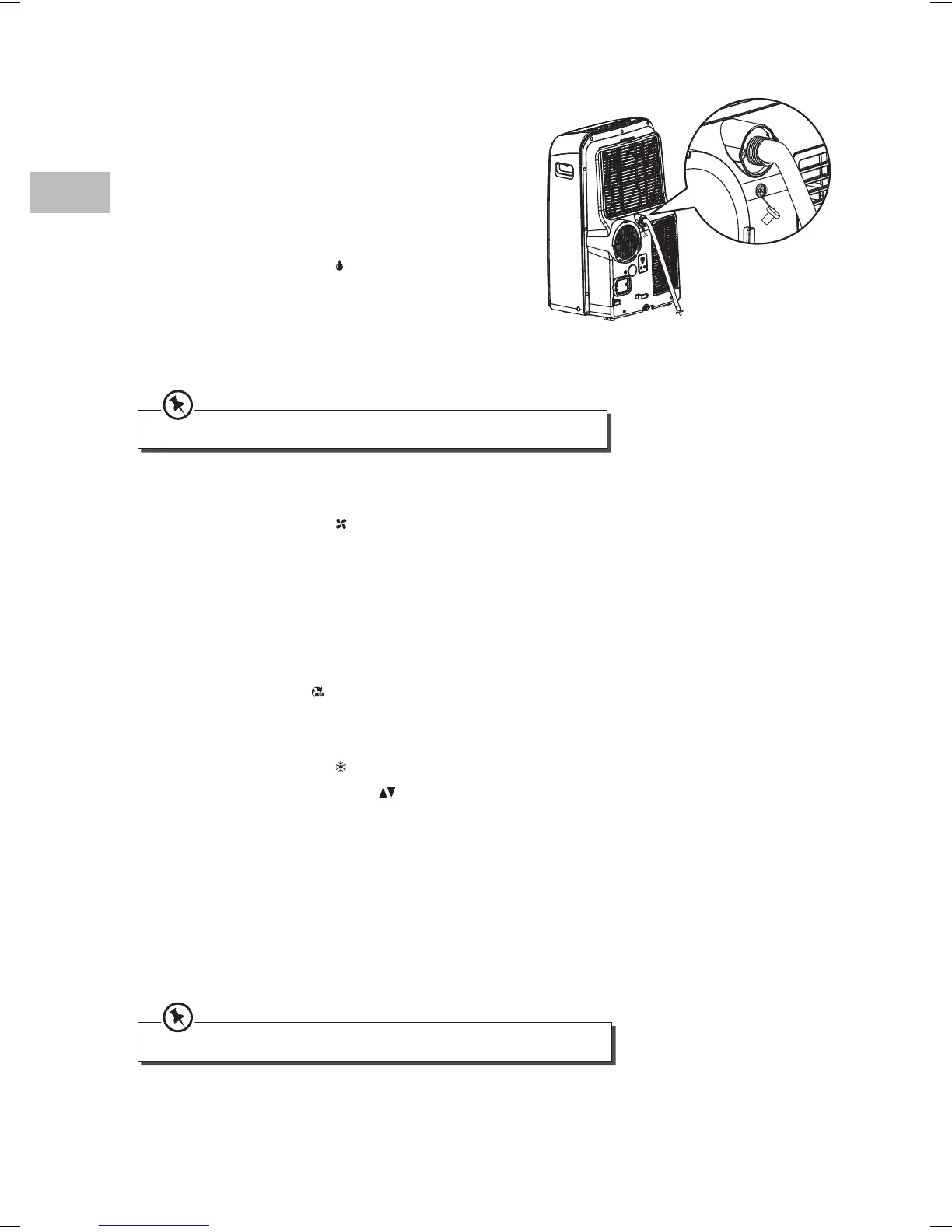
1. Remove the drain outlet plug from the back of
the unit.
2. Connect one end of the drain tube to the drain
outlet opening and the other end to your drain
area.
3. Press MODE and select “
Dry” to start drying.
To stop drying, press MODE to switch to other
modes or switch o the unit. Make sure all water
is drained before removing the drain tube and
replacing the drain outlet plug onto the back of the
unit.
Fan speed and temperature cannot be adjusted under dry mode.
Using the Fan Mode
1. Press MODE and select “ Fa n”.
2. Press FAN on the unit or FAN SPEED on the remote control to select the fan speed.
Using the Auto Mode
Under auto mode, the unit will automatically set to cool or fan operation depending on the
temperature you have selected and the room temperature. You cannot adjust the fan speed
manually.
Press MODE and select “
A u t o”.
Using the Cool Mode
1. Press MODE and select “ Cool”.
2. Press +/– on the unit or TEMP
on the remote control to select the temperature.
3. Press FAN on the unit or FAN SPEED on the remote control to select the fan speed.
Enabling/Cancelling Sleep Mode
When sleep mode is enabled, the selected temperature will adjust automatically by 1°C/2°F. This
newly adjusted temperature will be maintained for 7 hours. Then it will return to the original
selected temperature.
• To enable sleep mode, select the desired temperature. Then press SLEEP.
• To cancel sleep mode, press SLEEP.
Sleep mode is not available in fan and dry modes.
SAC09_12C13E_IB_5L_RC_150319_grace.indd 28 19/3/15 8:18 pm


 To Next Page