Need help?
Do you have a question about the Sandstrom SFSWKBG17 and is the answer not in the manual?
Safety precautions for using wireless devices, especially during travel and potential RF exposure.
Guidelines for safe handling, use, and disposal of batteries to prevent leakage, overheating, or injury.
Measures to prevent injuries, particularly for children, related to batteries and device handling.
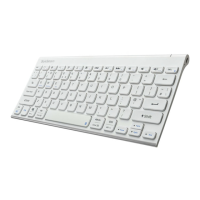
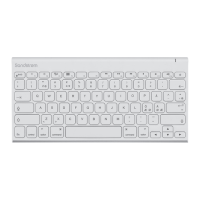
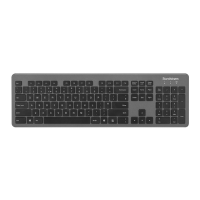
Illustration and identification of components on the top surface of the keyboard.
Illustration and identification of components on the bottom surface, including controls and compartments.
Steps to resolve issues when the keyboard is unresponsive, including checks and restarts.
Advice for optimizing wireless connectivity and resolving intermittent performance issues.
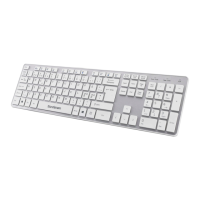
This document is an instruction manual for the Sandstrøm Ultra-slim Wireless Keyboard, model SFSWKBG17. It provides essential information for the safe and effective use of the device, covering everything from initial setup to troubleshooting and maintenance.
The Sandstrøm Ultra-slim Wireless Keyboard is designed to provide a convenient and clutter-free typing experience. As a wireless device, it eliminates the need for cables, offering greater flexibility in workspace arrangement. The keyboard connects to a computer via a nano dongle, utilizing 2.4 GHz wireless technology for a stable and responsive connection. This makes it suitable for a variety of users, from those working in an office environment to individuals using it for personal computing at home. The ultra-slim design contributes to its portability and sleek aesthetic, allowing it to blend seamlessly into modern desk setups.
The primary function of the Sandstrøm Ultra-slim Wireless Keyboard is to serve as an input device for computers. It features a standard QWERTY layout with additional function keys and a numeric keypad, providing comprehensive input capabilities for various tasks. The wireless connectivity allows users to operate their computer from a distance, which can be particularly useful for presentations, media control, or simply for a more comfortable typing position.
The keyboard operates on 2.4 GHz wireless frequency, ensuring a reliable connection within its specified operating range. The nano dongle, which is included with the keyboard, plugs into a standard USB port on the computer. This dongle acts as the receiver for the wireless signals from the keyboard, enabling communication between the two devices. The keyboard is powered by AAA batteries, making it easy to replace power sources when needed.
A key feature is its automatic power-down function. To conserve battery life, the keyboard will automatically power down when it has been idle for 30 seconds. This intelligent power management helps extend the time between battery replacements. To reactivate the keyboard, users simply need to press any key. This feature is particularly useful for users who might forget to manually switch off their devices, ensuring that battery power is not wasted.
The keyboard includes an ON/OFF switch located on the bottom of the device. This switch allows users to manually power the keyboard on or off, providing an additional layer of control over power consumption. When the keyboard is switched on, it automatically attempts to connect to the nano dongle.
For situations where the automatic pairing might fail, the keyboard supports a manual pairing process. This involves removing the dongle, switching on the keyboard, pressing a specific key combination (ESC + K) to enter pairing mode, and then plugging the dongle back into the USB port within a short timeframe. This manual pairing ensures that users can re-establish connection even if there are initial difficulties.
Setting up the Sandstrøm Ultra-slim Wireless Keyboard is straightforward. The first step involves installing the batteries. The manual clearly illustrates how to remove the battery cover, insert the two AAA batteries, and then close the cover. It emphasizes the importance of matching the battery polarities correctly to ensure proper function. An LED indicator on the keyboard flashes when the battery level is low, providing a visual alert for users to replace the batteries.
Once the batteries are installed, the next step is to connect the nano dongle. The dongle is conveniently stored within the keyboard itself, preventing it from getting lost. Users are instructed to remove the dongle from its storage slot and plug it directly into an available USB port on their computer. This plug-and-play approach makes the setup process quick and hassle-free.
Activating the keyboard involves simply switching it on using the ON/OFF switch located on the bottom. Upon activation, the keyboard will automatically connect to the nano dongle, provided the dongle is plugged into the computer and the computer is on. This automatic connection simplifies the user experience, allowing for immediate use after initial setup.
The keyboard's design is focused on user comfort and efficiency. Its ultra-slim profile is ergonomic, potentially reducing strain during prolonged typing sessions. The full-size layout, including the numeric keypad, caters to users who require extensive data entry or prefer a traditional keyboard feel.
Maintaining the Sandstrøm Ultra-slim Wireless Keyboard primarily involves proper battery management and general care to ensure its longevity and optimal performance.
Battery replacement is a key maintenance task. The manual advises users to replace batteries when the LED indicator flashes, signaling a low battery level. It also provides warnings against improper battery use, such as mixing new and old batteries or different types of batteries, heating, opening, puncturing, mutilating, or disposing of batteries in fire. These precautions are crucial for safety and to prevent damage to the device. Keeping batteries out of reach of children is also highlighted as a safety measure.
Cleaning the keyboard is another important aspect of maintenance. The manual advises keeping the keyboard away from dirt and abrasive chemical products. While specific cleaning instructions are not detailed, it implies that gentle cleaning methods should be used to avoid damaging the keys or the surface of the device. Avoiding moisture and direct sunlight is also recommended to protect the internal components and the external finish.
Troubleshooting tips are provided to address common issues, particularly if the keyboard is not working as expected. These tips cover various scenarios:
For issues specifically related to wireless mode, the manual offers further guidance:
The safety warnings section is comprehensive, covering general precautions for wireless and battery-powered devices. It advises removing batteries from wireless devices before boarding aircraft or packing them in checked luggage, due to potential radio frequency (RF) energy transmission. It also warns against strong electromagnetic waves, which can damage the keyboard, and advises against immersing the keyboard in water or exposing it to high temperatures. These guidelines are crucial for user safety and device protection.
Overall, the Sandstrøm Ultra-slim Wireless Keyboard is designed for ease of use and reliable performance, with clear instructions and troubleshooting steps to ensure a smooth user experience.
 General
| Model | SFSWKBG17 |
|---|---|
| Type | Wireless Keyboard |
| Connectivity | Bluetooth |
| Color | Black |
| Compatibility | Windows, macOS |
| Battery | 2 x AAA batteries |

 To Next Page