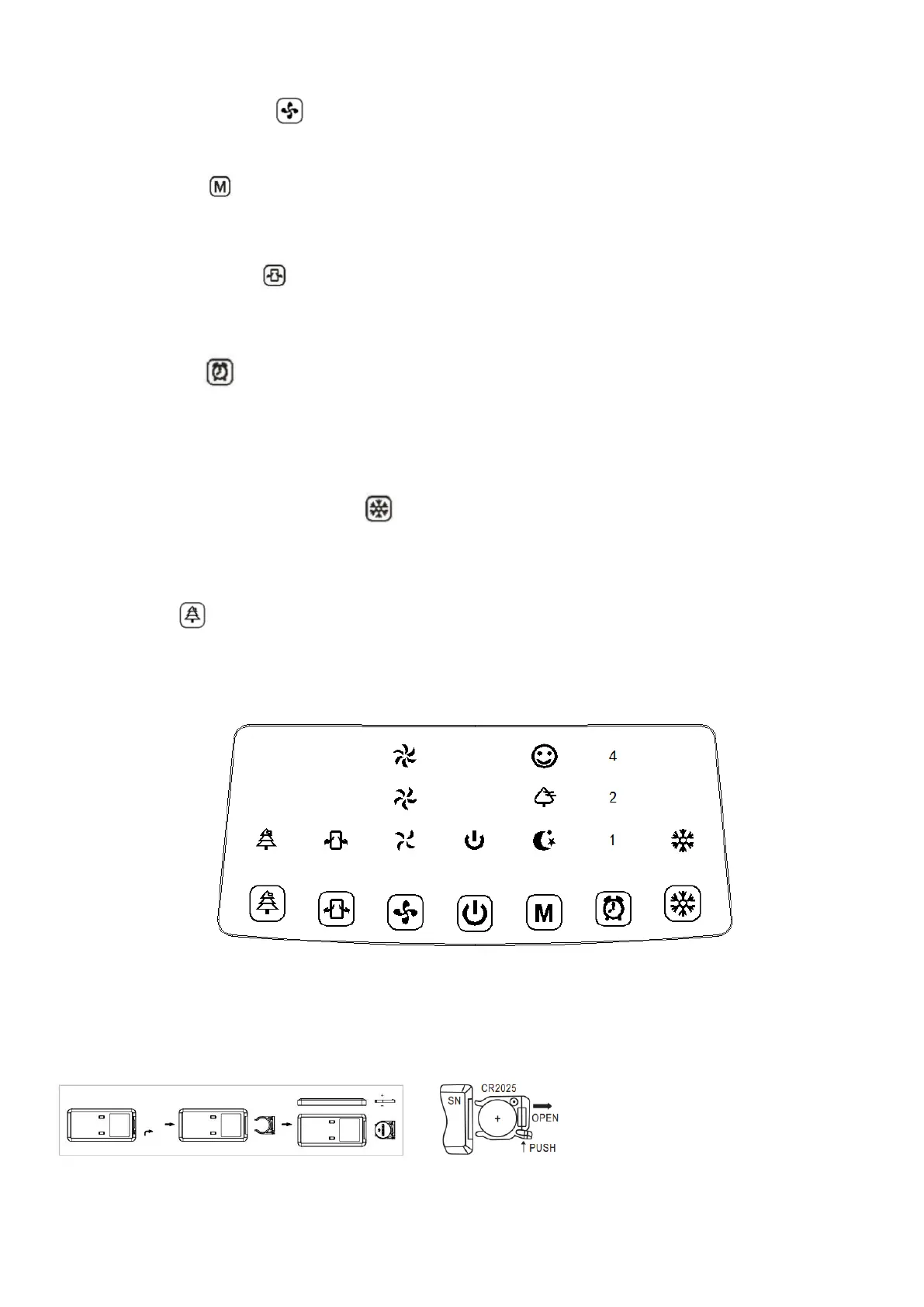
1.Wind speed : the wind speed starts at medium, strong then
low.
2. Mode : by default, the selected mode is the normal mode.
Press this button to select the desired mode: normal wind, natural
wind or sleep wind.
3. Oscillation : Press this button to oscillate the air flow. When
this function is activated, the corresponding indicator lights up. Press
again to stop the oscillation.
4.Timer : Press this button to set a time between 1 hour and 7
hours after which your device will automatically switch to standby
mode. Each press of the timer button adds 1 hour to the operating
time.
5.Humidifying/Cooling : Press this button to select this function.
If you add ice packs, the air temperature can drop to 3 degrees after
a few minutes. Press this button again to stop this function.
6.Ion : This button is used to refresh the atmosphere. If you do
not need this function, press it again.
Télécommande :
The remote control works with a CR2025 (3V) battery.


 To Next Page