Need help?
Do you have a question about the Sangean H205 and is the answer not in the manual?
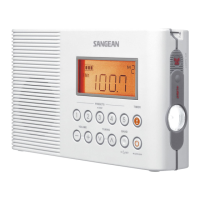
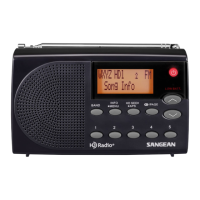
Buttons for power, tuning, volume, and band selection.
Buttons for storing/recalling stations and activating weather alerts.
On-screen icons showing battery status, volume, time, frequency, and alerts.
Instructions for correctly inserting D-size batteries into the compartment.
Indicators for replacement and important safety precautions.
Steps for connecting the external AC power adapter to the radio.
Important safety information regarding adapter usage in wet environments.
Step-by-step guide to set the 12-hour clock time.
Instructions for tuning radio stations manually by adjusting frequency.
Method for automatically scanning and stopping at radio stations.
How to store and recall favorite radio stations using presets.
Procedure to view the radio's software version number.
Adjusting the FM tuning range based on geographical location.
Configuring FM and AM tuning increments (kHz).
How to tune into NOAA weather broadcasts and select channels.
Activating and understanding the weather alert mode and siren.
Procedure to disable the weather alert mode.
Automatically switching off the radio after a set time period.
Setting and managing a short timer for naps.
Procedure to restore the radio to its original factory settings.
Information on the display backlight activation.
How to activate and deactivate the emergency buzzer.
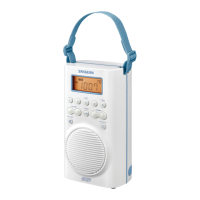
Instructions on how to attach and use the provided carrying strap.
Details on AC adapter and battery power specifications.
Ranges for FM, AM, and WX broadcast frequencies.
Technical specifications for the loudspeaker, output power, and antennas.
 Power
Power| AC voltage range | 100~240 volts |
|---|---|
| AC frequency | 50/60 Hz |
| DC voltage output | 3V 0.5A |
| Battery type | 2 x UM1 (D size, R20) |
| Battery life | Approx. 120 hours |
 Frequency Coverage
| FM frequency range | 87.50 – 108 MHz |
|---|---|
| AM frequency range (9K) | 522 – 1710 kHz |
| AM frequency range (10K) | 520 – 1710 kHz |
| WX frequency range | 162.4 – 162.55 MHz |
Circuit Features| Loudspeaker size | 3 inches |
|---|---|
| Loudspeaker impedance | 8 ohm |
| Output power | 500 mW |

 To Next Page