Need help?
Do you have a question about the Sangean PR-D1 and is the answer not in the manual?
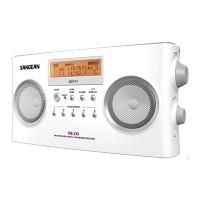
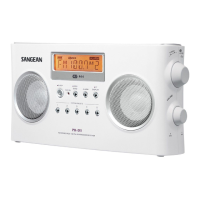
Controls automatic clock adjustment and describes the rod antenna.
Details on display features, power/sleep, display toggle, and tone control.
Covers DC jack, earphone jack, standby/alarm, and memory set.
Explains preset/hour, time set, APS auto scan, tuning, stereo selection, and lock.
Covers band selection, volume control, battery compartment, and reset switch.
Explains various symbols displayed on the radio screen.
Details on using batteries and external power adapters.
Procedure for setting the clock manually and via RDS CT signal.
Instructions for setting alarm modes, time, and using the snooze function.
Auto-scans and stores stations based on signal strength.
Covers automatic and manual tuning procedures.
Steps to save stations to presets and retrieve them.
Instructions for swapping or clearing preset stations.
Usage of the reset switch to clear memory and settings.
Detailed specifications including wavebands, power, and dimensions.

 To Next Page

 General