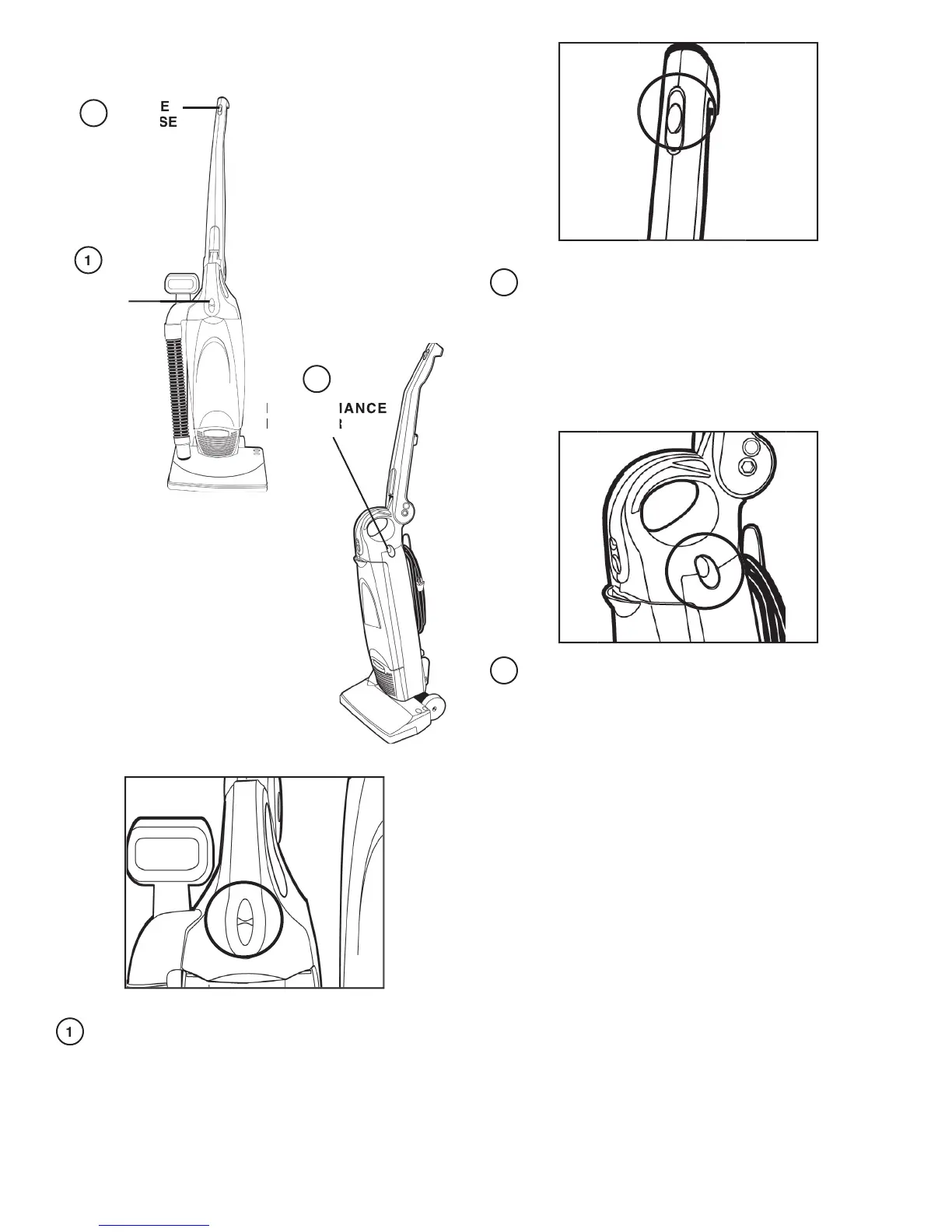
: Turn off the switch and unplug the electrical
cord before cleaning unit.
To keep the vacuum cleaner looking new, it can be wiped with
a damp cloth and a mild soap solution, then thoroughly dried.
Never use any type of chemical as chemicals can damage
the cleaner. When not in use, the cleaner should be stored
Top position is Off. Middle position is for fl oor cleaning and
cleaning with accessories (brush roll does not turn). Bottom
position is for cleaning carpets (brush roll turns).
The performance indicator light will come on when there is
a drop in the vacuums performance. Check for a full dust
bag, dirty fi lters or a clog in the brush roll or hose areas.
If a full bag, dirty fi lter or clogged brush roll/hose is found,
replace the bag, clean or replace the fi lters, or unclog the
When handle is in collapsed position, press handle release
button and rotate handle into upright position.



 To Next Page