EasyManua.ls Logo

Sanitaire SC6095A - User Manual

Sanitaire SC6095A
7 pages
Print Icon
To Next Page IconTo Next Page
Loading...
1
©2013 Electrolux Home Care Products Ltd.
IMPORTANT
Do not return this product to the store.
Call 1-800-800-8975*
Monday - Friday 8:00 AM to 7:30 PM
and Saturday 10 AM to 6:30 PM
Central time or visit our web site,
www.sanitairevac.com for any of the
following:
• assembly problems
• replacement of broken or missing
items
• to review repair parts list
• to order replacement parts and
accessories
• to locate the nearest sanitaire war-
ranty station
*En Mexico llame al 5670-6169
www.sanitairevac.com
PLEASE RETAIN
We suggest you record the model, type, and serial numbers
below. They are located on the silver rating plate on your
unit. For prompt and complete service information, always
refer to these numbers when inquiring about service.
Model & Type____________________________
Serial No._______________________________
It is also important to keep your receipt as proof of date of
purchase.
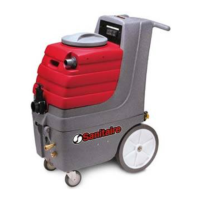
9 GALLON
Self Contained
Extractor SC6095A
Part No. SC6095A Rev 1 (7/13)
Question and Answer IconNeed help?

Do you have a question about the Sanitaire SC6095A and is the answer not in the manual?

Summary

Important Information and Support

Customer Support and Online Resources

Contact for assembly, parts, or service issues; visit website for information.

Owner Information and Retention

Record Model and Serial Numbers

Record model, type, and serial numbers for service information and keep receipt.

Warranty and Grounding

Product Warranty Details

Details the warranty period for the motor and other parts, exclusions, and responsibilities.

Grounding Instructions

Instructions for proper grounding to reduce electric shock risk and warnings.

Safety Instructions and Warnings

Important Safety Precautions

Read and understand all instructions before use to reduce risk of injury or damage.

Extension Cord Usage

Selecting the Correct Extension Cord

Table for determining required AWG wire size based on voltage, length, and amps.

General Operating Instructions

Pre-Operation Steps

Includes testing carpet color fastness and filling the solution tank.

Operating the Carpet Cleaner

Step-by-step guide on plugging in, turning on switches, and cleaning the carpet.

Storage and Maintenance

Storage Procedures

Instructions for draining solution, disconnecting, and storing the unit.

Optional Accessories

How to attach and use optional hoses for upholstery and other areas.

Routine Maintenance

Daily checks for spray jets, debris, and tank cleaning; weekly inspection of hoses and parts.

Maintenance Guide and Troubleshooting

Troubleshooting Common Issues

Lists causes and solutions for motors not running, loss of suction, brush issues, and spray jet problems.

Overview

The Sanitaire SC6095A is a 9-gallon self-contained extractor, designed for commercial carpet cleaning applications. This owner's guide provides comprehensive information on its operation, maintenance, and safety, ensuring efficient and safe use.

Function Description:

The Sanitaire SC6095A is a carpet extractor that cleans carpets by applying a cleaning solution and then vacuuming up the dirty solution. It is a self-contained unit, meaning it carries both the clean water/solution and collects the dirty recovery water within the same machine. This design makes it convenient for commercial use, allowing for efficient cleaning of large carpeted areas without the need for external water sources or collection tanks. The machine features a brush for agitating the carpet fibers to dislodge dirt, a spray jet for applying the cleaning solution, and a vacuum shoe for extracting the solution.

Important Technical Specifications:

  • Capacity: 9 gallons (solution tank).
  • Power: Operates on a nominal 120-volt circuit.
  • Grounding: Equipped with an equipment grounding conductor and grounding plug for safety.
  • Extension Cord Compatibility: Refer to the provided table for A.W.G. wire size recommendations based on length and amperage (e.g., 0-6 Amps: 18 A.W.G. for 25-50 ft, 16 A.W.G. for 100 ft, 14 A.W.G. for 150 ft).
  • Solution Temperature: Do not exceed 150°F (65°C) for the cleaning solution.
  • Warranty: 1-year warranty on the motor and 90-day warranty on all other parts from the date of purchase.

Usage Features:

  • Pre-Operation:
    • Fill the solution tank with 9 gallons of warm water. Do not overfill.
    • Measure and add carpet cleaning solution according to the manufacturer's recommended ratio. Do not use the waste tank to fill the solution tank to prevent damage.
    • Add defoamer solution as needed to prevent excessive foam build-up in the recovery tank.
    • Perform a colorfastness test on an inconspicuous part of the carpet before full application.
  • Operation:
    • Plug the main power cable into a properly grounded outlet.
    • Turn on the Vac switch, then the pump switch, and finally the brush switch.
    • Lower the carpet brush by pushing the brush lowering pedal forward.
    • Press and hold the solution switch to apply cleaning solution while pulling the machine backward to clean the carpet.
    • Stop the solution spray approximately 12 inches (30cm) before the end of a pass to allow all solution to be vacuumed up.
    • Overlap cleaning passes slightly to prevent streaking.
    • A maximum of two wet passes is recommended to avoid overwetting the carpet.
    • Monitor the waste tank for foam and add defoamer if necessary.
    • Empty the recovery (top) tank when it is approximately 3/4 full. Always empty the recovery tank before refilling the solution tank.
  • Accessories/Tools (Optional):
    • For upholstery cleaning and inaccessible areas, attach the recovery hose to the vacuum shoe's recovery hose position and the accessory solution hose to the solution fitting at the front of the machine. Turn on vacuum and pump.
  • Storage:
    • Connect the drain solution hose to the solution fitting and place the other end at a drain. Turn on the PUMP switch to pump remaining solution into the waste tank for easy drainage.
    • Disconnect the solution hose, switch off the machine, remove the power plug, and empty the waste tank.
    • Leave the waste tank open when storing.
    • Leave the brush raised for storage.

Maintenance Features:

  • Daily/Interval Maintenance:
    • Spray Jet Inspection: Check the spray jet for blockages and ensure a uniform spray pattern. Remove and blow through to clean; do not use a pin.
    • Debris Removal: Check and remove any debris or lint from the vacuum head, brush, and brush housing.
    • Tank Cleaning: Always wash out both tanks with clean water after use. Pour clean water into the solution tank and spray through the tip to clear chemical residue from the pump, lines, and spray tip. Run the vacuum for a few minutes after use to aid in drying and prevent bacteria and odors.
  • Weekly Maintenance:
    • Hose Inspection: Inspect hoses (for unseen blockages), hose cuffs, and the rubber seal on the recovery tank lid for damage.
    • Cable and Switch Inspection: Examine the main cable, plug, and switches for any damage.
  • Troubleshooting Guide:
    • Motors Not Running:
      • Check power supply, fuses/circuit breaker.
      • Inspect power cord for defects.
      • Check switches or wiring.
      • Examine brushes, field windings, or armatures.
    • Loss of Vacuum Suction:
      • Inspect vacuum head for blockages.
      • Check hoses for blockages.
      • Ensure recovery tank is sealed properly.
    • Brush Not Functioning:
      • Check for a broken belt.
      • Inspect for a jammed brush.
      • Check if the clutch bearing is seized.
    • Spray Jet Not Functioning:
      • Check for a blocked jet.
      • Inspect for a blocked solution filter.
      • Examine pump head, valves, or diaphragm for blockages or damage.
      • Check if the solenoid valve is inoperative.
  • Important Notes:
    • Store the unit with the recovery tank lid removed.
    • Protect the unit from freezing to prevent malfunction.
    • Do not return the product to the store; contact Sanitaire customer service for assistance.

Sanitaire SC6095A Specifications

General IconGeneral
BrandSanitaire
ModelSC6095A
CategoryFloor Machine
LanguageEnglish

Related product manuals