10
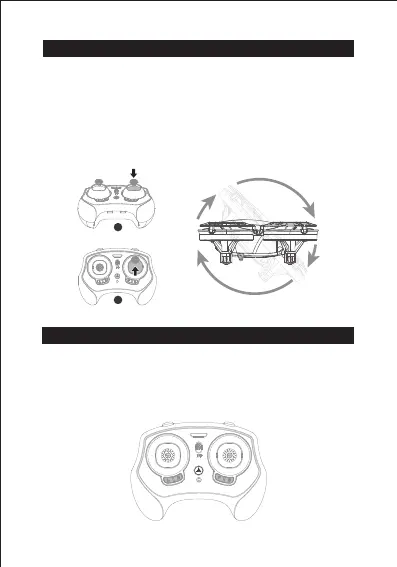
3D Flip
Step 1: Press right stick to start the roll mode, at this time the
remote control keeps beeping.
Step 2: Push the right stick forward, and the drone will roll
forward 360° immediately.
Tip: If you want to roll in other directions, push the right stick to
other directions.
Fine Tuning
If the aircraft deviates to a certain direction instead of reaching
a relatively stable state after taking off, it is necessary to press
the fine-tuning button to the current opposite flight direction to
achieve a stable state.
360°
1
2


 To Next Page