03
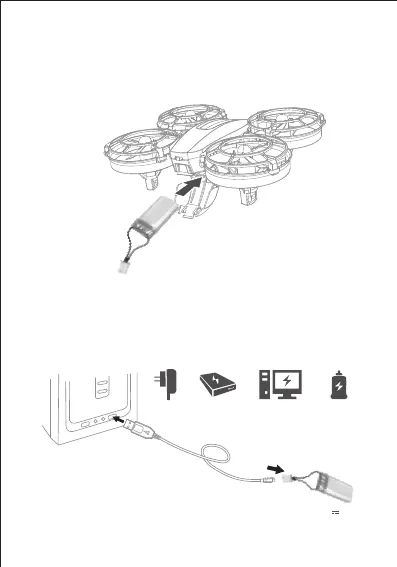
Install The Battery
Open the battery cover, insert the battery (keep the side with
information down) and male plug, then buckle it up.
Charge
Charge the battery as shown in the figure. When charging, the
red light of USB charger will be on. It will turn solid green when
charged finish.
Phone Charger Power Bank Computer Charging Car Charger
Charging voltage/current: 5V 1A


 To Next Page