EasyManua.ls Logo

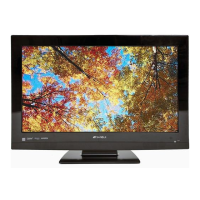
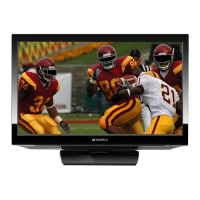
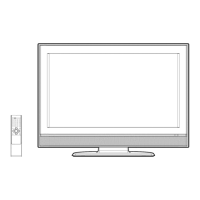
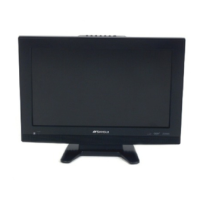
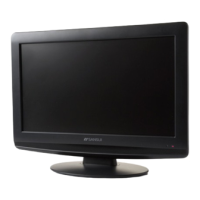
Sansui HDLCD3212B - User Manual

Sansui HDLCD3212B
25 pages
Print Icon
To Next Page IconTo Next Page
Loading...
32” WIDE TFT LCD TELEVISION WITH DIGITAL TUNER
TÉLÉVISEUR GRAND ÉCRAN ACL TFT DE 32
po
AVEC
SYNTONISEUR NUMÉRIQUE
OWNER’S MANUAL
GUIDE D’UTILISATION
ATTENTION
ATTENTION
If you purchase a universal remote control from your local retailer, please contact the remote manufacturer for the
required programming code.
Si vous utilisez avec cet appareil une télécommande universelle (autre que celle vendue avec ce téléviseur),
consultez la documentation accompagnant la télécommande universelle afin de connaître le code numérique cor-
respondant au téléviseur.
AIR/CABLE MODE SELECTION
SÉLECTION DU MODE AIR/CABLE
When shipped from the factory, the Signal Type option is set to the “Cable” (Cable Television) mode.
If not using Cable TV, set this menu option to the Air” position.
Lorsque l’appareil sort de l’usine, l’option « Signal Type » est en mode « Cable » (câblodistribution). Si vous
n’utilisez pas la câblodistribution, sélectionnez l’option « Air ».
Before operating the unit, please read this manual thoroughly.
Avant de faire fonctionner l’appareil, veuillez lire le présent guide attentivement.
IF CONTACT WITH CUSTOMER SERVICE IS REQUIRED
PLEASE HAVE THE MODEL NUMBER READY PRIOR TO THE CALL
S’IL FAUT CONTACTER LE SERVICE CLIENTÈLE, PRENEZ SOIN D’ÊTRE MUNI
DU NUMÉRO DE MODÈLE AVANT D’APPELER.
CUSTOMER SERVICE – 1-800-289-0980
SERVICE/SERVICE CLIENTÈLE: 1-800-289-0980
ORION WEBSITE
SITE WEB ORION
FOR INFORMATION ON OUR OTHER PRODUCTS AND RECYCLING INFORMATION, PLEASE VISIT OUR WEBSITE AT
POUR OBTENIR DES INFORMATIONS SUR NOS AUTRES PRODUITS ET LE RECYCLAGE,
VEUILLEZ VISITER NOTRE SITE WEB:
www.orionsalesinc.com
FRANÇAIS ENGLISH
HDLCD3212B
39T0121A_En.indd 139T0121A_En.indd 1 2/17/10 5:14:44 PM2/17/10 5:14:44 PM

Questions and Answers

  • W
    wbergerAug 16, 2025
    Why is my Sansui LCD TV remote not working?
    • S
      Sandra HickmanAug 17, 2025
      If your Sansui LCD TV remote isn't working, the batteries might be weak, dead, or inserted incorrectly. Also, ensure the power cord is plugged in. Make sure you're within 15 feet of the TV and that the remote is aimed at the sensor, with no obstructions in the way.
  • M
    Michael StevensAug 19, 2025
    What to do if my Sansui HDLCD3212B does not operate?
    • M
      mckaymichelleAug 19, 2025
      If your Sansui LCD TV isn't operating, ensure the power cord is properly plugged in and try a different AC outlet. Also, check your fuse or circuit breaker. If problems persist, unplug the unit for an hour, then plug it back in.
  • K
    karenrichardsAug 22, 2025
    How to fix poor picture quality on Sansui LCD TV?
    • M
      Marie FordAug 22, 2025
      If you're experiencing poor picture or no picture on your Sansui LCD TV, it could be due to issues with the station or Cable TV provider, so try tuning to another station. Make sure channels are set into memory. Check your antenna or Cable TV connections and adjust the antenna. Also, check for sources of possible interference and verify your picture control adjustments.
  • S
    Sylvia WoodAug 25, 2025
    How to troubleshoot sound issues on Sansui HDLCD3212B?
    • D
      Donald SchmidtAug 26, 2025
      If you are experiencing poor sound or no sound on your Sansui LCD TV, it could be due to problems with the station or Cable TV. Try tuning to another station. Check the sound adjustments (VOL +/– and MUTE). Also, check for possible sources of interference.
  • C
    Cynthia RiveraAug 28, 2025
    How to resolve color problems on Sansui HDLCD3212B?
    • J
      Justin BakerAug 28, 2025
      If your Sansui LCD TV is showing poor color or no color, the issue might be with the station or Cable TV provider. Try tuning to another station. Ensure the channels are set into memory. Check the picture control adjustments, antenna or Cable TV connections, and look for any sources of interference.
  • K
    Kimberly DavisAug 30, 2025
    What causes poor reception on some channels on Sansui HDLCD3212B LCD TV?
    • C
      cindy79Aug 30, 2025
      If you're experiencing poor reception on some channels with your Sansui LCD TV, it could be due to issues with the station or Cable TV provider; try tuning to another station. Make sure channels are set into memory. If a station is weak, adjust the antenna to improve reception. Also, check for sources of possible interference.
  • K
    Kristine MillerSep 2, 2025
    Why does my Sansui LCD TV keep shutting off?
    • D
      Dr. Erin AdkinsSep 2, 2025
      If your Sansui LCD TV is shutting off unexpectedly, the Sleep Timer might be set, or there could have been a power interruption.
  • U
    umcbrideSep 4, 2025
    How to fix no CATV reception on Sansui HDLCD3212B?
    • C
      Crystal JordanSep 4, 2025
      If you're not getting CATV reception on your Sansui LCD TV, check all Cable TV connections. Set the Air/Cable menu option to the Cable mode. The problem might be with the station or Cable TV system, so try another station.
  • K
    kcortezSep 7, 2025
    How to resolve digital broadcasting screen problem on Sansui LCD TV?
    • W
      Wayne BlankenshipSep 7, 2025
      To resolve digital broadcasting screen issues on your Sansui LCD TV, check the digital signal strength.
  • J
    Joan HarrisSep 10, 2025
    What to do if Sansui HDLCD3212B LCD TV screen shows bars?
    • K
      Kerri SchneiderSep 10, 2025
      If you see horizontal or diagonal bars on the screen of your Sansui LCD TV, check the antenna connections and adjust or re-direct the antenna. Also, check for sources of possible interference.

Summary

IMPORTANT SAFETY INSTRUCTIONS

CHILD SAFETY

Safety guidelines for children interacting with the display.

HOW TO HANDLE THE LCD PANEL

Guidelines for safely handling the LCD panel to prevent damage or injury.

SAFETY PRECAUTIONS

Precautions regarding heat emission, ventilation, and placement.

Notes when mounting the LCD TV on a wall

Important notes and recommendations for safely mounting the TV on a wall.

Features

Power source

Information on connecting the TV to AC power and required precautions.

Parts and Functions

Remote Control

HOW TO INSTALL BATTERIES

Step-by-step guide and precautions for installing remote control batteries.

BATTERY PRECAUTIONS

Important safety precautions for using batteries in the remote.

Antenna Connections

Cable TV Connections

Connections to Other Equipment

To connect the LCD TV to a VCR

Instructions for connecting a VCR to the TV.

To connect the LCD TV to a VCR with an S-Video cord

Instructions for connecting a VCR using an S-Video cable.

To connect to a DVD player with Component Video Input

Instructions for connecting a DVD player via Component Video.

To connect the TV to a camcorder, or a TV Game

Instructions for connecting camcorders or game consoles.

Using an AV Amplifier with built-in digital surround

Connecting an AV amplifier for enhanced audio experience.

To connect the TV to a PC (Personal Computer)

Instructions for connecting the TV to a personal computer.

To connect a HDMI or a DVI device to the unit

Connecting HDMI or DVI devices for digital audio/video.

To connect an audio system

Connecting an external audio system for improved sound.

Starting Setup

TO SELECT ANALOG CHANNELS

Guide to selecting analog channels using the remote control.

TO SELECT DIGITAL CHANNELS

Guide to selecting digital channels using the remote control.

TV Operation

To select the video input source

How to switch between different input sources like TV, VCR, HDMI.

Quick Guide for Menu Operation

Convenience Functions

Picture Settings

Adjust picture quality, preference, size, and PC settings.

Audio Settings

Configure audio output, language, and speaker settings.

Channel Management

Manage channels by adding, deleting, labeling, and tuning.

System Setup and Security

Configure system preferences, parental controls, and closed captioning.

Memorizing Channels

Air;Cable selection

Selecting between Air or Cable signal types for channel scanning.

Adding Channel

How to add unregistered digital channels into memory.

Add;Delete channel

Selecting channels to skip or include in channel scanning.

Digital Signal Strength

Channel Labeling

Video Input Labeling

Setting the V-Chip

To register a password

Registering a password for V-Chip functionality.

To set the V-Chip

Configuring V-Chip ratings and restrictions for content blocking.

To change the password

Procedure to change the existing V-Chip password.

Downloading the additional V-Chip rating system

Instructions for downloading enhanced V-Chip rating information.

Closed Caption

Captions

Displaying text captions for dialogue or translation.

Text

Using Text mode for schedules or additional information.

CC Advanced

Setting the Picture Size

Selecting the picture size

Choosing picture sizes like Natural, Cinema Wide, and Full.

Reception Disturbances

Troubleshooting

Specifications

Sansui HDLCD3212B Specifications

Power IconPower
power supplyAC 120V 60Hz
power consumption (operation)106 W
power consumption (standby)0.7 W
Operating Environment IconOperating Environment
operating temperature5˚C - 40˚C
operating humidityLess than 80%
Display IconDisplay
display size80.04 cm
display methodTransmission TFT color LCD panel
number of pixels1366 (H) x 768 (V)
Ports & Interfaces IconPorts & Interfaces
s-video inputY-Input:1.0 V (p-p), 75 ohms
component video (Y)1 V (p-p), 75 ohms
hdmi audio2-channel PCM
Weight and Dimensions IconWeight and Dimensions
weight10.6 kg
width796.5 mm
height581 mm
depth214 mm

Related product manuals