EasyManua.ls Logo

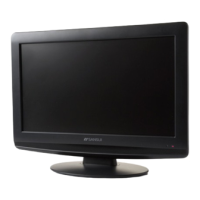
Sansui HDLCD1955A - User Manual

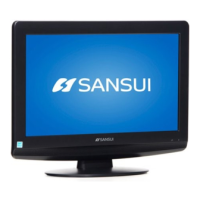
Sansui HDLCD1955A
50 pages
Print Icon
To Next Page IconTo Next Page
Loading...
ESPAÑOL ENGLISH
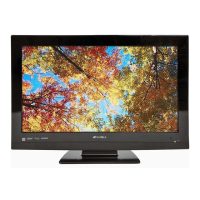
19" WIDE TFT LCD TELEVISION WITH DIGITAL TUNER
TELEVISOR LCD TFT DE 19" CON SINTONIZADOR DIGITAL
HDLCD1955
HDLCD1955A
OWNER’S MANUAL
MANUAL DE INSTRUCCIONES
Before operating the unit, please read this manual thoroughly.
Antes de usar la unidad, lea detenidamente este manual de instrucciones.
ATTENTION
ATENCION
If you purchase a universal remote control from your local retailer, please contact the remote manufac-
turer for the required programming code.
Si usted a comprado un control de remoto universal, por favor comunicase con el fabricante para el
código de programación requerido.
IF CONTACT WITH CUSTOMER SERVICE IS REQUIRED
PLEASE HAVE THE MODEL NUMBER READY PRIOR TO THE CALL
SI REQUIERE CONTACTAR SERVICIO AL CLIENTE POR FAVOR TENGA EL NÚMERO DE
MODELO LISTO ANTES LLAMAR
CUSTOMER SERVICE – 1-800-289-0980
SERVICIO AL CLIENTE – 1-800-289-0980
ORION WEBSITE
SITIO WEB DE ORION
FOR INFORMATION ON OUR OTHER PRODUCTS AND RECYCLING INFORMATION, PLEASE VISIT OUR WEBSITE AT
PARA INFORMACIÓN SOBRE OTROS PRODUCTOS E INFORMACIÓN SOBRE RECICLAJE,
POR FAVOR VISITE NUESTRO SITIO WEB EN
www.orionsalesinc.com
AIR/CABLE MODE SELECTION
SELECCION DE MODO DE AIR/CABLE
When shipped from the factory, the Signal Type option is set to the “Cable” (Cable Television) mode. If
not using Cable TV, set this menu option to the Air” position.
Al salir la unidad de fábrica, la opción Signal Type se ajusta al modo de “Cable” (Televisión por cable).
Si no utiliza CATV, ajuste esta opción de menú al modo de “Air”.
37I0421B_EnSp.indb 137I0421B_EnSp.indb 1 3/12/09 1:28:30 PM3/12/09 1:28:30 PM


Questions and Answers

  • J
    jhollowayAug 19, 2025
    Why Sansui HDLCD1955A LCD TV has no remote operation?
    • M
      Martin BrooksAug 19, 2025
      If your Sansui LCD TV isn't responding to the remote, consider these potential causes: * The batteries might be weak, dead, or inserted incorrectly. * The remote might be out of range; try moving closer to the TV (within 15 feet). * Ensure the remote is aimed directly at the sensor on the TV. * Check for any obstructions between the remote and the TV. * Verify that the TV's power cord is securely plugged in.
  • S
    staceyjohnsonAug 21, 2025
    What to do if my Sansui HDLCD1955A does not operate?
    • A
      Andrea GordonAug 21, 2025
      If your Sansui LCD TV isn't turning on, ensure the power cord is properly plugged into the outlet. Try a different AC outlet to rule out power issues. Check your fuse or circuit breaker. As a last resort, unplug the unit for an hour, then plug it back in.
  • K
    kristina17Aug 23, 2025
    What to do if my Sansui HDLCD1955A has poor picture or no picture?
    • A
      Aaron JonesAug 23, 2025
      If your Sansui LCD TV is showing a poor picture or no picture, try tuning to another station in case the issue is with the broadcast. Ensure channels are properly set into the TV's memory. Check the antenna or Cable TV connections and adjust the antenna if necessary. Look for any potential sources of interference. Finally, check your picture control adjustments.
  • M
    millerkimberlyAug 26, 2025
    Why does my Sansui HDLCD1955A LCD TV have poor sound or no sound?
    • C
      chasecoxAug 26, 2025
      If your Sansui LCD TV has poor or no sound, first check if the station or cable TV provider is experiencing issues by tuning to another channel. Then, check your sound adjustments, including volume and mute settings. Finally, check for any potential sources of interference.
  • E
    Eric MathisAug 28, 2025
    Why does my Sansui HDLCD1955A LCD TV shut off by itself?
    • A
      Ashley DennisAug 28, 2025
      Your Sansui LCD TV might be shutting off automatically because the Sleep Timer is set. Another possibility is that the power supply was interrupted.
  • S
    stonebrentAug 30, 2025
    Why does my Sansui HDLCD1955A have poor reception on some channels?
    • P
      parkerkennethAug 30, 2025
      If your Sansui LCD TV has poor reception on some channels, it could be due to the station or cable TV provider experiencing problems, so try tuning to another station. Make sure the channels are set into memory. If a station is weak, adjust the antenna to improve reception. Also, check for any sources of interference.
  • D
    Deanna DennisSep 1, 2025
    Why does my Sansui LCD TV have poor color or no color?
    • P
      Paul YoungSep 1, 2025
      If your Sansui LCD TV has poor or no color, try tuning to another station to rule out broadcast issues. Ensure that channels are properly set into memory. Check the picture control adjustments. Also, check the antenna or cable TV connections and adjust the antenna. Finally, check for sources of possible interference.
  • C
    Charles HaleSep 4, 2025
    What to do if closed caption is not activated on Sansui LCD TV?
    • C
      Christopher BrooksSep 4, 2025
      If closed captioning isn't working on your Sansui LCD TV, the TV station might be experiencing problems, or the program you're watching may not be closed captioned, so try another channel. Check the Cable TV connection or VHF/UHF antenna, reposition or rotate the antenna. Finally, make sure the closed caption decoder is enabled in the menu.
  • M
    Ms. Veronica BrownSep 6, 2025
    How to fix horizontal or diagonal bars on Sansui LCD TV screen?
    • E
      Edward WarnerSep 6, 2025
      To address horizontal or diagonal bars on your Sansui LCD TV screen, check the antenna connections, and adjust or redirect the antenna. Also, check for sources of possible interference.
  • J
    Jose CookSep 8, 2025
    How to fix picture wobbles or drifts on Sansui LCD TV?
    • K
      Kristen WilsonSep 8, 2025
      To fix picture wobbles or drifting on your Sansui LCD TV, ensure that the channels are correctly set into memory. It's also possible that your cable TV company is scrambling the signal. Try adjusting your antenna.

Summary

Location of Required Marking

Important Safety Instructions

Child Safety Guidelines

Wall Mounting Safety Precautions

General Safety Precautions

Wall Mounting Notes

How to Attach the Stand

How to Remove the Stand

Instructions for safely removing the TV stand for transportation or wall mounting.

Product Features

Power Source and Connection

Explains how to connect the TV to AC power and provides important safety notes.

Parts and Functions Overview

Front Panel Description

Details the components and indicators visible on the front of the television unit.

Rear Panel Connections

Illustrates and labels all input and output jacks located on the rear of the television.

Side Panel Controls

Describes the buttons and controls located on the side of the television unit for operation.

Remote Control Functions

Remote Control Battery Installation

Step-by-step guide for installing batteries into the remote control, including precautions.

Antenna Connection Guide

Cable TV Connection Guide

Connecting Other Equipment

Connecting AV Amplifier

Connecting to a PC

Initial Starting Setup

Selecting Analog Channels

How to manually select analog channels using direct number entry.

Selecting Digital Channels

How to select digital channels using the specified format for entry.

Basic TV Operation

Quick Guide to Menu Operation

Convenience Functions

Memorizing Channels

Air;Cable Signal Type Selection

Instructions for selecting between Air and Cable signal types for channel scanning.

Automatic Channel Search

Procedure for automatically scanning and memorizing available channels in the area.

Adding New Channels

How to add newly found unregistered digital channels into the channel memory.

Add;Delete Channels

Allows users to select channels they wish to skip or add to the memory.

Checking Digital Signal Strength

Labeling Channels

Labeling Video Inputs

Setting the V-Chip

V-Chip Password Registration

Procedure for registering a password to enable V-Chip functionality and parental controls.

Configuring V-Chip Settings

How to enable V-Chip and set preferred content rating limits based on age and genre.

Changing V-Chip Password

Instructions for changing the existing V-Chip password for security or preference updates.

Downloading Additional V-Chip Ratings

Information on downloading supplemental V-Chip rating systems when they become available.

Clearing All V-Chip Settings

Closed Captioning Features

Advanced Closed Caption Settings

Details on customizing digital captions, including text size, type, color, and opacity.

Setting Picture Size

Reception Disturbances and Solutions

Care and Maintenance

Guidelines for cleaning and maintaining the TV unit to prevent damage and ensure longevity.

Troubleshooting Common Problems

Product Specifications

Sansui HDLCD1955A Specifications

General IconGeneral
Screen Size19 inches
Display TypeLCD
Resolution1366 x 768 pixels
Aspect Ratio16:9
Brightness300 cd/m²
Contrast Ratio1000:1
Response Time5 ms
Input PortsHDMI, Component, Composite, VGA, RF
Sound Output2 x 3W
Power Consumption35W
Viewing Angle170° (H) / 160° (V)

Related product manuals