EasyManua.ls Logo

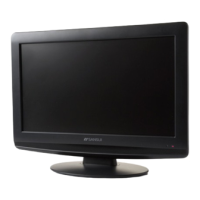
Sansui HDLCD1909A - User Manual

Sansui HDLCD1909A
24 pages
Print Icon
To Next Page IconTo Next Page
Loading...
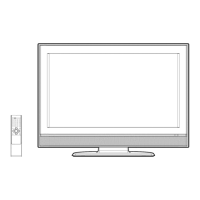
19” WIDE TFT LCD TELEVISION WITH DIGITAL TUNER
OWNER’S MANUAL
ATTENTION
If you purchase a universal remote control from your local retailer, please contact the remote manufacturer for
the required programming code.
AIR/CABLE MODE SELECTION
When shipped from the factory, the Signal Type option is set to the “Cable” (Cable Television) mode.
If not using Cable TV, set this menu option to the Air” position.
Before operating the unit, please read this manual thoroughly.
HDLCD1909
HDLCD1909A
HDLCD1909B
IF CONTACT WITH CUSTOMER SERVICE IS REQUIRED
PLEASE HAVE THE MODEL NUMBER READY PRIOR TO THE CALL
CUSTOMER SERVICE – 1-800-289-0980
ORION WEBSITE
FOR INFORMATION ON OUR OTHER PRODUCTS, PLEASE VISIT OUR WEBSITE AT
www.orionsalesinc.com
39A0601A_En.indd 139A0601A_En.indd 1 6/26/09 4:32:56 PM6/26/09 4:32:56 PM

Questions and Answers

  • E
    Erica MorrisonAug 17, 2025
    Why is my Sansui HDLCD1909A LCD TV remote not working?
    • G
      Glenn WashingtonAug 17, 2025
      If your Sansui LCD TV remote isn't working, start by checking the batteries; they might be weak, dead, or inserted incorrectly. Ensure you're within 15 feet of the TV and that the remote is aimed at the sensor without any obstructions. Also, make sure the TV's power cord is plugged in.
  • A
    Adrian GriffinAug 19, 2025
    What to do if Sansui HDLCD1909A does not operate?
    • V
      Valerie GarciaAug 20, 2025
      If your Sansui LCD TV isn't operating, ensure the power cord is properly plugged in and try a different AC outlet. Also, check the fuse or circuit breaker. As a last resort, unplug the unit for an hour, then plug it back in.
  • K
    Kara WilsonAug 22, 2025
    Why does my Sansui HDLCD1909A have poor picture quality?
    • C
      Christine WilsonAug 22, 2025
      If your Sansui LCD TV exhibits poor picture quality or no picture at all, try tuning to another station to rule out issues with the current broadcast or cable TV feed. Ensure the channels are correctly set into the memory. Inspect the antenna or cable TV connections, adjusting the antenna as necessary. Check for potential sources of interference and verify the picture control adjustments.
  • T
    tbryantAug 26, 2025
    Why is the sound on my Sansui HDLCD1909A LCD TV poor?
    • K
      kevin70Aug 26, 2025
      If your Sansui LCD TV has poor sound quality or no sound, try tuning to another station to rule out issues with the current broadcast or cable TV feed. Check the sound adjustments, including volume and mute settings. Also, check for any potential sources of interference.
  • D
    Dr. Lindsey WilliamsAug 28, 2025
    Why does my Sansui HDLCD1909A have poor reception on some channels?
    • V
      Victor KnoxAug 28, 2025
      If you're experiencing poor reception on some channels with your Sansui LCD TV, try tuning to another station to rule out issues with the current broadcast or cable TV feed. Ensure the channels are correctly set into the memory. Adjust the antenna to better receive the desired station, especially if the station is weak. Also, check for any potential sources of interference.
  • J
    Juan MillsAug 30, 2025
    Why does my Sansui HDLCD1909A have poor color?
    • M
      michaeljohnsonAug 30, 2025
      If the color on your Sansui LCD TV is poor or nonexistent, try tuning to another station to rule out issues with the current broadcast or cable TV feed. Ensure the channels are correctly set into the memory. Check the picture control adjustments, antenna, or cable TV connections, adjusting the antenna as necessary. Also, check for any potential sources of interference.
  • U
    umurraySep 2, 2025
    Why does my Sansui HDLCD1909A LCD TV keep shutting off?
    • L
      Lori JonesSep 2, 2025
      If your Sansui LCD TV shuts off unexpectedly, check if the Sleep Timer is set. Also, consider whether there has been a power interruption.
  • R
    Richard RobertsonSep 5, 2025
    How to fix no CATV reception on Sansui LCD TV?
    • M
      Mark KeithSep 5, 2025
      If you're not receiving CATV on your Sansui LCD TV, check all Cable TV connections. Set the Air/Cable menu option to the Cable mode. If problems persist, the issue might be with the station or Cable TV system, so try another station.
  • D
    dcampbellSep 8, 2025
    What to do if closed caption is not activated on Sansui HDLCD1909A LCD TV?
    • W
      William SuttonSep 8, 2025
      If your Sansui LCD TV is not activating closed captions, it may be due to the TV station experiencing problems, or the program tuned is not closed captioned; try another channel. Check the Cable TV connection or VHF/UHF antenna, reposition or rotate the antenna. Also, set the closed caption decoder in the menu.
  • A
    Angela StephensSep 12, 2025
    What causes horizontal bars on Sansui HDLCD1909A LCD TV screen?
    • S
      Shannon SmithSep 12, 2025
      If you're experiencing horizontal or diagonal bars on the screen of your Sansui LCD TV, check the antenna connections and adjust or redirect the antenna. Also, check for any sources of possible interference.

Summary

Safety and Precautions

General Safety Instructions

Essential safety guidelines for operating the television to prevent hazards.

Child Safety

Advice on preventing injury from children interacting with the TV and furniture.

Handling and Environmental Precautions

Guidance on condensation, LCD panel handling, and general safety precautions.

Setup and Connections

Stand Installation

Step-by-step instructions for attaching and removing the TV stand.

Power and Input Connections

How to connect the TV to power, antenna, cable, and other equipment.

Connecting External Devices

Instructions for connecting other audio and video devices like VCRs, DVD players, and PCs.

TV Operation and Features

Parts and Remote Control

Identification of TV parts and explanation of the remote control functions.

Initial Setup and Basic Operation

Steps for first-time setup, basic TV operation, and menu navigation.

Advanced Functions and Settings

Customizing picture, audio, channels, V-Chip, captions, and picture size.

Channel Management and Input Labeling

Memorizing channels, checking signal strength, and labeling inputs.

Support and Specifications

Troubleshooting Guide

Checklist of common TV problems and their potential solutions.

Product Specifications

Detailed technical specifications of the LCD TV.

Limited Warranty Information

Details of the product warranty, coverage, and claim procedures.

Sansui HDLCD1909A Specifications

General IconGeneral
Screen Size19 inches
Display TechnologyLCD
Aspect Ratio16:9
Response Time5ms
Sound Output2 x 3W
Resolution1366 x 768 pixels
Viewing Angle170° (H) / 160° (V)
Input PortsHDMI, VGA, RF
Weight3.5 kg

Related product manuals