EasyManua.ls Logo

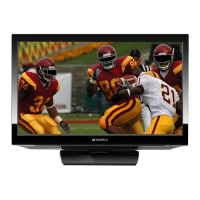
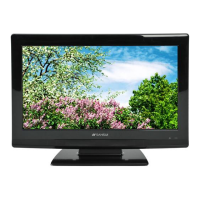
Sansui HDLCD185W - User Manual

Sansui HDLCD185W
28 pages
Print Icon
To Next Page IconTo Next Page
Loading...
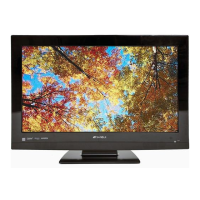
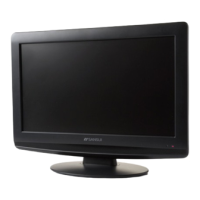
19” CLASS WIDE LCD TV
OWNER’S MANUAL
HDLCD185W
Before operating the unit, please read this manual thoroughly.
ATTENTION
If you purchase a universal remote control from your local retailer, please contact the remote manufac-
turer for the required programming code.
IF CONTACT WITH CUSTOMER SERVICE IS REQUIRED
PLEASE HAVE THE MODEL NUMBER READY PRIOR TO THE CALL
CUSTOMER SERVICE – 1-800-289-0980
ORION WEBSITE
FOR INFORMATION ON OUR OTHER PRODUCTS AND RECYCLING INFORMATION,
PLEASE VISIT OUR WEBSITE AT
www.orionsalesinc.com
AIR/CABLE MODE SELECTION
When shipped from the factory, the Signal Type option is set to the “Cable” (Cable Television) mode. If
not using Cable TV, set this menu option to the “Air” position.
3EZ0601A_En.indd 13EZ0601A_En.indd 1 6/6/11 8:50:47 PM6/6/11 8:50:47 PM

Questions and Answers

  • M
    Michael BrownAug 14, 2025
    What to do if Sansui LCD TV remote is not working?
    • L
      lynndavisAug 14, 2025
      If your Sansui LCD TV remote isn't working, try these steps: Ensure the batteries aren't weak, dead, or inserted incorrectly. Move closer to the TV (within 15 feet). Make sure the remote is aimed at the sensor and there are no obstructions. Also, verify that the power cord is plugged in.
  • M
    Mark MartinAug 17, 2025
    What to do if my Sansui HDLCD185W LCD TV does not turn on?
    • A
      Audrey CastanedaAug 17, 2025
      If your Sansui LCD TV isn't turning on, ensure the power cord is plugged in and try another AC outlet. Check your fuse or circuit breaker. As a last resort, unplug the unit for an hour, then plug it back in.
  • C
    Christopher NicholsAug 21, 2025
    Why does my Sansui LCD TV have poor or no picture?
    • J
      Jessica SheltonAug 21, 2025
      If your Sansui LCD TV has a poor or no picture, try tuning to another station to rule out station or cable TV problems. Ensure channels are set into memory. Check your antenna or cable TV connections and adjust the antenna. Check for sources of interference and adjust the picture control settings.
  • C
    Carolyn JonesAug 25, 2025
    Why does my Sansui LCD TV have poor or no sound?
    • M
      Michael StevensonAug 25, 2025
      If your Sansui LCD TV has poor or no sound, try tuning to another station to rule out station or cable TV problems. Check the sound adjustments (VOL+/- or MUTE). Also, check for sources of possible interference.
  • W
    williamloweAug 27, 2025
    How to fix poor reception on some channels on Sansui HDLCD185W?
    • G
      Gregory MendozaAug 27, 2025
      To fix poor reception on some channels on your Sansui LCD TV, try tuning to another station to rule out station or cable TV problems. Ensure channels are set into memory. Adjust the antenna to receive the desired station if the station is weak. Check for sources of possible interference.
  • A
    aliciacardenasAug 30, 2025
    Why does my Sansui LCD TV have poor or no color?
    • M
      Misty SalinasAug 30, 2025
      If your Sansui LCD TV has poor or no color, tune to another station to rule out station or cable TV problems. Make sure channels are set into memory. Check the picture control adjustments, antenna, and cable TV connections, adjusting the antenna as needed. Also, check for sources of possible interference.
  • L
    lboydSep 3, 2025
    Why does my Sansui LCD TV keep shutting off?
    • D
      David NobleSep 3, 2025
      Your Sansui LCD TV might be shutting off because the Sleep Timer is set or the power was interrupted.
  • B
    bruceelizabethSep 6, 2025
    How to get CATV reception on Sansui LCD TV?
    • A
      Alyssa ContrerasSep 6, 2025
      To get CATV reception on your Sansui LCD TV, check all Cable TV connections. Set the Signal Type menu option to the Cable mode. If there are station or Cable TV system problems, try another station.
  • N
    Nicholas AllisonSep 9, 2025
    What to do if Sansui LCD TV has no reception above channel 13?
    • A
      amyfloresSep 9, 2025
      If your Sansui LCD TV has no reception above channel 13, make sure the Signal Type option is in the appropriate mode. If using an antenna, check the UHF antenna connections.

Summary

ATTENTION

CUSTOMER SERVICE CONTACT

Information required when contacting customer support.

SAFETY INFORMATION

IMPORTANT SAFETY INSTRUCTIONS

CHILD SAFETY GUIDELINES

Wall Mounting Precautions

Instructions and precautions for safely mounting the flat panel display on a wall.

OPERATIONAL PRECAUTIONS

LCD Panel Handling

Guidelines for safely handling the LCD panel to avoid damage and injury.

Unit Placement and Ventilation

Notes on unit placement, ventilation, and wall mounting safety.

Stand Installation and Removal

Attaching the TV Stand

Step-by-step instructions for securely attaching the TV stand.

Removing the TV Stand

Procedure for safely removing the TV stand for transport or wall mounting.

Power Source Connection

AC Power Connection

Instructions for connecting the TV to an AC power outlet.

Parts and Functions Overview

Remote Control Usage

Battery Installation

Step-by-step instructions for installing batteries in the remote control.

Antenna and Cable Connections

Connecting External Equipment

AV and PC Connectivity

PC Monitor Connection

Connecting the TV to a PC as a monitor using VGA or HDMI.

HDMI and DVI Device Connection

Initial TV Setup

Auto Setup Process

Initial TV configuration for channels, signal type, and location.

TV Operation Basics

Input Source Selection

Switching between different video input sources connected to the TV.

Menu Operation Guide

Channel Memory Management

V-Chip Settings and Security

Closed Captioning Options

Picture Size Adjustment

Selecting Picture Size Modes

Choosing from various picture size options like Natural, Cinema Wide, and Full.

Troubleshooting Guide

Sansui HDLCD185W Specifications

General IconGeneral
Screen Size18.5 inches
Resolution1366 x 768
Display TechnologyLCD
HDTV Format720p
Aspect Ratio16:9
Brightness250 cd/m²
Contrast Ratio1000:1
Viewing Angle170° (H) / 160° (V)
Response Time5 ms
Input PortsHDMI, VGA, Composite
Power Consumption30W

Related product manuals