6
How to attach the stand
NOTE:
• Unplug the AC cord from the AC INPUT terminal.
• Before beginning this process, assure that the TV is laid on a clean, safe, and cushioned surface to avoid
any damage to the unit.
• Do not touch or press the TV screen, glass might break under pressure.
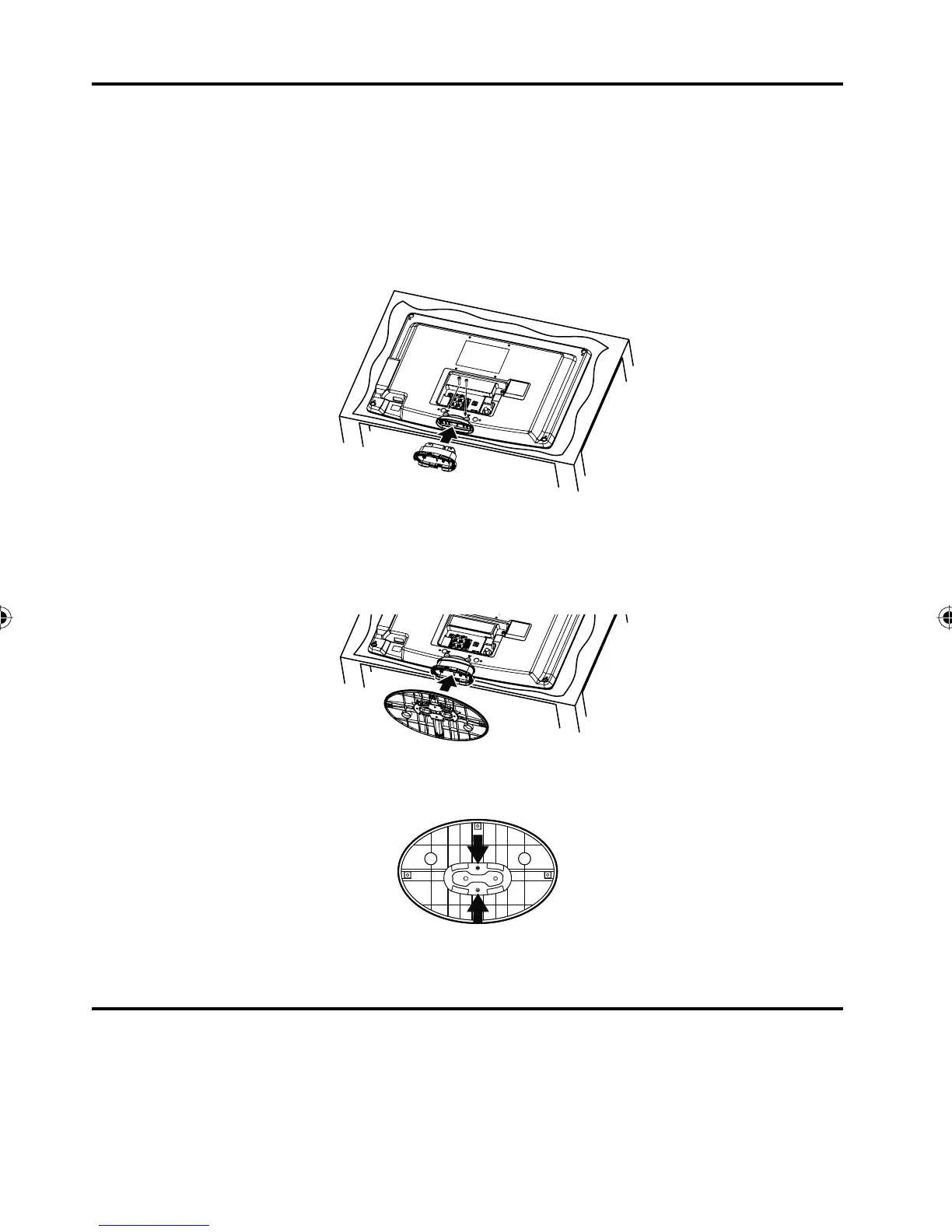
1
Place the tv with back facing upwards as shown below.
Align the stand with the TV as below and insert securely.
Note: It will fit in one direction only.
Secure with 2 screws (M4 x 25mm, included).
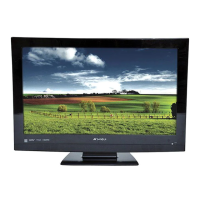
2
Align the bottom plate (oval shape) with the stand as shown below.
Note: It will fit in one direction only.
Press in direction of arrow until you hear a “click”.
Danger: Do not touch or press the TV screen.
Glass might break under pressure.
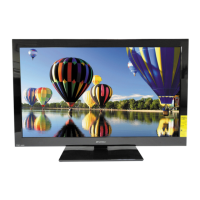
3
Secure the bottom plate with 2 screws (M3 x 8mm, included).
How to remove the stand
When you transport this product, remove the stand and pack fl at against the back of the unit in the carton. To
remove the stand, perform these steps in reverse order.
For wall mounting, the base must be removed. To disconnect the base/stand remove the 2 screws from the back
(see page 5).
3EZ0601A_En.indd 63EZ0601A_En.indd 6 6/6/11 8:50:55 PM6/6/11 8:50:55 PM



 To Next Page