EasyManua.ls Logo

Sansui MR-6 - Page 7

Sansui MR-6
12 pages
Print Icon
To Next Page IconTo Next Page
To Previous Page IconTo Previous Page
Loading...
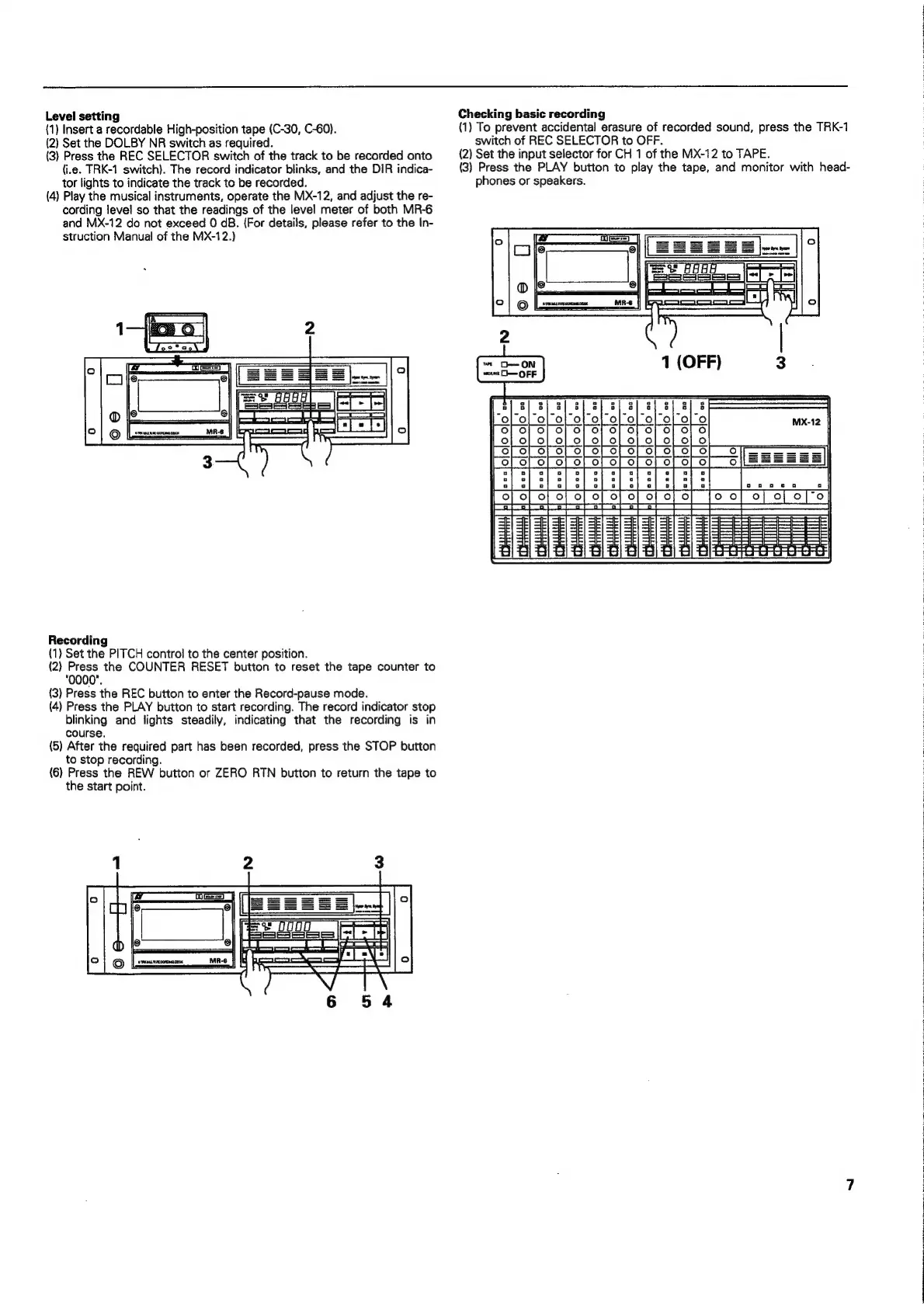
Level
setting
(1)
Insert
a
recordable
High-position
tape
(C-30,
C-60).
(2)
Set
the
DOLBY
NR
switch
as
required.
(3)
Press
the
REC
SELECTOR
switch
of
the
track
to
be
recorded
onto
(i.e.
TRK-1
switch).
The
record
indicator
blinks,
and
the
DIR
indica-
tor
lights
to
indicate
the
track
to
be
recorded.
(4)
Play
the
musical
instruments,
operate
the
MX-12,
and
adjust
the
re-
cording
level
so
that
the
readings
of
the
level
meter
of
both
MR-6
and
MX-12
do
not
exceed
0
dB.
(For
details,
please
refer
to
the
In-
struction
Manual
of
the
MX-12.)
Recording
(1)
Set
the
PITCH
control
to
the
center
position.
(2)
Ma
the
COUNTER
RESET
button
to
reset
the
tape
counter
to
(3)
Press
the
REC
button
to
enter
the
Record-pause
mode.
(4)
Press
the
PLAY
button
to
start
recording.
The
record
indicator
stop
blinking
and
lights
steadily,
indicating
that
the
recording
is
in
course.
(5)
After
the
required
part
has
been
recorded,
press
the
STOP
button
to
stop
recording.
(6)
Press
the
REW
button
or
ZERO
RTN
button
to
return
the
tape
to
the
start
point.
et
UOUOU
1
FSS
ESS
53
Checking
basic
recording
(1)
To
prevent
accidental
erasure
of
recorded
sound,
press
the
TRK-1
switch
of
REC
SELECTOR
to
OFF.
(2)
Set
the
input
selector
for
CH
1
of
the
MX-12
to
TAPE.
(3)
Press
the
PLAY
button
to
play
the
tape,
and
monitor
with
head-
phones
or
speakers.
rie