EasyManua.ls Logo

Sansui SLEDVD198 - User Manual

Sansui SLEDVD198
80 pages
Print Icon
To Next Page IconTo Next Page
Loading...
19” CLASS WIDE LED TV WITH DVD PLAYER
TÉLÉVISEUR DEL GRAND ÉCRAN CATÉGORIE
19 PO ET LECTEUR DVD
OWNER’S MANUAL
GUIDE D’UTILISATION
ATTENTION
ATTENTION
If you purchase a universal remote control from your local retailer, please contact the remote manufacturer for the
required programming code.
Si vous utilisez avec cet appareil une télécommande universelle (autre que celle vendue avec ce téléviseur),
consultez la documentation accompagnant la télécommande universelle afin de connaître le code numérique cor-
respondant au téléviseur.
AIR/CABLE MODE SELECTION
SÉLECTION DU MODE AIR/CABLE
When shipped from the factory, the Signal Type option is set to the “Cable” (Cable Television) mode.
If not using Cable TV, set this menu option to the Air” position.
Lorsque l’appareil sort de l’usine, l’option « Signal Type » est en mode « Cable » (câblodistribution). Si vous
n’utilisez pas la câblodistribution, sélectionnez l’option « Air ».
Before operating the unit, please read this manual thoroughly.
Avant de faire fonctionner l’appareil, veuillez lire le présent guide attentivement.
SLEDVD198
IF CONTACT WITH CUSTOMER SERVICE IS REQUIRED
PLEASE HAVE THE MODEL NUMBER READY PRIOR TO THE CALL
S’IL FAUT CONTACTER LE SERVICE CLIENTÈLE, PRENEZ SOIN D’ÊTRE MUNI
DU NUMÉRO DE MODÈLE AVANT D’APPELER.
CUSTOMER SERVICE – 1-800-289-0980
SERVICE/SERVICE CLIENTÈLE: 1-800-289-0980
ORION WEBSITE
SITE WEB ORION
FOR INFORMATION ON OUR OTHER PRODUCTS, PLEASE VISIT OUR WEBSITE AT
POUR OBTENIR DES INFORMATIONS SUR NOS AUTRES PRODUITS, VEUILLEZ VISITER NOTRE SITE WEB:
www.orionsalesinc.com
FRANÇAIS ENGLISH
55D0121A.indb 155D0121A.indb 1 7/7/10 9:14:53 AM7/7/10 9:14:53 AM

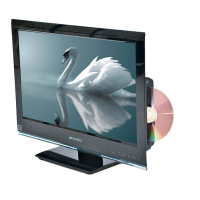
Table of Contents

Other manuals for Sansui SLEDVD198

Questions and Answers

  • A
    Ashley AustinAug 20, 2025
    What to do if Sansui SLEDVD198 TV DVD Combo or remote operation key is not functioning?
    • S
      Samantha ScottAug 20, 2025
      If the unit or remote operation key is not functioning on your Sansui TV DVD Combo, turn off the unit and unplug the AC power cord for several minutes, then replug it.
  • R
    Rebecca BooneAug 22, 2025
    How to troubleshoot Sansui SLEDVD198 TV DVD Combo that does not operate?
    • K
      Kelly LopezAug 22, 2025
      If your Sansui TV DVD Combo is not operating, ensure the power cord is properly plugged in. Also, check the fuse or circuit breaker to confirm power is on. As a last resort, try unplugging the unit and then plugging it back in.
  • C
    Christopher BrownAug 25, 2025
    Why does my Sansui SLEDVD198 TV DVD Combo have poor or no sound?
    • K
      Kimberly PrattAug 25, 2025
      If you are experiencing poor or no sound on your Sansui TV DVD Combo, first, if watching TV, try tuning to another station in case the issue is with the broadcast. Next, check the volume adjustments and ensure the mute function is not enabled. Finally, check for any potential sources of interference that could be affecting the sound quality.
  • D
    Damon GarrettAug 26, 2025
    What to do if Sansui TV DVD Combo has poor picture or no picture?
    • H
      Hunter WangAug 26, 2025
      If your Sansui TV DVD Combo has poor or no picture, first try tuning to another station to rule out station problems. Check the antenna or Cable TV connections and reorient the antenna. Also, check for sources of possible interference and verify the picture control adjustments.
  • C
    Catherine BrooksAug 28, 2025
    Why is there no Cable TV reception on my Sansui SLEDVD198?
    • R
      Ronnie StewartAug 28, 2025
      If your Sansui TV DVD Combo is not receiving Cable TV, verify all Cable TV connections are secure. Make sure the Signal Type option is set to 'Cable' mode. If the issue persists, try tuning to another station to rule out station or Cable TV system problems.
  • S
    steven96Aug 30, 2025
    Why does my Sansui SLEDVD198 have poor color or no color?
    • L
      Luke HughesAug 30, 2025
      If your Sansui TV DVD Combo displays poor color or no color, first tune to another station to rule out station-related issues. Ensure that channels are properly set into memory. Check the picture control adjustments, antenna or Cable TV connections, and reorient the antenna. Check for any sources of possible interference.
  • M
    Matthew MartinezAug 31, 2025
    Why is the reception poor on some channels on my Sansui SLEDVD198?
    • G
      Gina CooperAug 31, 2025
      If your Sansui TV DVD Combo has poor reception on some channels, first, try tuning to another station to rule out station-related problems. If the station signal is weak, reorient the antenna to receive a stronger signal. Check for any sources of possible interference.
  • B
    Benjamin WardSep 2, 2025
    Why does the picture wobble or drift on my Sansui SLEDVD198?
    • D
      danielsalexisSep 2, 2025
      If the picture on your Sansui TV DVD Combo wobbles or drifts, first try tuning to another station to rule out station-related issues. Ensure that channels are set into memory. Check the antenna orientation. Note that if you use Cable TV, the company might be scrambling the signal.
  • P
    potterpatriciaSep 4, 2025
    Why does my Sansui TV DVD Combo keep shutting off?
    • F
      frank89Sep 4, 2025
      Your Sansui TV DVD Combo might shut off because there is no broadcast on the tuned station, the Sleep Timer is set, or the power was interrupted.
  • N
    Nicole BlackSep 6, 2025
    How to fix horizontal or diagonal bars on Sansui SLEDVD198 screen?
    • R
      Ronald KingSep 6, 2025
      If you see horizontal or diagonal bars on the screen of your Sansui TV DVD Combo, check the antenna connections and reorient the antenna. Also, check for sources of possible interference.

Summary

Important Safety Instructions

General Safety Guidelines

Read, keep, heed, follow all instructions; avoid water, use dry cloth, ensure ventilation.

Plug and Cord Safety

Protect power cord from damage, use specified attachments, avoid overloading outlets.

Electrical Safety and Grounding

Proper grounding, avoiding openings, and preventing liquid spills for electrical safety.

Child Safety Guidelines

Safe Use and Installation Tips

Recommendations for preventing tip-over and ensuring safe placement of the display.

Wall Mounting Advice

Guidelines for secure wall mounting, including choosing the right mount and professional installation.

Additional Safety Precautions

Safety Precautions

Precautions regarding heat, ventilation, and LCD panel care.

Important Notice on LCD Panel

Adverse effects on LCD panel and technical limitations.

Stand Installation and Removal

How to Attach the Stand

Step-by-step instructions for attaching the TV stand securely.

How to Remove the Stand

Procedures for detaching the stand for transport or wall mounting.

Product Features

Integrated TV and DVD;CD Player

Overview of the combined TV and DVD/CD player functionality.

Audio Output Options

Details on connecting to various audio systems like Dolby Digital and DTS.

Convenience and TV Features

Features like scene selection, slow motion, closed caption, and sleep timer.

Disc Operations

Playable Discs and Cautions

List of supported disc types and important playback cautions.

Disc Structure and Handling

Understanding disc structure (title, chapter) and proper handling.

Parts and Functions

Unit Connections Overview

Identification of jacks and ports on the unit's sides and rear.

Front Panel Controls

Overview of front panel buttons, indicators, and the remote sensor.

Remote Control Operation

Remote Control Buttons

Explanation of each button's function on the remote control.

Battery Installation and Operation

Instructions for installing batteries and operating the remote control.

TV Setup and Operation

Starting Setup Guide

Initial TV setup process for signal type and automatic channel programming.

Basic TV Operation

Adjusting volume, selecting channels, and switching input sources.

Memorizing Channels

How to program channels into memory for easier navigation.

TV Menu and Basic Functions

Display Information and Recall

Using DISPLAY to show information and RECALL to return to previous channels.

Mute and Sleep Timer Functions

Muting sound and setting the TV to turn off automatically.

Quick Guide for Menu Operation

Navigating the TV menu to adjust settings like language.

Convenience Functions

Picture and Audio Settings

Adjusting picture quality (brightness, contrast) and sound (bass, treble).

Channel and Setup Options

Managing channels, closed captions, timers, and other setup preferences.

Channel Management

Automatic Channel Search

Procedure for automatically searching and memorizing available channels.

Adding or Deleting Channels

Adding new channels or removing unwanted channels from memory.

Channel and Input Labeling

Digital Signal Strength Check

Viewing the digital signal meter to optimize antenna direction.

Labeling Channels and Inputs

Assigning custom labels to channels and video input sources for clarity.

Setting the V-Chip

Registering a Password

Steps to register a password for V-Chip functionality.

Setting V-Chip Restrictions

Setting age and genre-based restrictions for content playback.

Closed Captioning

Closed Captioning Setup

Enabling and customizing closed captions for hearing impaired viewers or translations.

CC Advanced Settings

Customizing digital caption display parameters like text size and color.

Setting the Picture Size

Selecting Picture Size Modes

Choosing from Natural, Cinema Wide, Full, and Native picture size options.

DVD Preparation and Playback

DVD Preparation Steps

Steps required before operating the DVD player, including power and disc insertion.

Basic Playback Procedure

Performing basic disc playback and understanding status displays.

Advanced DVD Playback

Special Playback Modes

Using fast forward, slow motion, still playback, and frame advance.

Zoom and Scene Search

Zooming the picture and locating specific scenes by title, chapter, or time.

A-B Repeat Playback

Repeating a segment of the disc between two selected points.

DVD Playback Customization

Marking and Angle Selection

Storing desired scenes and changing viewing angles on multi-angle discs.

Audio and Subtitle Language

Selecting preferred soundtrack languages and subtitle options.

Menu Navigation and Play Modes

Using the HOME MENU

Navigating the main menu for disc and file playback options.

Play Mode Options

Selecting playback modes like A-B Repeat, Repeat, and Random.

Advanced Playback and Audio Settings

Program Playback

Creating and playing back custom sequences of titles, chapters, or tracks.

Audio Settings Menu

Adjusting audio settings like Equalizer, Audio DRC, and Dialog.

Video Adjust and Menu Guide

Video Adjust Menu

Adjusting picture settings such as sharpness, brightness, and contrast.

Quick Guide for DVD Menu Operation

Customizing default settings through the DVD menu interface.

Function Setup

Digital Audio and Video Output Settings

Configuring digital audio output formats and TV screen aspect ratios.

Language and Display Settings

Selecting audio language, subtitle language, and display preferences.

Parental Control

Registering a Password

Steps to register a password for V-Chip functionality.

Setting V-Chip Restrictions

Setting age and genre-based restrictions for content playback.

Code Lists

Language Code List

Reference list for language codes used in settings.

Country;Area Code List

Reference list for country/area codes used in settings.

Connecting Other Equipment

Connecting External Devices

Diagrams for connecting VCRs, camcorders, game consoles, AV amplifiers, PCs, HDMI/DVI devices.

Connecting PC and AV Amplifier

Connecting to PCs for monitor use and AV amplifiers for surround sound.

Troubleshooting and Maintenance

Reception Disturbances

Common TV interference types, their causes, and potential remedies.

Care and Maintenance

Instructions for cleaning and maintaining the unit to prevent damage.

Problems and Troubleshooting

Checklist of common issues with possible solutions for TV/DVD operation.

Specifications

General and TV Specifications

Details on power, dimensions, display type, and tuner specifications.

Input;Output and Disc Player Specs

Specifications for inputs, outputs, speakers, and DVD/CD player components.

Limited Warranty

Warranty Coverage

Details on warranty period, coverage, and exclusions for manufacturing defects.

Warranty Limitations

Information on warranty void conditions and limitations on liability.

Sansui SLEDVD198 Specifications

General IconGeneral
BrandSansui
ModelSLEDVD198
CategoryTV DVD Combo
LanguageEnglish

Related product manuals